An API can recognize a caller without keeping that caller's conversations private. A LangGraph Agent Server needs custom authentication to identify each user and an authorization filter to keep threads with their owner. A valid token alone does not establish that boundary.
The Auth object validates a bearer token and supplies a stable user identity to resource handlers. The owner handler writes that identity into resource metadata and returns the same constraint for subsequent access, so knowing another user's thread ID does not grant access to it.
Local development with langgraph dev supports testing these hooks without a cloud account or model provider. Production custom authentication is available for LangSmith SaaS or Enterprise Self-Hosted deployments; a local test does not establish production readiness. The randomly generated tokens belong only in a private development project, with a real identity provider needed for production.
Steps to configure custom authentication for a LangGraph Agent Server:
- Stop the development server in the project created by the local Agent Server guide.
The starting project has agent.py, requirements.txt, and langgraph.json with the local_agent graph registered. Its active Python environment includes langgraph-cli[inmem]. Ctrl+C stops the foreground server. The shell commands below use Bash or another POSIX shell and require curl.
Related: How to run a LangGraph Agent Server locally
Related: Create a Python virtual environment
Related: Activate a Python virtual environment
Related: Install curl on Ubuntu - Back up the project's langgraph.json before changing authentication.
$ cp langgraph.json langgraph.json.before-auth
A wrong handler path or missing token variable can prevent startup or reject every caller. Recovery is to stop the development server, restore this backup, and restart locally. Removing authentication reopens the API, so recovery must remain on loopback.
- Generate two private test tokens in a new .auth.env file.
$ python -c '
import os
import secrets
with os.fdopen(os.open(".auth.env", os.O_WRONLY | os.O_CREAT | os.O_EXCL, 0o600), "w") as f:
    f.write("ALICE_TOKEN=" + secrets.token_urlsafe(32) + "\n")
    f.write("BOB_TOKEN=" + secrets.token_urlsafe(32) + "\n")
'
The command creates an owner-readable file without displaying either token, and refuses to overwrite an existing file. ALICE_TOKEN and BOB_TOKEN name the two synthetic users' credentials. This file must stay out of version control, shared folders, and screenshots.
- Create auth.py in the project root with the token-to-identity mapping.
- auth.py
import os
from secrets import compare_digest

from langgraph_sdk import Auth

auth = Auth()
TOKENS = {
    os.environ["ALICE_TOKEN"]: "alice",
    os.environ["BOB_TOKEN"]: "bob",
}
The environment provides the secret values; the returned identities remain stable and contain no credential.
- Append the bearer-token handler below TOKENS in auth.py.
- auth.py
@auth.authenticate
async def authenticate(
    authorization: str | None,
) -> Auth.types.MinimalUserDict:
    scheme, _, token = (authorization or "").partition(" ")
    if scheme.lower() == "bearer" and token and token.isascii():
        for valid_token, identity in TOKENS.items():
            if compare_digest(token, valid_token):
                return {"identity": identity}
    raise Auth.exceptions.HTTPException(
        status_code=401, detail="Invalid bearer token"
    )
Missing, malformed, and unknown tokens receive HTTP 401. Returning identity authenticates the caller but does not by itself restrict thread access.
- Append the owner authorization handler below authenticate in auth.py.
- auth.py
@auth.on
async def owner_only(ctx: Auth.types.AuthContext, value: dict) -> dict:
    filters = {"owner": ctx.user.identity}
    value.setdefault("metadata", {}).update(filters)
    return filters
The server sets owner rather than trusting caller-supplied ownership. The returned metadata filter limits reads and searches to that identity. Existing threads without matching owner metadata become inaccessible; this belongs in a fresh development project, not an unplanned migration of existing conversations.
Metadata filters do not replace authorization for long-term store namespaces or custom HTTP routes. Those need their own policies before a service is exposed.
- Save the completed auth.py file.
- Open langgraph.json in your text editor.
- Add the env and auth entries alongside the existing dependencies and graphs entries.
- langgraph.json
{
  "dependencies": ["."],
  "graphs": {
    "local_agent": "./agent.py:graph"
  },
  "env": ".auth.env",
  "auth": {
    "path": "./auth.py:auth",
    "disable_studio_auth": true
  }
}
This is the complete configuration for the linked local-server project. auth.path names the Auth object, not the authentication function. disable_studio_auth removes Studio's alternative LangSmith authentication path so these requests must pass the custom handler. If the project already has environment settings, its existing variables must remain available alongside the two new tokens.
- Save langgraph.json.
- Check the Python syntax in auth.py.
$ python -m py_compile auth.py
- Check the JSON syntax in langgraph.json.
$ python -m json.tool langgraph.json > /dev/null
- Start the Agent Server with the updated configuration.
$ langgraph dev --no-browser
##### snipped #####
- 🚀 API: http://127.0.0.1:2024
##### snipped #####
The default listener is 127.0.0.1. A public bind or tunnel would expose a development server using test credentials, so neither belongs in this setup. The server stays running in this terminal.
- Activate the project's Python virtual environment in a second terminal at the same project directory.
$ . .venv/bin/activate
If the linked local-server project uses a different environment directory, that path replaces .venv.
Related: How to activate a Python virtual environment - Load the token variables in the second terminal.
$ . ./.auth.env
Each authenticated request below sends its header through standard input, keeping the expanded token out of curl's process arguments.
- Confirm that an unauthenticated thread search returns HTTP 401. Example output:
$ curl --silent --show-error --output /dev/null --write-out 'HTTP %{http_code}\n' \ --request POST http://127.0.0.1:2024/threads/search \ --header 'Content-Type: application/json' --data '{}' HTTP 401 - Create Alice's thread with her bearer token.
$ THREAD_ID=$(printf 'Authorization: Bearer %s\n' "$ALICE_TOKEN" | \
  curl --fail-with-body --silent --show-error --header @- \
  --request POST http://127.0.0.1:2024/threads \
  --header 'Content-Type: application/json' --data '{}' | \
  python -c 'import json, sys; print(json.load(sys.stdin)["thread_id"])')
THREAD_ID comes from the server response rather than a fixed identifier. The authorization handler sets this thread's owner to alice.
- Confirm that Bob cannot read Alice's thread. Example output:
$ printf 'Authorization: Bearer %s\n' "$BOB_TOKEN" | \
  curl --silent --show-error --header @- --output /dev/null \
  --write-out 'HTTP %{http_code}\n' \
  "http://127.0.0.1:2024/threads/$THREAD_ID"
HTTP 404
HTTP 404 hides the thread from the authenticated non-owner. HTTP 200 here means the owner restriction is missing or ineffective.
- Confirm that Bob's thread search excludes Alice's thread. Example output:
$ printf 'Authorization: Bearer %s\n' "$BOB_TOKEN" | \
  curl --fail-with-body --silent --show-error --header @- \
  --request POST http://127.0.0.1:2024/threads/search \
  --header 'Content-Type: application/json' --data '{}'
[]
With no threads created by Bob, his search returns an empty list. A populated development project may return Bob's own threads, but must never include THREAD_ID.
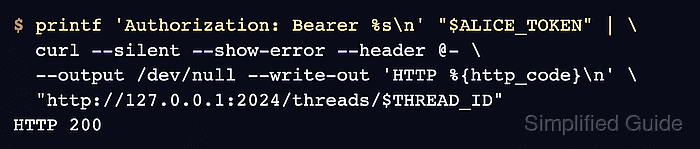
- Confirm that Alice can still read her thread with a valid token. Example output:
$ printf 'Authorization: Bearer %s\n' "$ALICE_TOKEN" | \
  curl --silent --show-error --header @- \
  --output /dev/null --write-out 'HTTP %{http_code}\n' \
  "http://127.0.0.1:2024/threads/$THREAD_ID"
HTTP 200
The unauthenticated 401, non-owner 404, filtered search, and owner 200 together show authentication and thread ownership working on the running local server.