A compiled LangGraph graph can sit behind an HTTP API instead of running only through direct Python calls. The local Agent Server exposes that graph through run endpoints, which makes the application callable from another process before it is deployed.
The LangGraph CLI reads langgraph.json from the project directory and imports each named graph from its configured Python path. The credential-free graph below keeps the server and API handoff visible without adding a model provider or an .env file.
The development server binds to 127.0.0.1 and uses a lightweight runtime that keeps active state in memory while pickling it to a local directory. That storage suits development and testing, but production workloads need the database-backed Agent Server deployment.
Related: How to install LangGraph with pip
Related: Inspect local run events
Steps to run a LangGraph Agent Server locally:
- Declare the LangGraph dependency in requirements.txt.
langgraph>=1.0
- Create the State contract in a new agent.py file.
- agent.py
from typing import TypedDict

from langgraph.graph import END, START, StateGraph


class State(TypedDict):
    message: str
    reply: str
- Add the respond node below the State contract in agent.py.
- agent.py
def respond(state: State) -> dict[str, str]:
    return {"reply": f"Agent Server received: {state['message']}"}
- Append the graph construction below respond in agent.py.
- agent.py
builder = StateGraph(State)
builder.add_node("respond", respond)
builder.add_edge(START, "respond")
builder.add_edge("respond", END)
graph = builder.compile()
- Register the compiled graph as local_agent in langgraph.json.
- langgraph.json
{
  "dependencies": ["."],
  "graphs": {
    "local_agent": "./agent.py:graph"
  }
}
- Install the graph dependency and in-memory CLI in an active Python 3.11 or newer environment.
$ python -m pip install --requirement requirements.txt "langgraph-cli[inmem]"
- Start the local Agent Server without opening Studio automatically.
$ langgraph dev --no-browser
INFO:langgraph_api.cli:
##### snipped #####
- 🚀 API: http://127.0.0.1:2024
- 🎨 Studio UI: https://smith.langchain.com/studio/?baseUrl=http://127.0.0.1:2024
- 📚 API Docs: http://127.0.0.1:2024/docs

This in-memory server is designed for development and testing.
For production use, please use LangSmith Deployment.
##### snipped #####
The server remains attached to this terminal and reloads the graph when its Python source changes.
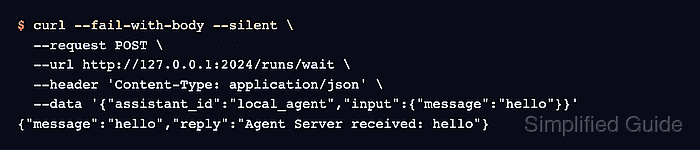
- Confirm the local graph through a threadless run from another terminal.
$ curl --fail-with-body --silent \
  --request POST \
  --url http://127.0.0.1:2024/runs/wait \
  --header 'Content-Type: application/json' \
  --data '{"assistant_id":"local_agent","input":{"message":"hello"}}'
{"message":"hello","reply":"Agent Server received: hello"}

Mohd Shakir Zakaria is a cloud architect with deep roots in software development and open-source advocacy. Certified in AWS, Red Hat, VMware, ITIL, and Linux, he specializes in designing and managing robust cloud and on-premises infrastructures.


