Local model work has two boundaries to prove. The Ollama server must have a chat model ready, and the Python application must reach it through LangChain. Keeping that check small catches service, model-name, and package errors before the same local model is used inside an agent, chatbot, or retrieval flow.
The Python integration uses ChatOllama from the langchain-ollama package. It talks to the Ollama service at the configured base URL, normally http://localhost:11434, while the client handles the /api/chat endpoint path. The model name in the script must match a model already pulled into Ollama.
A short fixed prompt keeps the smoke test easy to read. A local model can vary in wording, so the clearest success signal is an AIMessage plus response content from the selected model rather than perfect natural-language compliance.
Related: How to install LangChain with pip
Related: How to call a chat model in LangChain
Related: How to generate Ollama embeddings in LangChain
Steps to connect LangChain to an Ollama chat model:
- Start Ollama in another terminal if it is not already running.
$ ollama serve
Desktop and service installs may already keep Ollama running. Leave this foreground command open only when no background service is active.
- Pull the chat model that LangChain will call.
$ ollama pull gpt-oss:20b
Use any Ollama chat model that fits the machine. The same model name is used later as OLLAMA_MODEL.
- Confirm that the local Ollama API lists the model.
$ curl http://localhost:11434/api/tags
{"models":[{"name":"gpt-oss:20b","model":"gpt-oss:20b"}]}
The returned model name must match the value passed to ChatOllama. If the API does not respond, start Ollama before changing the Python script.
- Open an activated Python project environment.
- Install the Ollama integration package for LangChain.
$ python3 -m pip install --upgrade langchain-ollama
langchain-ollama installs the ChatOllama integration and its LangChain Core dependency.
Related: How to install LangChain with pip - Create the LangChain smoke-test script.
$ cat > connect_ollama_chat.py <<'PY'
import os

from langchain_ollama import ChatOllama


model = ChatOllama(
    model=os.environ.get("OLLAMA_MODEL", "gpt-oss:20b"),
    base_url=os.environ.get("OLLAMA_BASE_URL", "http://localhost:11434"),
    temperature=0,
    max_retries=0,
)

response = model.invoke(
    "Reply with exactly: Ollama chat model reached through LangChain."
)

print(type(response).__name__)
print(response.content)
PY
Set OLLAMA_BASE_URL only when Ollama listens on another host or port. Do not add /api to the base URL because the client builds the chat endpoint path.
- Run the smoke-test script.
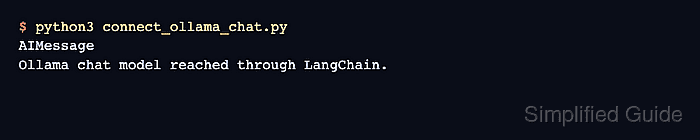
$ python3 connect_ollama_chat.py
AIMessage
Ollama chat model reached through LangChain.
A local model may answer with slightly different wording. The connection is working when the script returns AIMessage and readable response content instead of a connection, model-name, or package import error.
- Remove the temporary script after the smoke test.
$ rm connect_ollama_chat.py

Mohd Shakir Zakaria is a cloud architect with deep roots in software development and open-source advocacy. Certified in AWS, Red Hat, VMware, ITIL, and Linux, he specializes in designing and managing robust cloud and on-premises infrastructures.


