Node-level Kubernetes problems often sit below normal pod logs, especially when the kubelet, container runtime, host networking, or mounted filesystem needs inspection. kubectl debug can create a temporary pod on the selected node so an operator can inspect host state through the Kubernetes API instead of opening an SSH session to the machine.
The kubectl debug node/<node> form creates a debug pod on the target node, mounts the node root filesystem at /host, and runs the container in the node host namespaces. Use --profile=sysadmin when the investigation needs privileged host inspection, including chroot access into /host.
Run node debug sessions from a workstation or bastion with permission to create privileged pods in the selected namespace. The sample node is worker-2 and the sample image is busybox:1.36; use an approved internal debug image when production policy blocks public image pulls or requires audited tooling.
Steps to debug a Kubernetes node with kubectl:
- List nodes and choose the node to inspect.
$ kubectl get nodes
NAME            STATUS   ROLES           AGE   VERSION
control-plane   Ready    control-plane   6d    v1.36.1
worker-1        Ready    <none>          6d    v1.36.1
worker-2        Ready    <none>          6d    v1.36.1
- Create a privileged debug pod on the selected node.
$ kubectl debug node/worker-2 --image=busybox:1.36 --profile=sysadmin -- sleep 3600
Creating debugging pod node-debugger-worker-2-kqw7s with container debugger on node worker-2.
The debug pod has node-level access. Use it only with reviewed administrator permissions, and avoid typing secrets because kubectl debug warns that session input can be recorded in container logs.
- Confirm the debug pod is running on the target node.
$ kubectl get pods -l app.kubernetes.io/managed-by=kubectl-debug -o wide
NAME                              READY   STATUS    RESTARTS   AGE   IP           NODE       NOMINATED NODE   READINESS GATES
node-debugger-worker-2-kqw7s      1/1     Running   0          2s    10.244.2.8   worker-2   <none>           <none>
If the pod stays Pending or fails admission, inspect events for the debug pod before retrying.
Related: How to check Kubernetes events
Tool: Kubernetes Events Timeline Analyzer - Run a read-only host inspection through the debug pod.
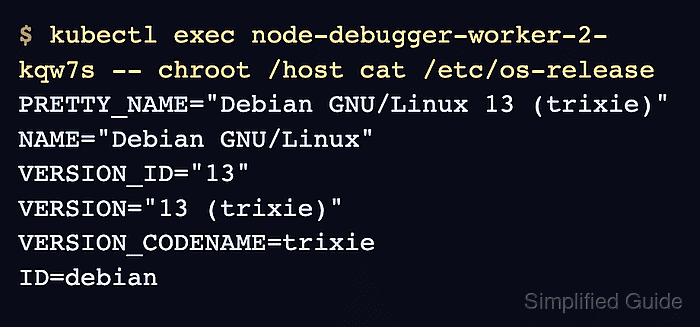
$ kubectl exec node-debugger-worker-2-kqw7s -- chroot /host cat /etc/os-release
PRETTY_NAME="Debian GNU/Linux 13 (trixie)"
NAME="Debian GNU/Linux"
VERSION_ID="13"
VERSION="13 (trixie)"
VERSION_CODENAME=trixie
ID=debian
chroot /host runs the command against the mounted node filesystem, not the busybox container filesystem.
- Open an interactive host shell only when a longer node investigation is needed.
$ kubectl exec -it node-debugger-worker-2-kqw7s -- chroot /host sh
# hostname
worker-2
# exit
Stay on read-only inspection commands until the node impact is understood. Package changes, service restarts, runtime file edits, or manual container cleanup can disrupt workloads on that node.
- Delete the debug pod after collecting the needed node evidence.
$ kubectl delete pod node-debugger-worker-2-kqw7s
pod "node-debugger-worker-2-kqw7s" deleted
- Confirm no node debug pod remains in the namespace.
$ kubectl get pods -l app.kubernetes.io/managed-by=kubectl-debug
No resources found in default namespace.

Mohd Shakir Zakaria is a cloud architect with deep roots in software development and open-source advocacy. Certified in AWS, Red Hat, VMware, ITIL, and Linux, he specializes in designing and managing robust cloud and on-premises infrastructures.


