A Kubernetes Ingress gives an HTTP route to a Service through the cluster's ingress controller. It is useful when a workload already has a stable Service and needs host or path routing without creating a separate external load balancer for every Service.
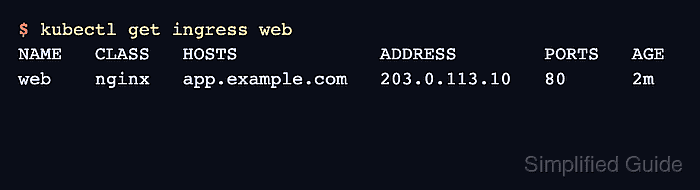
Ingress rules are stored as networking.k8s.io/v1 API objects. The ingressClassName value selects the controller that should implement the rule, and the controller updates status once it has accepted or published the route.
Use a Service name such as web, a hostname such as app.example.com, and the IngressClass used in the target cluster. TLS, DNS, and controller installation stay separate from the route object unless cluster policy requires those pieces before HTTP routing can be tested.
Related: How to create a Kubernetes Service
Related: How to troubleshoot Kubernetes Ingress
Steps to create a Kubernetes Ingress:
- List the available Ingress classes.
$ kubectl get ingressclass
NAME    CONTROLLER             PARAMETERS   AGE
nginx   k8s.io/ingress-nginx   <none>       3m48s
Use the class name accepted by the controller that should handle this route. The newer ingressClassName field replaces the older kubernetes.io/ingress.class annotation for normal Ingress selection.
- Confirm the backend Service exposes the port that the Ingress will target.
$ kubectl get service web
NAME   TYPE        CLUSTER-IP     EXTERNAL-IP   PORT(S)   AGE
web    ClusterIP   10.96.189.10   <none>        80/TCP    2m18s
Related: How to create a Kubernetes Service
- Confirm the Service has ready endpoints.
$ kubectl get endpointslice -l kubernetes.io/service-name=web
NAME        ADDRESSTYPE   PORTS   ENDPOINTS    AGE
web-dq284   IPv4          8080    10.244.0.8   2m18s
An Ingress can be created before endpoints exist, but requests will return an upstream failure until the Service selector matches ready pods.
- Create the Ingress rule.
$ kubectl create ingress web --class=nginx --rule="app.example.com/*=web:80"
ingress.networking.k8s.io/web created
The /* rule creates a Prefix path for /. Use an exact path only when the route should match one URL path and not its children.
- Inspect the saved Ingress rule and backend mapping.
$ kubectl describe ingress web
Name:             web
Labels:           <none>
Namespace:        default
Address:          203.0.113.10
Ingress Class:    nginx
Default backend:  <default>
Rules:
  Host             Path  Backends
  ----             ----  --------
  app.example.com
                   /   web:80 (10.244.0.8:8080)
Annotations:       <none>
Events:
  Type    Reason  Age   From                      Message
  ----    ------  ----  ----                      -------
  Normal  Sync    25s   nginx-ingress-controller  Scheduled for sync
The Address field may stay empty or show <pending> until the controller or load balancer publishes the route.
- Test the HTTP route through the Ingress address.
$ curl -sS -H 'Host: app.example.com' http://203.0.113.10/
web-66c858c9f7-zt28n
Use the ADDRESS from the Ingress status before DNS is live. After DNS points app.example.com to the Ingress address, request http://app.example.com/ directly.

Mohd Shakir Zakaria is a cloud architect with deep roots in software development and open-source advocacy. Certified in AWS, Red Hat, VMware, ITIL, and Linux, he specializes in designing and managing robust cloud and on-premises infrastructures.


