JMeter load runs use heap memory inside the Java process that drives the test plan. Setting the heap size gives larger plans enough room to execute, or caps the client so a CI runner does not let JMeter consume more memory than the worker can spare.
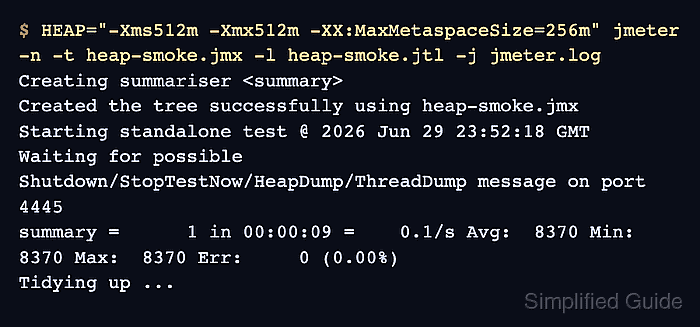
The JMeter launcher reads the HEAP environment variable before starting ApacheJMeter.jar. A command-scoped HEAP value changes memory for one run without editing the packaged startup script, which keeps package updates and shared installations easier to manage.
Use non-GUI mode for load runs and remove heavy visual listeners before increasing memory. A fixed 512 MiB heap makes the log check easy to verify; production runs should use a ceiling chosen from observed test-plan pressure and the memory available on the runner.
Steps to set JMeter heap size for a CLI run:
- Choose the heap values for the run.
-Xms sets the initial heap and -Xmx sets the maximum heap. Keep -Xmx below the runner memory so Java, the operating system, network clients, and parallel jobs are not forced into swapping.
- Start JMeter with HEAP scoped to that process.
$ HEAP="-Xms512m -Xmx512m -XX:MaxMetaspaceSize=256m" jmeter -n -t heap-smoke.jmx -l heap-smoke.jtl -j jmeter.log
Creating summariser <summary>
Created the tree successfully using heap-smoke.jmx
Starting standalone test @ 2026 Jun 29 23:52:18 GMT
Waiting for possible Shutdown/StopTestNow/HeapDump/ThreadDump message on port 4445
summary =      1 in 00:00:09 =    0.1/s Avg:  8370 Min:  8370 Max:  8370 Err:     0 (0.00%)
Tidying up ...
... end of run
Replace heap-smoke.jmx and heap-smoke.jtl with the test plan and result file for the load run. The -j option writes the log used in the heap check.
Related: How to run a JMeter test from the command line - Check that the JMeter process exited without a startup or engine failure.
$ echo $?
0
A zero exit status does not prove every sampler passed; it confirms the JMeter engine finished the run without aborting.
- Confirm that JMeter logged the requested maximum heap.
$ cat jmeter.log
2026-06-29 23:52:18 INFO o.a.j.JMeter: Version 5.6.3
2026-06-29 23:52:18 INFO o.a.j.JMeter: java.version=21.0.11
2026-06-29 23:52:18 INFO o.a.j.JMeter: Max memory     =536870912
##### snipped #####
2026-06-29 23:52:27 INFO o.a.j.r.Summariser: summary =      1 in 00:00:09 =    0.1/s Avg:  8370 Min:  8370 Max:  8370 Err:     0 (0.00%)
536870912 bytes is 512 MiB. If the value does not match -Xmx, remove duplicate heap flags from JVM_ARGS, wrapper scripts, or CI runner variables that start JMeter.
- Confirm that the result file contains successful samples.
$ cat heap-smoke.jtl
timeStamp,elapsed,label,responseCode,responseMessage,threadName,dataType,success,failureMessage,bytes,sentBytes,grpThreads,allThreads,URL,Latency,IdleTime,Connect
1782777138826,8370,heap-smoke,200,OK,Thread Group 1-1,text,true,,21,0,1,1,null,0,0,0
The success column should contain true for the smoke run. A false row means the test plan ran with the heap setting, but sampler or assertion failures still need review.

Mohd Shakir Zakaria is a cloud architect with deep roots in software development and open-source advocacy. Certified in AWS, Red Hat, VMware, ITIL, and Linux, he specializes in designing and managing robust cloud and on-premises infrastructures.


