When a Java service stops answering requests, consumes unexpected CPU, or appears stuck behind a lock, a thread dump records what every JVM thread was doing at one instant. Capture it from the exact process under investigation before the hang clears, the process restarts, or the thread scheduling state changes.
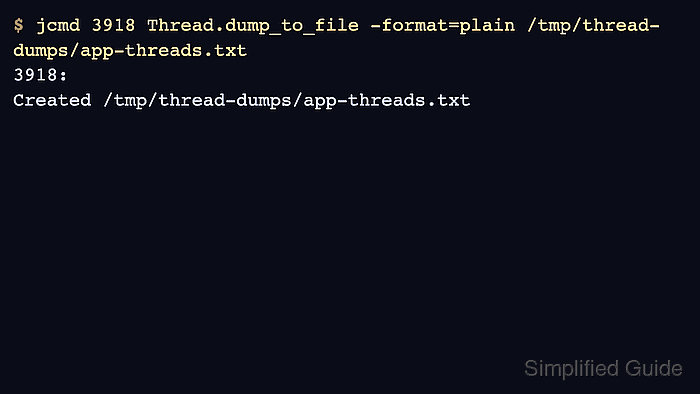
The current JDK diagnostic entry point for a live HotSpot JVM is jcmd. It attaches to a JVM on the same Linux host with the same effective user and group identifiers as the target process, then asks the JVM to write a plain-text thread dump to a file.
These commands assume JDK tools are installed wherever the target JVM can be reached. Thread dumps do not contain heap object contents like HPROF heap dumps, but stack traces, thread names, package names, file paths, and request-handling context can still expose application internals, so write the file to a restricted directory and sanitize it before sharing.
Related: How to find Java processes on Linux
Related: How to create a Java heap dump on Linux
Related: How to start a Java Flight Recorder recording on Linux
Related: How to install JDK on Ubuntu
Steps to capture a Java thread dump on Linux:
- List the JVMs visible to jcmd and identify the target process ID.
$ jcmd -l
3943 jdk.jcmd/sun.tools.jcmd.JCmd -l
3918 ThreadDumpDemo
Run jcmd as the Linux account that owns the target JVM, or use a command such as sudo -u appuser jcmd -l when the service runs under a dedicated account. For a JVM inside a container, run the diagnostic command inside the same container or PID namespace.
Related: How to find Java processes on Linux
- Create a private directory for the captured dump.
$ install -d -m 700 /tmp/thread-dumps
Replace /tmp/thread-dumps with an incident workspace that only the service owner or responder can read. A private directory protects the dump even when the target JVM creates the file with a broader default mode.
- Ask the target JVM to write a plain-text thread dump.
$ jcmd 3918 Thread.dump_to_file -format=plain /tmp/thread-dumps/app-threads.txt
3918:
Created /tmp/thread-dumps/app-threads.txt
Use a new filename for each capture so later dumps do not overwrite earlier incident evidence. Current jcmd also supports Thread.dump_to_file -format=json when a parser needs structured output.
If Thread.dump_to_file is not listed by jcmd 3918 help on an older JDK, capture stdout with jcmd 3918 Thread.print -l > /tmp/thread-dumps/app-threads.txt as a compatibility fallback.
- Restrict the saved file and confirm that it was written.
$ chmod 600 /tmp/thread-dumps/app-threads.txt

$ ls -lh /tmp/thread-dumps/app-threads.txt
-rw------- 1 root root 3.8K Jun  8 08:49 /tmp/thread-dumps/app-threads.txt
The size depends on the number of JVM threads and stack depth. A production server can produce a much larger dump than a small test process.
- Confirm that the dump contains thread names and states from the target JVM.
$ grep -F -m 1 sg-worker-waiting /tmp/thread-dumps/app-threads.txt
#25 "sg-worker-waiting" WAITING 2026-06-08T08:49:17.172542487Z
Search for a known application thread name, executor prefix, request handler, or package name from the target application. The same dump also contains stack frames below each thread header.
- Remove the local copy after it has been moved to a secure analysis location or is no longer needed.
$ rm /tmp/thread-dumps/app-threads.txt
Treat thread dumps as sensitive incident evidence. Do not paste raw dumps into tickets, chats, public repositories, screenshots, or vendor uploads until thread names, stack traces, file paths, request data, and host-specific details have been reviewed.

Mohd Shakir Zakaria is a cloud architect with deep roots in software development and open-source advocacy. Certified in AWS, Red Hat, VMware, ITIL, and Linux, he specializes in designing and managing robust cloud and on-premises infrastructures.


