A live Java process can fail slowly enough that logs, thread dumps, and heap dumps miss the timing of the problem. Java Flight Recorder collects runtime events from the running JVM, so an operator can capture CPU samples, allocation signals, thread activity, and JVM metadata without restarting the application.
The JDK diagnostic command tool jcmd attaches to JVMs visible to the same host, user, and process namespace. A named JFR recording can be started with JFR.start, checked while it is running with JFR.check, and stopped with JFR.stop so the captured events are written to a .jfr file.
A full JDK must be installed on the Linux host or inside the same container as the target JVM, and the target application must already be running. For a short diagnostic capture, settings=profile collects more event detail than the default configuration; use settings=default for lower-overhead background collection, keep maxage and maxsize bounded, and restrict access to the recording because it can include command lines, system properties, environment values, host details, and application activity.
Related: How to find Java processes on Linux
Related: How to capture a Java thread dump on Linux
Related: How to create a Java heap dump on Linux
Steps to start a Java Flight Recorder recording on Linux:
- List the Java processes that jcmd can see and identify the target JVM process ID.
$ jcmd -l
3193 jdk.jcmd/sun.tools.jcmd.JCmd -l
3167 DiagnosticTarget
If the application runs in a container, run jcmd inside that container or in the same process namespace. A host-side jcmd command may not see the JVM even when the Java process is running.
Related: How to find Java processes on Linux
- Store the target PID in a shell variable for the recording commands.
$ JFR_PID=3167
Replace 3167 with the PID for the application that should be recorded, not the jcmd helper process shown in the process list.
- Start a named JFR recording with a bounded age, size, and output filename.
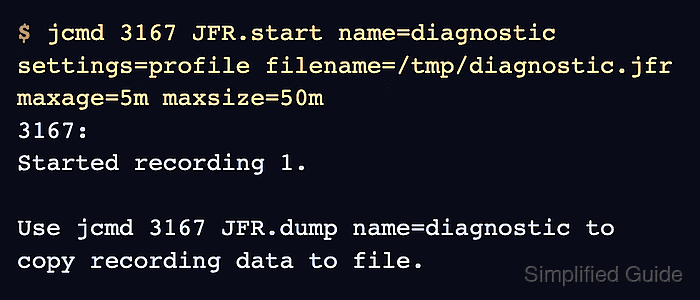
$ jcmd $JFR_PID JFR.start name=diagnostic settings=profile filename=/tmp/diagnostic.jfr maxage=5m maxsize=50m
3167:
Started recording 1.

Use jcmd 3167 JFR.dump name=diagnostic to copy recording data to file.
settings=profile captures more detail than the default configuration and is meant for short investigations. Keep the recording window tight on production systems, and move the output file to a protected directory when it contains customer or workload data.
- Confirm that the recording is still running before reproducing or observing the problem.
$ jcmd $JFR_PID JFR.check name=diagnostic
3167:
Recording 1: name=diagnostic maxsize=50.0MB maxage=5m (running)
If JFR.check does not show the named recording as running, restart the capture before collecting evidence from the workload.
- Stop the recording and write the captured events to the intended file.
$ jcmd $JFR_PID JFR.stop name=diagnostic filename=/tmp/diagnostic.jfr
3167:
Stopped recording "diagnostic", 205.4 kB written to:

/tmp/diagnostic.jfr
Include filename= on the stop command so the final recording is written where expected. Choose a path on a filesystem with enough free space for the configured maxsize.
- Verify that the recording file exists and has non-zero size.
$ ls -lh /tmp/diagnostic.jfr
-rw-r--r-- 1 root root 206K Jun  8 08:16 /tmp/diagnostic.jfr
- Check that the JDK can read the recording summary before handing the file to another tool or team.
$ jfr summary /tmp/diagnostic.jfr

 Version: 2.1
 Chunks: 1
 Start: 2026-06-08 08:16:29 (UTC)
 Duration: 3 s

 Event Type                              Count  Size (bytes)
=============================================================
 jdk.ModuleExport                          508          5431
 jdk.ExecutionSample                       106          1060
 jdk.ThreadSleep                            91          1638
 jdk.CPULoad                                 3            57
##### snipped #####
The summary proves that the .jfr file is readable and contains events. Open the file in JDK Mission Control or another JFR viewer when the investigation needs timelines, flame graphs, or event tables.

Mohd Shakir Zakaria is a cloud architect with deep roots in software development and open-source advocacy. Certified in AWS, Red Hat, VMware, ITIL, and Linux, he specializes in designing and managing robust cloud and on-premises infrastructures.


