When a Java process keeps growing, approaches an out-of-memory failure, or needs leak evidence for a handoff, a heap dump captures the objects held by that JVM at a point in time. The file can be large and may contain passwords, request payloads, session data, or customer records, so collect it only from the intended process and write it to a restricted location.
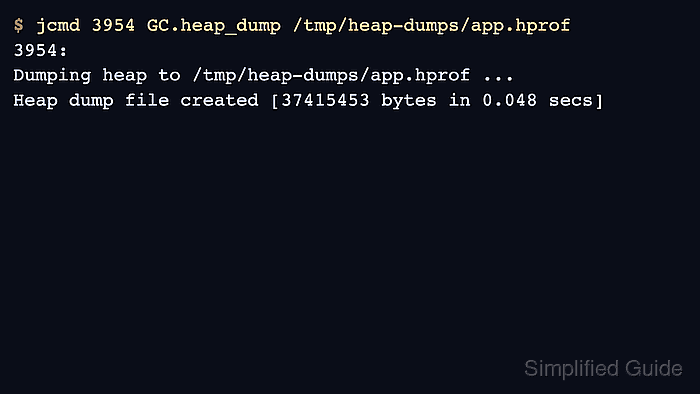
The current JDK diagnostic tool for a live HotSpot JVM is jcmd. It attaches to a JVM on the same machine, using the same effective Linux user and group identifiers as the process, then asks the target JVM to write an HPROF heap dump to the path supplied on the command line.
These commands assume the target JVM is already running on Linux and that JDK tools are installed on the host or in the same container namespace as the process. A heap dump can pause the application while the JVM walks the heap, and the default GC.heap_dump command requests a full garbage collection before writing live objects, so choose an incident window and a filesystem with enough free space for the dump.
Related: How to find Java processes on Linux
Related: How to capture a Java thread dump on Linux
Related: How to install JDK on Ubuntu
Steps to create a Java heap dump on Linux:
- List the running Java processes and identify the target PID.
$ jcmd -l
3954 HeapDemo
4002 jdk.jcmd/sun.tools.jcmd.JCmd -l
Run jcmd on the same host as the target JVM. If the application runs as another Linux account, run the diagnostic command as that account, such as sudo -u appuser jcmd -l.
Related: How to find Java processes on Linux
- Create a private directory for the heap dump.
$ install -d -m 700 /tmp/heap-dumps
Change /tmp/heap-dumps to a filesystem that has enough free space for the live heap. Do not write heap dumps into a shared or web-served directory.
- Ask the target JVM to write the heap dump.
$ jcmd 3954 GC.heap_dump /tmp/heap-dumps/app.hprof
3954:
Dumping heap to /tmp/heap-dumps/app.hprof ...
Heap dump file created [37415453 bytes in 0.048 secs]
Use a new filename for each capture. GC.heap_dump supports -overwrite, but avoiding overwrite keeps incident evidence intact.
The default command requests a full garbage collection and writes live objects. Use GC.heap_dump -all /tmp/heap-dumps/app.hprof only when unreachable objects are required for the investigation and the extra size and pause are acceptable.
- Confirm that the heap dump file exists and is an HPROF dump.
$ ls -lh /tmp/heap-dumps/app.hprof
-rw------- 1 root root 36M Jun  8 08:22 /tmp/heap-dumps/app.hprof

$ file /tmp/heap-dumps/app.hprof
/tmp/heap-dumps/app.hprof: Java HPROF dump, created Mon Jun  8 08:22:11 2026
The owner and mode should prevent other users from reading the dump. If the file was created with broader permissions, restrict it before copying it to an analysis workstation.
- Remove the local heap dump after it has been copied to a secure analysis location or is no longer needed.
$ rm /tmp/heap-dumps/app.hprof
Heap dumps are sensitive application data, not ordinary logs. Keep them out of tickets, public object storage, chat uploads, and screenshots unless the contents have been reviewed and sanitized.

Mohd Shakir Zakaria is a cloud architect with deep roots in software development and open-source advocacy. Certified in AWS, Red Hat, VMware, ITIL, and Linux, he specializes in designing and managing robust cloud and on-premises infrastructures.


