Flushing iptables rules is a live firewall reset, so the dangerous part is not the flush command itself but the policy state left behind afterward. A safe reset saves the active rules first, chooses the built-in chain policies before deleting rules, and keeps a recovery path available until management access has been confirmed.
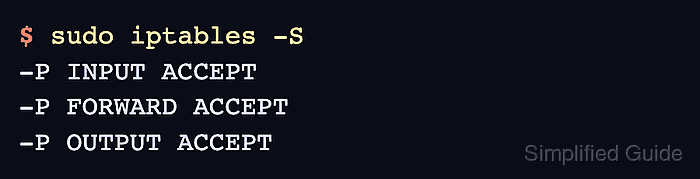
The default iptables table is filter, where INPUT, FORWARD, and OUTPUT policies decide what happens after matching rules are removed. iptables -F clears rules from the selected table, iptables -X removes empty user-defined chains, and table-specific commands are required for nat or mangle rules.
Use this reset during a maintenance window or from an out-of-band console when the host is remote. The reset sequence uses IPv4 runtime rules with ACCEPT policies and clears the common filter, nat, and mangle tables; repeat the same plan with ip6tables when IPv6 rules are active.
Steps to flush iptables rules safely:
- Keep an active management session open before changing the firewall.
Do not close the current SSH session until a new test connection succeeds. A DROP policy with flushed allow rules can lock out remote access, while an ACCEPT reset can expose services until a replacement ruleset is applied.
- List the current filter rules and policies.
$ sudo iptables -S
-P INPUT DROP
-P FORWARD DROP
-P OUTPUT ACCEPT
-A INPUT -p tcp -m tcp --dport 22 -j ACCEPT
-A INPUT -p tcp -m tcp --dport 8080 -j DROP
- Save the active IPv4 ruleset before the reset.
$ sudo iptables-save > ~/iptables-before-reset.rules
Save IPv6 rules separately with sudo ip6tables-save > ~/ip6tables-before-reset.rules when the host filters IPv6 traffic.
- Test that the saved rules file can be parsed for restore.
$ sudo iptables-restore --test < ~/iptables-before-reset.rules
iptables-restore prints no output when --test parses the file successfully. Fix the backup file before flushing if the command reports an error.
- Set the built-in filter chain policies for the reset state.
$ sudo iptables -P INPUT ACCEPT
$ sudo iptables -P FORWARD ACCEPT
$ sudo iptables -P OUTPUT ACCEPT
Use ACCEPT only when the intended reset state is an open runtime firewall. For a default-deny firewall, add the required allow rules from a console first, then set the final DROP policy after those rules are in place.
- Flush the filter table rules and delete empty user-defined chains.
$ sudo iptables -F
$ sudo iptables -X
- Flush nat and mangle rules when the reset must remove translation or packet-marking state.
$ sudo iptables -t nat -F
$ sudo iptables -t nat -X
$ sudo iptables -t mangle -F
$ sudo iptables -t mangle -X
Flush raw or security with the same table-specific pattern only when those tables contain rules you intentionally want to remove.
- Verify that the filter table contains only the expected policies.
$ sudo iptables -S
-P INPUT ACCEPT
-P FORWARD ACCEPT
-P OUTPUT ACCEPT
- Verify the nat table if it was included in the reset.
$ sudo iptables -t nat -S
-P PREROUTING ACCEPT
-P INPUT ACCEPT
-P OUTPUT ACCEPT
-P POSTROUTING ACCEPT
- Test management access before ending the maintenance window.
For SSH-managed hosts, open a second SSH connection from the normal workstation and keep the original session open until the new connection succeeds.
- Restore the saved rules immediately if the reset removed required access.
$ sudo iptables-restore < ~/iptables-before-reset.rules

Mohd Shakir Zakaria is a cloud architect with deep roots in software development and open-source advocacy. Certified in AWS, Red Hat, VMware, ITIL, and Linux, he specializes in designing and managing robust cloud and on-premises infrastructures.


