Ping checks can fail on a Linux host with a default DROP policy even when the host is online and reachable for the services that are intentionally allowed. A narrow iptables rule for ICMP echo requests lets monitoring systems and administrators test reachability without opening TCP or UDP ports.
In the default filter table, inbound IPv4 ping requests reach the INPUT chain as icmp packets with the echo-request type. The allow rule must appear before a broad DROP or REJECT rule, and the host still needs outbound echo replies to be permitted by its OUTPUT policy.
Apply the runtime rule first, test from a controlled client, and check packet counters before saving the ruleset. Use the matching ip6tables ICMPv6 rule when the host has IPv6 addresses and filters IPv6 separately; an IPv4 iptables rule does not allow IPv6 ping.
Related: How to set a default iptables chain policy
Related: How to list iptables rules with counters
Related: How to save iptables rules permanently
Tool: iptables Rule Generator
Steps to allow ping with iptables:
- List the current INPUT chain with line numbers and counters.
$ sudo iptables --list INPUT --line-numbers --numeric --verbose
Chain INPUT (policy DROP 0 packets, 0 bytes)
num   pkts bytes target     prot opt in     out     source               destination
1        0     0 ACCEPT     all  --  lo     *       0.0.0.0/0            0.0.0.0/0
The example host already drops unmatched inbound packets. If the chain uses an explicit DROP or REJECT rule instead of a DROP policy, insert the ping allow rule before that line.
- Insert the ICMP echo-request allow rule before broader drop rules.
$ sudo iptables --insert INPUT 1 --protocol icmp --icmp-type echo-request --jump ACCEPT
This matches IPv4 ping requests only. Do not use --protocol icmp --jump ACCEPT unless every IPv4 ICMP type should be allowed.
- Confirm the rule is in the intended position.
$ sudo iptables --list-rules INPUT
-P INPUT DROP
-A INPUT -p icmp -m icmp --icmp-type 8 -j ACCEPT
-A INPUT -i lo -j ACCEPT
iptables may print the ICMP echo-request type as numeric type 8 in command-form output.
- Add the companion IPv6 rule when ip6tables filters IPv6 traffic.
$ sudo ip6tables --insert INPUT 1 --protocol ipv6-icmp --icmpv6-type echo-request --jump ACCEPT
ip6tables uses ipv6-icmp or icmpv6 with the echo-request ICMPv6 type. The same rule may appear as numeric type 128 when listed with ip6tables --list-rules INPUT.
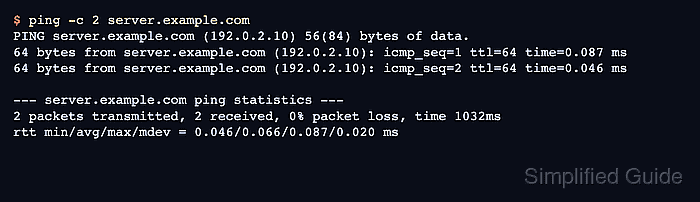
- Test ping from a controlled client.
$ ping -c 2 server.example.com
PING server.example.com (192.0.2.10) 56(84) bytes of data.
64 bytes from server.example.com (192.0.2.10): icmp_seq=1 ttl=64 time=0.087 ms
64 bytes from server.example.com (192.0.2.10): icmp_seq=2 ttl=64 time=0.046 ms

--- server.example.com ping statistics ---
2 packets transmitted, 2 received, 0% packet loss, time 1032ms
rtt min/avg/max/mdev = 0.046/0.066/0.087/0.020 ms
Run the test from the monitoring host, administrator workstation, or another client that should be able to ping this server.
- Check exact counters on the ICMP rule.
$ sudo iptables --list INPUT --line-numbers --numeric --verbose --exact
Chain INPUT (policy DROP 2 packets, 168 bytes)
num      pkts      bytes target     prot opt in     out     source               destination
1           2      168 ACCEPT     icmp --  *      *       0.0.0.0/0            0.0.0.0/0            icmptype 8
2           0        0 ACCEPT     all  --  lo     *       0.0.0.0/0            0.0.0.0/0
The packet count on the ICMP rule should increase after the controlled ping test. The exact packet and byte counts do not need to match the example.
- Test an unrelated TCP port that should remain filtered.
$ nc -vz -w 2 server.example.com 22
nc: connect to server.example.com (192.0.2.10) port 22 (tcp) timed out: Operation now in progress
Use a port that is not allowed by the ruleset. A timeout under a default DROP policy shows the ping rule did not create a broad inbound allow rule.
- Save the rule after the ping and filtering tests pass.
Runtime iptables rules disappear after reboot unless a persistence service, boot script, or configuration management restores them. On Debian and Ubuntu systems with iptables-persistent, save the tested rules with sudo netfilter-persistent save. Related: How to save iptables rules permanently

Mohd Shakir Zakaria is a cloud architect with deep roots in software development and open-source advocacy. Certified in AWS, Red Hat, VMware, ITIL, and Linux, he specializes in designing and managing robust cloud and on-premises infrastructures.


