Backing up InfluxDB OSS v2 with the influx CLI creates a local file set that can be restored when a bucket needs recovery, migration testing, or pre-upgrade proof. A restore test should return real time series rows from the recovered bucket, not stop after the backup directory appears on disk.
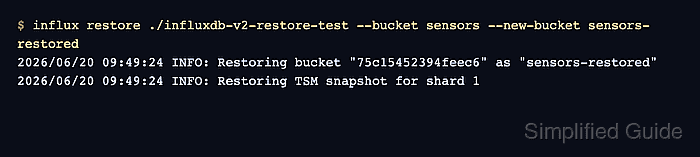
A source bucket named sensors is restored into sensors-restored on an isolated target instance. Restoring to a new bucket keeps the drill non-destructive and avoids mixing recovered data with an existing bucket.
Use the source instance's root authorization token for the backup, and use a target token that can create buckets and write restored data. Full server replacement uses influx restore --full and may need --operator-token for InfluxDB OSS 2.9.0 or later backups with hashed tokens, so keep full disaster recovery runs separate from a bucket-level restore drill.
Steps to back up and restore an InfluxDB v2 bucket:
- Set the source InfluxDB v2 CLI environment for the current terminal.
$ export INFLUX_HOST=http://influxdb-v2.example.com:8086 \
  INFLUX_ORG=example-org \
  INFLUX_TOKEN='REPLACE_WITH_SOURCE_ROOT_TOKEN'
Use a token that can read the bucket and run backups. Do not paste real tokens into shared transcripts, screenshots, issue comments, or committed scripts.
- Query a known source point before creating the backup.
$ influx query --raw \
  'from(bucket: "sensors")
    |> range(start: 2024-03-09T15:59:00Z, stop: 2024-03-09T16:01:00Z)
    |> filter(fn: (r) => r._measurement == "weather")
    |> keep(columns: ["_time", "_value", "_field", "_measurement", "location"])'
#group,false,false,false,false,true,true,true
#datatype,string,long,dateTime:RFC3339,double,string,string,string
#default,_result,,,,,,
,result,table,_time,_value,_field,_measurement,location
,,0,2024-03-09T16:00:00Z,21.7,temperature,weather,lab
Use a time range that includes a row the restore test can recognize later.
Related: How to run a Flux query in InfluxDB v2 - Back up the source bucket to a new local directory.
$ influx backup ./influxdb-v2-restore-test --bucket sensors
2026/06/20 09:49:21 INFO: Downloading metadata snapshot
2026/06/20 09:49:21 INFO: Backing up TSM for shard 1
Omit --bucket only when the backup should include every bucket that the token can access.
- List the backup files before moving to the restore target.
$ ls ./influxdb-v2-restore-test
20260620T094921Z.1.tar.gz
20260620T094921Z.bolt.gz
20260620T094921Z.manifest
20260620T094921Z.sqlite.gz
- Point the influx CLI at the isolated target instance.
$ export INFLUX_HOST=http://restore-influxdb-v2.example.com:8086 \
  INFLUX_ORG=example-org \
  INFLUX_TOKEN='REPLACE_WITH_TARGET_ADMIN_TOKEN'
Use a disposable restore target or a target where the new bucket name is intentionally reserved for the recovery test.
- Restore the source bucket into a new target bucket.
$ influx restore ./influxdb-v2-restore-test --bucket sensors --new-bucket sensors-restored
2026/06/20 09:49:24 INFO: Restoring bucket "75c15452394feec6" as "sensors-restored"
2026/06/20 09:49:24 INFO: Restoring TSM snapshot for shard 1
InfluxDB OSS v2 cannot restore data into an existing bucket. If the target bucket name already exists, choose a different --new-bucket value or delete the existing target bucket only after confirming it is disposable.
- Confirm that the restored bucket exists on the target instance.
$ influx bucket list
ID                Name              Retention   Shard group duration   Organization ID    Schema Type
##### snipped #####
4e0221d0b58f1ed0  sensors-restored  infinite    168h0m0s               771601faad61e300   implicit
- Query the restored bucket for the same point.
$ influx query --raw \
  'from(bucket: "sensors-restored")
    |> range(start: 2024-03-09T15:59:00Z, stop: 2024-03-09T16:01:00Z)
    |> filter(fn: (r) => r._measurement == "weather")
    |> keep(columns: ["_time", "_value", "_field", "_measurement", "location"])'
#group,false,false,false,false,true,true,true
#datatype,string,long,dateTime:RFC3339,double,string,string,string
#default,_result,,,,,,
,result,table,_time,_value,_field,_measurement,location
,,0,2024-03-09T16:00:00Z,21.7,temperature,weather,lab

Mohd Shakir Zakaria is a cloud architect with deep roots in software development and open-source advocacy. Certified in AWS, Red Hat, VMware, ITIL, and Linux, he specializes in designing and managing robust cloud and on-premises infrastructures.


