Running a Flux query in InfluxDB v2 confirms that a bucket can return the time series rows a dashboard, task, or client needs. The influx query command is the terminal path for checking a read before moving the same logic into a panel, script, or API request.
Flux selects data with from(), limits the time window with range(), and narrows rows with filter() predicates. The influx CLI uses the active connection profile unless a command supplies a host, organization, and token for that one session.
Use a bucket that already contains a known point, or write one short test point to a non-production bucket before querying. A returned table with the expected timestamp and value proves that the token can read the bucket and that the Flux predicates match stored series.
Steps to run a Flux query in InfluxDB v2:
- Confirm the active influx CLI profile.
$ influx config list
Active	Name	URL			Org
*	default	http://localhost:8086	example-org
The active profile supplies the host, organization, and token for commands that do not include those flags.
Related: How to configure an InfluxDB v2 CLI profile - List buckets in the active organization.
$ influx bucket list
ID			Name		Retention	Shard group duration	Organization ID		Schema Type
fed7f0ed79f27021	_monitoring	168h0m0s	24h0m0s			8955a1144f285f14	implicit
9c26042afd97f416	_tasks		72h0m0s		24h0m0s			8955a1144f285f14	implicit
96732dcbdcaaee3f	sensors		infinite	168h0m0s		8955a1144f285f14	implicit
Choose a bucket with recent data for the Flux query, or create a separate test bucket when the target bucket must stay unchanged.
Related: How to create an InfluxDB v2 bucket with retention - Write a sample point when the bucket does not already contain a known row.
$ influx write --bucket sensors 'environment,location=lab temperature=21.7,humidity=41.2'
This adds one point to the target bucket. Use an existing known row instead when test data is not allowed.
Related: How to write line protocol to InfluxDB v2 - Create the Flux query file.
- query.flux
from(bucket: "sensors")
    |> range(start: -10m)
    |> filter(fn: (r) => r._measurement == "environment")
    |> filter(fn: (r) => r._field == "temperature")
    |> filter(fn: (r) => r.location == "lab")
    |> keep(columns: ["_time", "_value"])
range() keeps the read bounded. Match the bucket, measurement, field, tag, and time window to the row being checked.
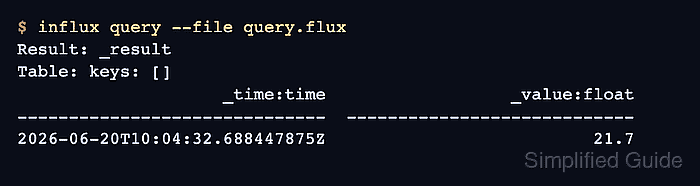
- Run the Flux query file.
$ influx query --file query.flux
Result: _result
Table: keys: []
                    _time:time                  _value:float
------------------------------  ----------------------------
2026-06-20T10:04:32.688447875Z                          21.7
A blank result usually means the time range misses the row, a bucket or tag name does not match, or the active token lacks read access to the bucket.
- Remove the temporary query file when the check is finished.
$ rm query.flux

Mohd Shakir Zakaria is a cloud architect with deep roots in software development and open-source advocacy. Certified in AWS, Red Hat, VMware, ITIL, and Linux, he specializes in designing and managing robust cloud and on-premises infrastructures.


