Migrating from InfluxDB OSS v2 to InfluxDB 3 Core moves bucket data into a Core database that can accept line protocol writes and answer SQL or InfluxQL queries. A controlled first pass exports a known v2 bucket as line protocol, ingests that export through a Core compatibility endpoint, and compares a source query with a target query before changing writers or dashboards.
An InfluxDB v2 bucket maps most closely to an InfluxDB 3 Core database, and a v2 measurement becomes a Core table. Existing v2 write clients can usually keep using the /api/v2/write endpoint when the Core database name is supplied as the bucket parameter, but query workloads need separate review because Flux query patterns do not carry over to Core as the default query path.
A narrow time range, a known measurement, and a retained rollback copy make the first pass easier to check. In Core, tag columns for a table are fixed after the first write, and a tag and field cannot share the same name in the same table, so fix schema conflicts before importing a large historical export.
Steps to migrate InfluxDB v2 data to InfluxDB 3 Core:
- Set the source v2 token for the migration shell.
$ export INFLUX_TOKEN='V2_TOKEN'
Use scoped migration tokens where possible, and keep real token values out of shared transcripts, screenshots, and shell history.
- Set the target Core token for the same shell.
$ export INFLUXDB3_AUTH_TOKEN='AUTH_TOKEN'
- List the source bucket and record its bucket ID.
$ influx bucket list --org example-org --token "$INFLUX_TOKEN" --name factory_metrics
ID			Name		Retention	Shard group duration	Organization ID		Schema Type
12ab34cd56ef	factory_metrics	infinite	168h0m0s		a1b2c3d4e5f6	implicit
The bucket ID is required for influxd inspect export-lp. Run the export on a host or container that can read the v2 engine files.
- Query a small source range that should appear after the import.
$ influx query --org example-org --token "$INFLUX_TOKEN" --raw 'from(bucket:"factory_metrics") |> range(start: 2026-01-01T00:00:00Z, stop: 2026-01-01T00:02:00Z) |> filter(fn: (r) => r._measurement == "temperature") |> keep(columns: ["_time", "site", "_value"])'
#group,false,false,false,false,true
#datatype,string,long,dateTime:RFC3339,double,string
#default,_result,,,,
,result,table,_time,_value,site
,,0,2026-01-01T00:00:00Z,22.4,plant-1
,,1,2026-01-01T00:01:00Z,23.1,plant-2
Use the same time window for the first export so source and target checks compare the same rows.
- Export the v2 bucket range as compressed line protocol.
$ influxd inspect export-lp --bucket-id 12ab34cd56ef --engine-path /var/lib/influxdb2/engine --output-path /srv/influxdb-migration/factory_metrics.lp.gz --start 2026-01-01T00:00:00Z --end 2026-01-01T00:02:00Z --compress
{"level":"info","msg":"exporting TSM files","tsm_dir":"/var/lib/influxdb2/engine/data/12ab34cd56ef","file_count":0}
{"level":"info","msg":"exporting WAL files","wal_dir":"/var/lib/influxdb2/engine/wal/12ab34cd56ef","file_count":1}
{"level":"info","msg":"export complete"}
Keep the source bucket untouched until the target query and writer cutover pass. The exported file is a rollback and replay artifact until the migration is accepted.
- Create the target Core database that will receive the bucket data.
$ influxdb3 create database --token "$INFLUXDB3_AUTH_TOKEN" factory_metrics
Database "factory_metrics" created successfully
Use the Core database name that v2-compatible writers will pass as the bucket parameter.
Related: How to create an InfluxDB 3 Core database - Write the compressed export through the v2-compatible Core endpoint.
$ curl -i --request POST "http://127.0.0.1:8181/api/v2/write?bucket=factory_metrics&precision=ns" --header "Authorization: Bearer $INFLUXDB3_AUTH_TOKEN" --header "Content-Encoding: gzip" --header "Content-Type: text/plain; charset=utf-8" --data-binary @/srv/influxdb-migration/factory_metrics.lp.gz
HTTP/1.1 204 No Content
access-control-allow-origin: *
cluster-uuid: 00000000-0000-4000-8000-000000000000
##### snipped #####
HTTP 204 confirms that Core accepted the line protocol batch. Keep the precision value aligned with the exported timestamps.
- Query the Core database for the migrated rows.
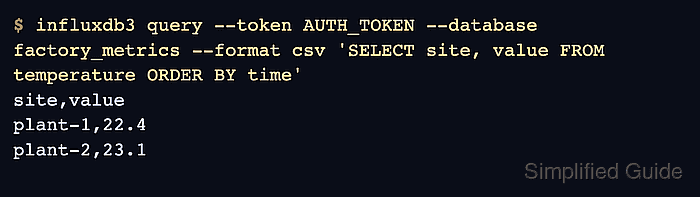
$ influxdb3 query --token "$INFLUXDB3_AUTH_TOKEN" --database factory_metrics --format csv 'SELECT site, value FROM temperature ORDER BY time'
site,value
plant-1,22.4
plant-2,23.1
SQL is the default query language for influxdb3 query. Use --language influxql for migrated dashboards or scripts that still rely on InfluxQL syntax.
Related: How to run an InfluxQL query in InfluxDB 3 Core - Point one migrated writer or dashboard at the Core database after the backfill query matches.
Use the Core URL, the Core token, and factory_metrics as the v2-compatible bucket value. Review any Flux dashboards separately because Core query validation should use SQL or InfluxQL.
- Remove the transfer copy only after the retained migration archive and Core validation are accepted.
$ rm -f /srv/influxdb-migration/factory_metrics.lp.gz
Do not remove the only export copy before the cutover is accepted and the rollback path is no longer needed.

Mohd Shakir Zakaria is a cloud architect with deep roots in software development and open-source advocacy. Certified in AWS, Red Hat, VMware, ITIL, and Linux, he specializes in designing and managing robust cloud and on-premises infrastructures.


