Running an InfluxQL query in InfluxDB 3 Core lets teams keep older query patterns working while they move data and dashboards to the newer server. The influxdb3 CLI can execute InfluxQL when the query language is set explicitly, and it returns rows from a chosen Core database without changing stored data.
In InfluxDB 3 Core, the database is selected with --database or the INFLUXDB3_DATABASE_NAME environment variable. The FROM clause names a table, which maps to an InfluxDB v1 measurement name for most migrated query habits.
Use a token with read permission on the database and query a table that already contains data. A disposable factory_metrics database and temperature table give the commands a known row to return instead of an empty result set.
Steps to run an InfluxQL query in InfluxDB 3 Core:
- Set the token for the current terminal session.
$ export INFLUXDB3_AUTH_TOKEN='AUTH_TOKEN'
Use a token with read permission on the target InfluxDB 3 Core database. Do not paste a real token into shared transcripts, screenshots, or shell history.
- Run the InfluxQL query with the query language and database name set explicitly.
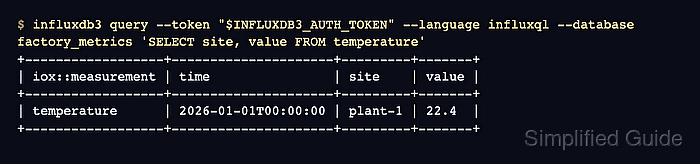
$ influxdb3 query --token "$INFLUXDB3_AUTH_TOKEN" --language influxql --database factory_metrics 'SELECT site, value FROM temperature'
+------------------+---------------------+---------+-------+
| iox::measurement | time                | site    | value |
+------------------+---------------------+---------+-------+
| temperature      | 2026-01-01T00:00:00 | plant-1 | 22.4  |
+------------------+---------------------+---------+-------+
--language influxql is required because influxdb3 query defaults to SQL. Add a time predicate such as WHERE time >= '2026-01-01T00:00:00Z' or a LIMIT clause when querying large tables.
- Return JSON when a script needs machine-readable rows.
$ influxdb3 query --token "$INFLUXDB3_AUTH_TOKEN" --language influxql --database factory_metrics --format json 'SELECT site, value FROM temperature'
[{"iox::measurement":"temperature","time":"2026-01-01T00:00:00","site":"plant-1","value":22.4}]
The iox::measurement field identifies the table returned by the query. If the result is empty, confirm the database name, table name, token scope, and any time predicate before changing the query syntax.

Mohd Shakir Zakaria is a cloud architect with deep roots in software development and open-source advocacy. Certified in AWS, Red Hat, VMware, ITIL, and Linux, he specializes in designing and managing robust cloud and on-premises infrastructures.


