Writing line protocol through the InfluxDB HTTP API lets an application, agent, or shell test send time series data without using the influxdb3 write command. The native InfluxDB 3 Core write endpoint accepts plain line protocol in the request body and returns an HTTP status that a script can check immediately.
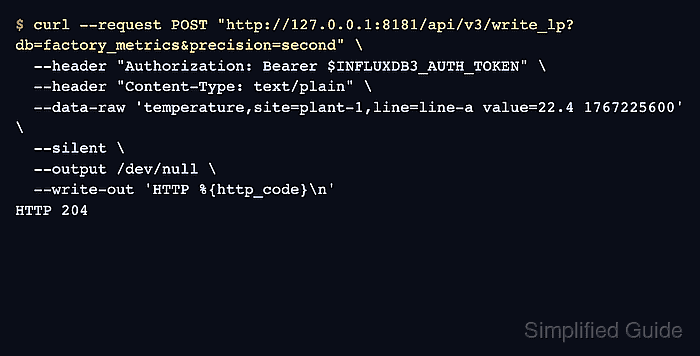
The v3 write endpoint is POST /api/v3/write_lp. The db query parameter selects the database, the Authorization header carries a bearer token, and Content-Type: text/plain tells InfluxDB to parse the body as line protocol instead of JSON.
Use a token with write permission on the target database and keep production tokens out of shared terminals, screenshots, and task reports. A successful write returns HTTP 204 with no response body, so a follow-up query against the table is the clearest proof that the point was stored.
Steps to write line protocol with the InfluxDB HTTP API:
- Choose the API URL, database, and timestamp precision for the write.
API URL: http://127.0.0.1:8181
Database: factory_metrics
Precision: second
The sample point uses temperature as the table, site and line as tags, value as a field, and a Unix-second timestamp.
- Set the write token for the current terminal session.
$ export INFLUXDB3_AUTH_TOKEN='AUTH_TOKEN'
Use an InfluxDB 3 Core token with write permission on the target database. Do not paste a real token into shared transcripts, screenshots, or shell history.
- Post one line protocol point to the v3 write endpoint.
$ curl --request POST "http://127.0.0.1:8181/api/v3/write_lp?db=factory_metrics&precision=second" \
  --header "Authorization: Bearer $INFLUXDB3_AUTH_TOKEN" \
  --header "Content-Type: text/plain" \
  --data-raw 'temperature,site=plant-1,line=line-a value=22.4 1767225600' \
  --silent \
  --output /dev/null \
  --write-out 'HTTP %{http_code}\n'
HTTP 204
HTTP 204 means InfluxDB accepted the batch and has no response body to print. Failed writes can return JSON details for syntax, authorization, schema, or payload problems.
Related: How to troubleshoot InfluxDB line protocol writes - List databases to confirm the db parameter resolved to the expected database.
$ influxdb3 show databases --token "$INFLUXDB3_AUTH_TOKEN"
+-----------------+
| iox::database   |
+-----------------+
| _internal       |
| factory_metrics |
+-----------------+
The v3 write endpoint can create the database if it does not already exist, using the default retention behavior. Create the database first when a specific retention period is required.
Related: How to create an InfluxDB 3 Core database - Query the written point from the target database.
$ influxdb3 query --token "$INFLUXDB3_AUTH_TOKEN" --database factory_metrics "SELECT time, site, line, value FROM temperature WHERE site = 'plant-1' ORDER BY time"
+---------------------+---------+--------+-------+
| time                | site    | line   | value |
+---------------------+---------+--------+-------+
| 2026-01-01T00:00:00 | plant-1 | line-a | 22.4  |
+---------------------+---------+--------+-------+

Mohd Shakir Zakaria is a cloud architect with deep roots in software development and open-source advocacy. Certified in AWS, Red Hat, VMware, ITIL, and Linux, he specializes in designing and managing robust cloud and on-premises infrastructures.


