Upgrading Hyperledger Fabric components replaces peer, orderer, Fabric CA, CouchDB, and client binaries while keeping existing ledger and MSP material intact. Network administrators perform this work before enabling newer channel capabilities or rolling out version-specific features across a channel.
Fabric treats a component upgrade as a binary or container replacement, not as a ledger migration. Ordering nodes should move first, peers follow in rolling order, and channel capability updates stay separate until every required node has the target binaries.
The sample flow uses a Docker CLI deployment with environment files and mounted ledger or MSP directories. Replace the container names, mounted paths, image tags, CA database backup command, and chaincode smoke test with values from the network being upgraded.
Steps to upgrade Hyperledger Fabric components with Docker CLI:
- Set the target image tags and backup path for the maintenance window.
$ export FABRIC_IMAGE_TAG=3.1.5
$ export FABRIC_CA_IMAGE_TAG=1.5.21
$ export COUCHDB_IMAGE_TAG=3.4.2
$ export LEDGERS_BACKUP=/var/backups/fabric-components
Use the Fabric, Fabric CA, and CouchDB versions approved for the network. Do not update channel capabilities until all required peers, orderers, and client tools are already on compatible binaries.
- Create the backup directory on the host.
$ mkdir -p "$LEDGERS_BACKUP"
- Check the current orderer version.
$ docker exec orderer.example.com orderer version
orderer:
 Version: v2.5.16
 Commit SHA: f871cf9
 Go version: go1.26.4
 OS/Arch: linux/amd64
- Check the current peer version.
$ docker exec peer0.org1.example.com peer version
peer:
 Version: v2.5.16
 Commit SHA: f871cf9
 Go version: go1.26.4
 OS/Arch: linux/amd64
 Chaincode:
  Base Docker Label: org.hyperledger.fabric
  Docker Namespace: hyperledger
- Check the current Fabric CA server version.
$ docker exec ca.org1.example.com fabric-ca-server version
fabric-ca-server:
 Version: v1.5.17
 Go version: go1.25.7
 OS/Arch: linux/amd64
- Stop one orderer container.
$ docker stop orderer.example.com
orderer.example.com
Upgrade orderers one node at a time. Stopping enough orderers to lose quorum interrupts ordering service availability for every channel that depends on the ordering cluster.
- Back up the stopped orderer ledger directory.
$ docker cp orderer.example.com:/var/hyperledger/production/orderer "$LEDGERS_BACKUP/orderer.example.com"
If the orderer already stores ledger data on a host volume, also take the normal host-volume or storage-layer backup before replacing the container.
- Remove the old orderer container.
$ docker rm orderer.example.com orderer.example.com - Start the orderer with the target Fabric image.
$ docker run --detach \
  --name orderer.example.com \
  --env-file ./env-orderer.example.com.list \
  --volume /opt/fabric/orderer.example.com/msp:/etc/hyperledger/fabric/msp \
  --volume /opt/fabric/orderer.example.com/tls:/etc/hyperledger/fabric/tls \
  --volume /opt/fabric/orderer.example.com/production:/var/hyperledger/production/orderer \
  hyperledger/fabric-orderer:"$FABRIC_IMAGE_TAG" orderer
6d10a8e8f086d3b7190d7a1cfd8a5e5d8935efb0e8bb0f404c1d7c71e8d47c83
Use the same environment file, MSP, TLS material, listen ports, and ledger volume that the previous orderer used unless the upgrade plan intentionally changes them.
- Verify the upgraded orderer version.
$ docker exec orderer.example.com orderer version
orderer:
 Version: v3.1.5
 Commit SHA: 86c1172
 Go version: go1.26.4
 OS/Arch: linux/amd64
- Stop one peer container after its orderer dependencies are upgraded.
$ docker stop peer0.org1.example.com
peer0.org1.example.com
- Back up the stopped peer ledger directory.
$ docker cp peer0.org1.example.com:/var/hyperledger/production "$LEDGERS_BACKUP/peer0.org1.example.com"
A peer with CouchDB also needs the matching CouchDB data backup before the peer returns to service.
- List peer-owned chaincode containers before removing the peer.
$ docker container ls --all --filter "name=dev-peer0.org1.example.com"
CONTAINER ID   IMAGE                                    COMMAND                  CREATED       STATUS       NAMES
a9dc7b1c0d2e   dev-peer0.org1.example.com-basic_1.0     "chaincode -peer.add…"   2 months ago  Exited (0)   dev-peer0.org1.example.com-basic_1.0-a9dc7b1c
- Remove the peer-owned chaincode container that must be rebuilt on the upgraded peer runtime.
$ docker rm --force dev-peer0.org1.example.com-basic_1.0-a9dc7b1c
dev-peer0.org1.example.com-basic_1.0-a9dc7b1c
Remove only chaincode containers that belong to the peer being replaced. Other peers continue endorsing while this peer is offline.
- Remove the old peer container.
$ docker rm peer0.org1.example.com peer0.org1.example.com - Start the peer with the target Fabric image.
$ docker run --detach \
  --name peer0.org1.example.com \
  --env-file ./env-peer0.org1.example.com.list \
  --volume /opt/fabric/peer0.org1.example.com/msp:/etc/hyperledger/fabric/msp \
  --volume /opt/fabric/peer0.org1.example.com/tls:/etc/hyperledger/fabric/tls \
  --volume /opt/fabric/peer0.org1.example.com/production:/var/hyperledger/production \
  hyperledger/fabric-peer:"$FABRIC_IMAGE_TAG" peer node start
25d7d61c3f67cc02379d1ee167b5a2ab6fa66d0c5dc6ee9f1bd9a3d7df5a9ad0
Repeat the peer stop, backup, chaincode-container cleanup, remove, start, and version check for each peer in the organization before moving to the next organization.
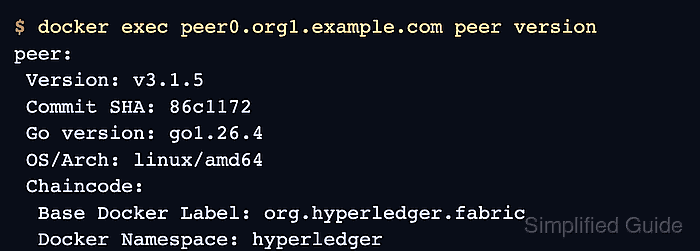
- Verify the upgraded peer version.
$ docker exec peer0.org1.example.com peer version
peer:
 Version: v3.1.5
 Commit SHA: 86c1172
 Go version: go1.26.4
 OS/Arch: linux/amd64
 Chaincode:
  Base Docker Label: org.hyperledger.fabric
  Docker Namespace: hyperledger
- Stop the CouchDB container paired with the peer.
$ docker stop couchdb0.org1.example.com
couchdb0.org1.example.com
- Back up the CouchDB data directory.
$ docker cp couchdb0.org1.example.com:/opt/couchdb/data "$LEDGERS_BACKUP/couchdb0.org1.example.com"
- Remove the old CouchDB container.
$ docker rm couchdb0.org1.example.com couchdb0.org1.example.com - Start CouchDB with the approved target image.
$ docker run --detach \
  --name couchdb0.org1.example.com \
  --env-file ./env-couchdb0.org1.example.com.list \
  --volume /opt/fabric/couchdb0.org1.example.com/data:/opt/couchdb/data \
  couchdb:"$COUCHDB_IMAGE_TAG"
1dbd0f9180ff4a4a7f1dc33d24de1e177d6d14c7c3f7dd5ef5c8759a5fbb0fc1
Keep the peer offline while its CouchDB data store is being replaced. A peer and its state database must return as a matched pair.
- Check that CouchDB answers on the upgraded container.
$ curl -u "$COUCHDB_USER:$COUCHDB_PASSWORD" http://couchdb0.org1.example.com:5984/
{"couchdb":"Welcome","version":"3.4.2","git_sha":"690552d","uuid":"0d37f8c7f977f02e"}
- Stop the Fabric CA server container.
$ docker stop ca.org1.example.com
ca.org1.example.com
- Back up the Fabric CA server home directory.
$ docker cp ca.org1.example.com:/etc/hyperledger/fabric-ca-server "$LEDGERS_BACKUP/ca.org1.example.com"
Use the deployment's database backup tool when the CA server stores identities in PostgreSQL, MySQL, or another external database instead of the default local database file.
- Remove the old Fabric CA server container.
$ docker rm ca.org1.example.com ca.org1.example.com - Start the Fabric CA server with the target CA image.
$ docker run --detach \
  --name ca.org1.example.com \
  --env-file ./env-ca.org1.example.com.list \
  --volume /opt/fabric/ca.org1.example.com:/etc/hyperledger/fabric-ca-server \
  hyperledger/fabric-ca:"$FABRIC_CA_IMAGE_TAG" fabric-ca-server start
c280b36f23030d89732709514c7a5a7ed0a0c1a76f0f79596b125dd62729a3e9
- Verify the upgraded Fabric CA server version.
$ docker exec ca.org1.example.com fabric-ca-server version
fabric-ca-server:
 Version: v1.5.21
 Go version: go1.26.4
 OS/Arch: linux/amd64
Renew or reenroll identities only when the upgrade plan also changes certificate material or when certificates are near expiry.
Related: How to renew a Hyperledger Fabric certificate - Upgrade Fabric Gateway client dependencies after the nodes accept traffic on the target binaries.
$ npm install @hyperledger/fabric-gateway@latest
changed 3 packages, and audited 104 packages in 2s
found 0 vulnerabilities
Use the package manager for the application language, such as npm, Go modules, Maven, or pip. Keep the client SDK change in a separate application release if the node upgrade needs a fast rollback path.
- Run a chaincode query through an upgraded peer.
$ peer chaincode query -C mychannel -n basic -c '{"Args":["ReadAsset","asset1"]}'
{"ID":"asset1","color":"blue","size":5,"owner":"Tomoko","appraisedValue":300}
The query confirms that the upgraded peer, orderer path, state database, and client binary can still read committed ledger state. Use a write transaction as the final smoke test when the maintenance plan allows a harmless test update.
Related: How to query Hyperledger Fabric chaincode

Mohd Shakir Zakaria is a cloud architect with deep roots in software development and open-source advocacy. Certified in AWS, Red Hat, VMware, ITIL, and Linux, he specializes in designing and managing robust cloud and on-premises infrastructures.


