PDF manuals, policies, and exported reports often need to enter a Haystack indexing pipeline before they can be searched or retrieved. PyPDFToDocument reads the selectable text layer in a PDF and returns Document objects, keeping the source filename and any metadata supplied to the converter.
PyPDFToDocument uses the pypdf library. It is for text-based PDFs, not optical character recognition, so scanned pages that only contain images need OCR before the converter can extract words.
A small smoke test should run before a directory-wide import. Checking one PDF for document count, extracted content, source filename, and metadata catches blank text layers or wrong labels before splitters, embedders, and document writers multiply the mistake.
Related: How to install Haystack with pip
Related: How to convert multiple file types in Haystack
Related: How to build an indexing pipeline in Haystack
Tool: PDF to File Converter
Steps to convert PDF files to Haystack documents:
- Install pypdf in the active Haystack Python environment.
$ python -m pip install pypdf
Collecting pypdf
##### snipped #####
Successfully installed pypdf-6.14.2
PyPDFToDocument imports pypdf when the converter runs. Install it in the same virtual environment that imports haystack.
Related: How to install Haystack with pip - Copy a text-based PDF into the project directory as operations-handbook.pdf.
Use a small source file that represents the manuals or reports being indexed. The smoke-test PDF should have selectable text, such as an operations heading, a restart approval sentence, and an indexing rollout sentence.
- Create the converter script.
- pdf_to_documents.py
from pathlib import Path

from haystack.components.converters import PyPDFToDocument


source = Path("operations-handbook.pdf")
converter = PyPDFToDocument(store_full_path=False)
result = converter.run(
    sources=[source],
    meta={
        "collection": "operations",
        "source_format": "pdf",
    },
)

documents = result["documents"]
document = documents[0]

print(f"documents: {len(documents)}")
print("content:")
print(document.content.strip())
print("source:", document.meta["file_path"])
print("collection:", document.meta["collection"])
print("format:", document.meta["source_format"])
Leave store_full_path disabled when downstream metadata only needs the filename. Set it to True only when absolute source paths are useful and safe to store.
- Run the converter script.
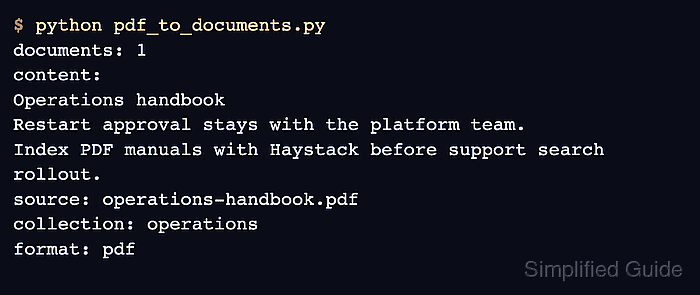
$ python pdf_to_documents.py
documents: 1
content:
Operations handbook
Restart approval stays with the platform team.
Index PDF manuals with Haystack before support search rollout.
source: operations-handbook.pdf
collection: operations
format: pdf
- Check the extracted text and metadata.
The documents: 1 line confirms that one Document was produced. The content lines come from the PDF text layer, while source, collection, and format confirm the filename and metadata that downstream components can filter on.
- Remove the temporary smoke-test script after copying the pattern into the indexing pipeline.
$ rm pdf_to_documents.py

Mohd Shakir Zakaria is a cloud architect with deep roots in software development and open-source advocacy. Certified in AWS, Red Hat, VMware, ITIL, and Linux, he specializes in designing and managing robust cloud and on-premises infrastructures.


