When a review starts with matching lines, the file names can be the part that matters most. Use grep -l when the handoff needs the files that contain a pattern, not every line that matched inside those files.
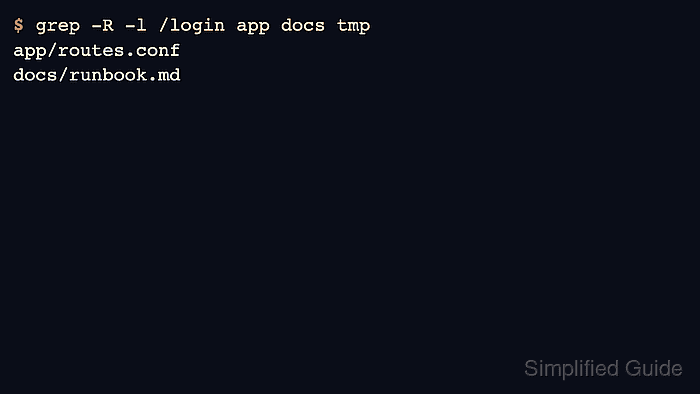
The -l option prints each matching file once and stops reading that file after the first match. Combine it with -R when the search should walk below one or more directories.
The sample below uses three small files across separate directories: two mention /login and one does not. The expected proof is that grep -R -l /login app docs tmp lists only the two matching files, while grep -R -L /login app docs tmp lists the file that contains no match.
Steps to list files that contain a grep match:
- Create a small sample tree with two matching files and one nonmatching file.
$ mkdir -p app docs tmp
$ cat > app/routes.conf <<'EOF'
GET /health status=ok
POST /login status=requires_auth
EOF
$ cat > docs/runbook.md <<'EOF'
Check /health before rotating workers.
Run /login tests after deploying auth changes.
EOF
$ cat > tmp/cache.txt <<'EOF'
temporary cache entry
EOF
- List only the files that contain the target pattern.
$ grep -R -l /login app docs tmp
app/routes.conf
docs/runbook.md
grep -l prints file names, not matching lines. Each matching file appears once even if the pattern appears more than once inside it.
- List files that do not contain the pattern when the review needs the inverse file set.
$ grep -R -L /login app docs tmp
tmp/cache.txt
grep -L is the file-level inverse of -l. It is useful before adding a missing setting or finding files that skipped a required token.
- Run a second file-name search for a different token to confirm the file list follows the pattern, not the directory names.
$ grep -R -l /health app docs tmp
app/routes.conf
docs/runbook.md
- Remove the sample tree after testing.
$ rm -r app docs tmp

Mohd Shakir Zakaria is a cloud architect with deep roots in software development and open-source advocacy. Certified in AWS, Red Hat, VMware, ITIL, and Linux, he specializes in designing and managing robust cloud and on-premises infrastructures.


