Recursive grep searches can surface matches from generated logs, dependency trees, and cache directories before the source files that need review. Excluding those paths keeps the result focused on files the operator owns, especially in source trees that include vendor code or noisy runtime output.
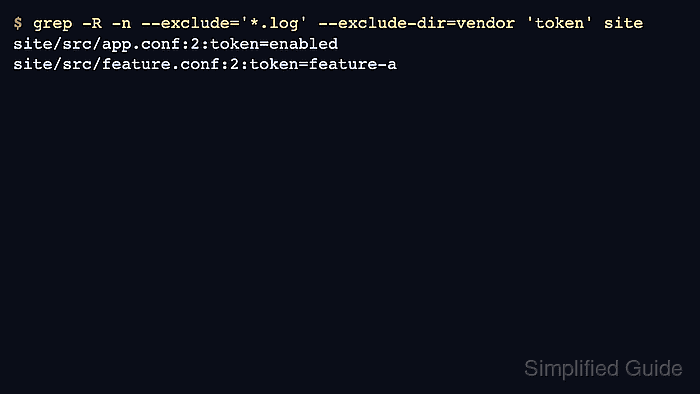
GNU grep applies –exclude to file basenames during recursive searches and applies –exclude-dir to directory basenames. Quote shell globs such as *.log so the shell passes the pattern to grep instead of expanding it before grep starts.
The sample tree contains two source files that should remain visible, one vendor file that should be skipped, and one log file that should be skipped. Successful output lists only the source files after both exclusions are present.
Steps to exclude files and directories from grep:
- Create sample files with matches in source, vendor, and log paths.
$ mkdir -p site/src site/vendor site/cache
$ cat > site/src/app.conf <<'EOF'
mode=production
token=enabled
EOF
$ cat > site/src/feature.conf <<'EOF'
feature=search
token=feature-a
EOF
$ cat > site/vendor/plugin.conf <<'EOF'
plugin=vendor
token=vendor-default
EOF
$ cat > site/cache/runtime.log <<'EOF'
INFO cache warmup
token=debug-only
EOF
- Skip log files while searching the tree recursively.
$ grep -R -n --exclude='*.log' 'token' site
site/src/app.conf:2:token=enabled
site/src/feature.conf:2:token=feature-a
site/vendor/plugin.conf:2:token=vendor-default
–exclude='*.log' skips the log file, but the vendor file still appears because its directory has not been excluded.
- Verify that adding the vendor directory exclusion keeps only source-owned matches.
$ grep -R -n --exclude='*.log' --exclude-dir=vendor 'token' site
site/src/app.conf:2:token=enabled
site/src/feature.conf:2:token=feature-a
Repeat –exclude-dir for multiple directory names, such as –exclude-dir=vendor –exclude-dir=cache.
- Remove the sample tree after testing.
$ rm -r site

Mohd Shakir Zakaria is a cloud architect with deep roots in software development and open-source advocacy. Certified in AWS, Red Hat, VMware, ITIL, and Linux, he specializes in designing and managing robust cloud and on-premises infrastructures.


