Configuring tenancy and authentication for the LGTM stack keeps teams from writing or querying each other's observability data by accident. Loki, Tempo, and Mimir can use tenant identifiers such as X-Scope-OrgID, but a production stack still needs an authentication layer in front of those APIs.
Use a gateway, ingress controller, service mesh, or reverse proxy to authenticate clients and forward the correct tenant header to the backend. Grafana data sources should use stable tenant headers or tenant-aware routes, while direct backend access should be blocked from untrusted networks.
Tenant names should be boring and durable, such as platform, payments, or prod. Do not use user email addresses, project secrets, or request IDs as tenant identifiers because those values can leak into logs, metrics, and saved configuration.
Steps to configure tenancy and authentication for the LGTM stack:
- Choose tenant identifiers for the production stack.
$ cat tenants.txt
platform
payments
search
- Enable backend tenancy in the component values files.
- tenancy-values.yaml
loki:
  auth_enabled: true

tempo:
  multitenancyEnabled: true

mimir:
  structuredConfig:
    multitenancy_enabled: true
Exact Helm keys vary by chart and chart version. Render the values before applying them and keep the setting names aligned with the chart currently in use.
- Configure the gateway to require authentication before forwarding backend traffic.
- gateway-policy.yaml
routes:
  - host: logs.example.com
    backend: loki-gateway
    requireAuth: true
    tenantHeader: X-Scope-OrgID
  - host: traces.example.com
    backend: tempo-query-frontend
    requireAuth: true
    tenantHeader: X-Scope-OrgID
  - host: metrics.example.com
    backend: mimir-nginx
    requireAuth: true
    tenantHeader: X-Scope-OrgID
- Apply the gateway or ingress policy through the platform's normal deployment path.
$ kubectl apply --namespace monitoring -f gateway-policy.yaml
gatewaypolicy.observability.example.com/lgtm-tenancy configured
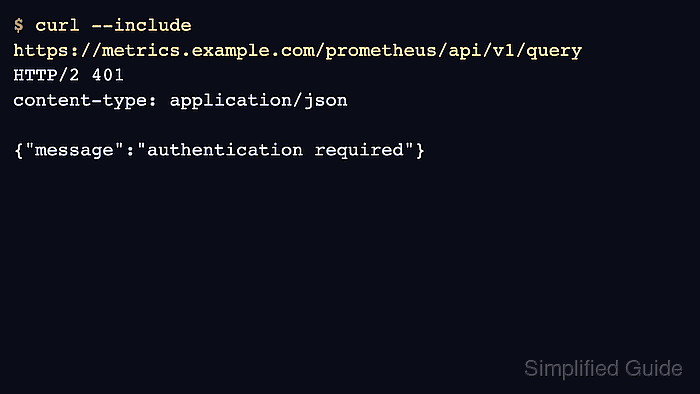
- Confirm unauthenticated requests are rejected.
$ curl --silent --include https://metrics.example.com/prometheus/api/v1/query HTTP/2 401 content-type: application/json {"message":"authentication required"} - Confirm a tenant-scoped request reaches the backend.
$ curl --silent --include \
  --header 'Authorization: Bearer <token>' \
  --header 'X-Scope-OrgID: platform' \
  'https://metrics.example.com/prometheus/api/v1/query?query=up'
HTTP/2 200
content-type: application/json
- Add the tenant header to the Grafana data source provisioning file.
- datasources.yaml
apiVersion: 1
datasources:
  - name: Mimir platform
    uid: mimir-platform
    type: prometheus
    access: proxy
    url: https://metrics.example.com/prometheus
    jsonData:
      httpHeaderName1: X-Scope-OrgID
    secureJsonData:
      httpHeaderValue1: platform
Keep bearer tokens and generated passwords in secrets. Do not commit them in Helm values, data source files, screenshots, or command transcripts.
- Recreate Grafana so the data source secret values are loaded.
$ helm upgrade --install grafana grafana/grafana \
  --namespace monitoring \
  --values values/grafana.yaml \
  --wait
Release "grafana" has been upgraded. Happy Helming!
- Query through Grafana with the tenant-scoped data source.
$ curl --silent --user admin:<password> \ http://127.0.0.1:3000/api/datasources/uid/mimir-platform {"uid":"mimir-platform","type":"prometheus","name":"Mimir platform"} - Repeat the accepted and rejected request checks for Loki and Tempo.
The success state is both sides: rejected unauthenticated access and accepted tenant-scoped access for each backend.

Mohd Shakir Zakaria is a cloud architect with deep roots in software development and open-source advocacy. Certified in AWS, Red Hat, VMware, ITIL, and Linux, he specializes in designing and managing robust cloud and on-premises infrastructures.


