A reproducible failure can hide in a long Git history when several commits changed nearby files before the problem was noticed. git bisect narrows that history by testing commits between a known bad revision and a known good revision until it names the first commit that introduced the regression.
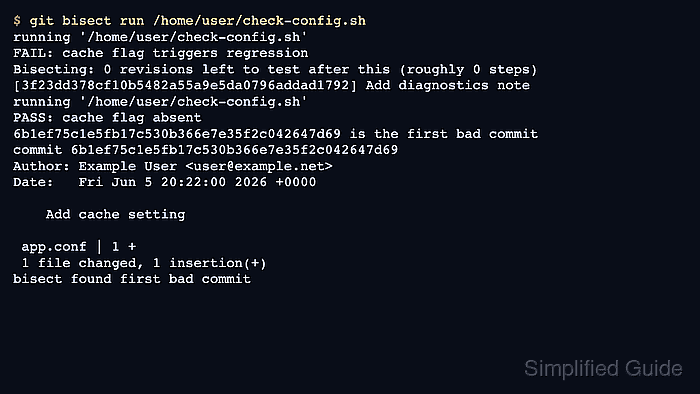
The bisection starts from two facts. A newer commit fails the check, and an older commit passes it. Git checks out candidate commits in between those endpoints, and each test result is recorded as bad or good; git bisect run automates those marks when a command exits 0 for pass and nonzero for fail.
Run git bisect from a clean working tree with a deterministic test command that does not depend on uncommitted files, network-only state, or generated artifacts left behind by previous commits. If a candidate commit cannot be built or tested for a reason unrelated to the regression, mark it as skipped or make the test command exit 125 so Git does not treat infrastructure breakage as the bug.
Related: How to view Git commit history
Related: How to compare two Git branches with diff
Steps to find a regression with git bisect:
- Change into the repository and confirm that the working tree is clean.
$ cd /home/user/project
$ git status --short
No output from git status --short means there are no unstaged, staged, or untracked paths. Commit, stash, or discard local edits before starting because bisect checks out older commits.
- Run the failing check at the current revision and confirm that the failure is reproducible.
$ /home/user/check-config.sh
FAIL: cache flag triggers regression
Use the smallest command that proves the regression. A project test, build step, CLI smoke check, or local script is enough when it exits 0 for a pass and nonzero for the failure being searched.
- Choose a known good older commit from the history.
$ git log --oneline -4
cbd0554 Add strict startup check
6b1ef75 Add cache setting
3f23dd3 Add diagnostics note
1e652f3 Add base config
Commit 1e652f3 is the known good endpoint in this example. Pick a commit that has already been tested as passing, not merely an older commit that looks unrelated. Related: How to view Git commit history
- Start the bisection with the current bad commit and the known good commit.
$ git bisect start HEAD 1e652f3
Bisecting: 0 revisions left to test after this (roughly 1 step)
[6b1ef75c1e5fb17c530b366e7e35f2c042647d69] Add cache setting
HEAD is marked bad because the current revision failed. The second revision is marked good because it is known to pass.
- Let Git run the same check against each candidate commit.
$ git bisect run /home/user/check-config.sh
running '/home/user/check-config.sh'
FAIL: cache flag triggers regression
Bisecting: 0 revisions left to test after this (roughly 0 steps)
[3f23dd378cf10b5482a55a9e5da0796addad1792] Add diagnostics note
running '/home/user/check-config.sh'
PASS: cache flag absent
6b1ef75c1e5fb17c530b366e7e35f2c042647d69 is the first bad commit
commit 6b1ef75c1e5fb17c530b366e7e35f2c042647d69
Author: Example User <user@example.net>
Date:   Fri Jun 5 20:22:00 2026 +0000

    Add cache setting

 app.conf | 1 +
 1 file changed, 1 insertion(+)
bisect found first bad commit
If the test command cannot evaluate a checked-out commit, make it exit 125 or run git bisect skip for that commit. Exit codes 1 through 127 except 125 are treated as bad by git bisect run.
- Inspect the first bad commit before planning the fix or rollback.
$ git show --stat --oneline 6b1ef75
6b1ef75 Add cache setting
 app.conf | 1 +
 1 file changed, 1 insertion(+)
Review the patch, files, and commit message before assigning ownership. Bisect identifies the first commit whose tested state fails; it does not explain intent or prove whether the change should be reverted. Related: How to revert a Git commit
- End the bisect session and return to the original branch.
$ git bisect reset
Previous HEAD position was 3f23dd3 Add diagnostics note
Switched to branch 'main'
- Confirm that the repository is back on the working branch and still clean.
$ git status --short --branch
## main
Only the branch line means the working tree has no staged, unstaged, or untracked paths after the bisection ended.

Mohd Shakir Zakaria is a cloud architect with deep roots in software development and open-source advocacy. Certified in AWS, Red Hat, VMware, ITIL, and Linux, he specializes in designing and managing robust cloud and on-premises infrastructures.


