When a committed change has already reached a shared branch, reverting it backs out the change without rewriting history. Git keeps the original commit for auditability and adds a new commit that applies the inverse patch, so teammates can pull the rollback normally.
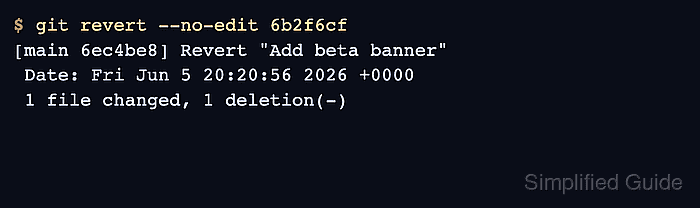
git revert needs a clean working tree and an exact commit name from git log. The command compares the chosen commit with its parent, applies the opposite file changes to the current branch, and creates a new commit with a message that names the reverted commit.
Reverting is different from discarding uncommitted work or resetting a private branch. Conflicts can still occur when later edits touch the same lines, and merge commits need a –mainline parent choice, so avoid using this single-commit flow for merge rollback unless you already know which parent should remain the mainline.
Steps to revert a Git commit:
- Check that the working tree is clean before starting the revert.
$ git status
On branch main
nothing to commit, working tree clean
Do not start a revert on top of unstaged edits. Commit, stash, or discard local work first so the revert only contains the inverse of the selected commit.
- Find the commit whose changes should be backed out.
$ git log --oneline -5
6b2f6cf Add beta banner
2698fd6 Add app config
Copy the short or full hash for the commit that introduced the unwanted change. Related: How to view Git commit history
- Revert the selected commit without opening the message editor.
$ git revert --no-edit 6b2f6cf
[main 6ec4be8] Revert "Add beta banner"
 Date: Fri Jun 5 20:20:56 2026 +0000
 1 file changed, 1 deletion(-)
Omit –no-edit when the revert commit message should include an incident, release, or ticket reason before saving.
If Git reports conflicts, edit the conflicted files, stage the resolved paths with git add, then run git revert –continue. Use git revert –abort to return to the pre-revert state.
- Confirm that the revert commit is now the newest commit and the original commit remains in history.
$ git log --oneline -3
6ec4be8 Revert "Add beta banner"
6b2f6cf Add beta banner
2698fd6 Add app config
- Check the affected file or run the project test that proves the unwanted change is gone.
$ cat app.conf
release=1.0
For application code, run the narrow test, build, or smoke check that failed because of the reverted commit before pushing the rollback.
- Push the revert commit when the branch is shared.
$ git push origin main
Enumerating objects: 3, done.
##### snipped #####
To https://repo.example.net/team/app.git
   6b2f6cf..6ec4be8  main -> main

Mohd Shakir Zakaria is a cloud architect with deep roots in software development and open-source advocacy. Certified in AWS, Red Hat, VMware, ITIL, and Linux, he specializes in designing and managing robust cloud and on-premises infrastructures.


