A branch name can become wrong after the task changes scope, a typo reaches review, or a team naming convention changes. Rename the local branch before pushing, reviewing, or merging so later commands and pull requests refer to the branch by the intended name.
git branch -m changes the local branch reference name. It keeps the commits, working tree files, branch configuration, and branch reflog attached to the renamed branch instead of rewriting history.
Use these steps when the branch to rename is local and the terminal is already inside the repository. A remote branch with the old name is a separate reference, so rename the local branch first and coordinate any push, upstream, or remote deletion after the local name is correct.
Related: Create and switch to a Git branch
Related: Set upstream tracking for a Git branch
Related: Delete a remote Git branch
Related: Run a default branch rename in Git
Steps to rename a Git branch:
- Open a terminal in the repository that contains the branch.
- Confirm that the current branch is the one to rename.
$ git branch --show-current
feature/login-form
If another branch is active, switch to the branch first with git switch feature/login-form or rename the inactive branch with git branch -m feature/login-form feature/docs.
- Check the current branch tip before changing the name.
$ git log --oneline --decorate -1
02bbaa2 (HEAD -> feature/login-form) Update login notes
The short commit hash is the value to compare after the rename. It should stay the same when only the branch name changes.
- Rename the active branch.
$ git branch -m feature/docs
Git normally prints no output when the rename succeeds. Use git branch -M feature/docs only when feature/docs already exists locally and replacing that name is intentional.
- Confirm that the active branch now uses the new name.
$ git branch --show-current
feature/docs
- List local branches and confirm the old name is gone.
$ git branch
* feature/docs
  main
- Verify that the renamed branch still points at the same commit.
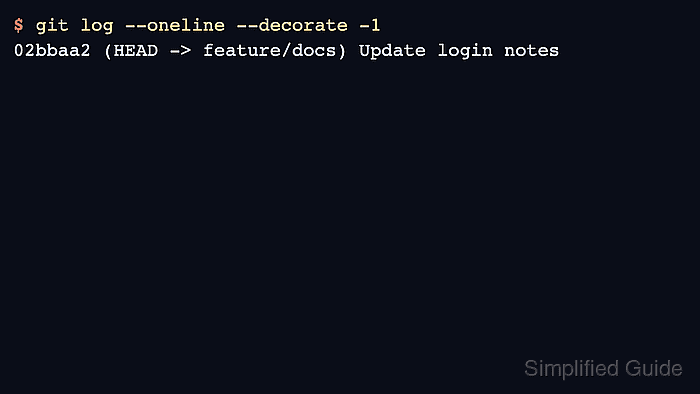
$ git log --oneline --decorate -1
02bbaa2 (HEAD -> feature/docs) Update login notes
The commit hash should match the pre-rename check, while the decoration should show HEAD -> feature/docs.
- Check whether the branch still needs remote tracking work.
$ git status -sb
## feature/docs
If status shows an upstream branch with the old name, set the new upstream after pushing the renamed branch. Renaming a local branch does not rename an existing remote branch.

Mohd Shakir Zakaria is a cloud architect with deep roots in software development and open-source advocacy. Certified in AWS, Red Hat, VMware, ITIL, and Linux, he specializes in designing and managing robust cloud and on-premises infrastructures.


