Gentoo stores the system timezone through /etc/localtime, and a fresh stage3 or installation chroot can start with a placeholder timezone until that link points at the right zoneinfo file. Set it before service startup, cron schedules, log review, and handoff so local timestamps match the host's intended location.
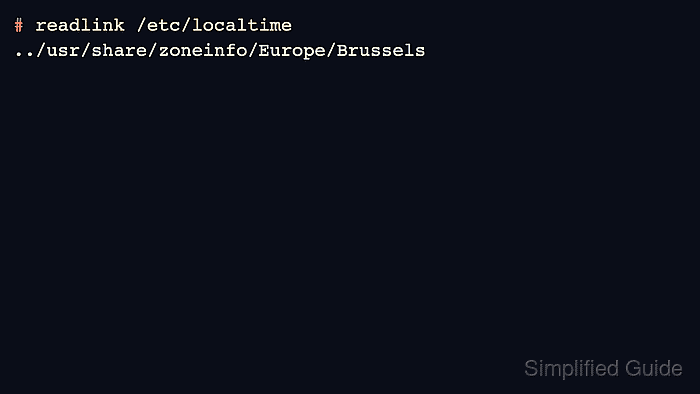
The Gentoo Handbook uses a symlink from /etc/localtime to a file under /usr/share/zoneinfo. The example below selects Europe/Brussels, but the same command shape works for any region and city file present in the installed timezone-data package.
Run the commands from a root shell on the installed Gentoo system or from the target installation chroot. Changing the timezone changes how local time is displayed; it does not synchronize the system clock or replace an NTP client.
Related: How to enter a Gentoo chroot
Related: How to generate Gentoo locales
Related: How to synchronize time with NTP in Linux
Steps to set the Gentoo timezone:
- Open a root shell on the installed Gentoo system or inside the target chroot.
When using live media, enter the installed root first so /etc/localtime is written in the target Gentoo system. Related: How to enter a Gentoo chroot
- Check the current /etc/localtime target.
# ls -l /etc/localtime
lrwxrwxrwx 1 root root 29 Jun  8 00:08 /etc/localtime -> ../usr/share/zoneinfo/Factory
A fresh stage3 may point at Factory or another default. The important check is whether /etc/localtime already points at the intended region file.
- Confirm that the desired zoneinfo file exists.
# ls -l /usr/share/zoneinfo/Europe/Brussels
-rw-r--r-- 1 root root 2933 Apr  8 20:46 /usr/share/zoneinfo/Europe/Brussels
Use the closest appropriate region and city under /usr/share/zoneinfo, such as Asia/Kuala_Lumpur or America/New_York. Avoid /usr/share/zoneinfo/Etc/GMT* unless that inverted naming convention is specifically required.
- Point /etc/localtime at the selected timezone.
# ln -sf ../usr/share/zoneinfo/Europe/Brussels /etc/localtime
The leading ../ is relative to the /etc directory where the symlink lives. This keeps the link usable in alternate roots and matches the current Gentoo Handbook pattern.
- Verify the saved symlink.
# ls -l /etc/localtime
lrwxrwxrwx 1 root root 37 Jun 11 06:16 /etc/localtime -> ../usr/share/zoneinfo/Europe/Brussels
# readlink /etc/localtime
../usr/share/zoneinfo/Europe/Brussels
- Confirm that local time now uses the selected timezone.
# date "+%Z %z"
CEST +0200
The abbreviation and offset should match the selected timezone for the current date. If the local time is still wrong after the timezone is correct, check clock synchronization separately. Related: How to synchronize time with NTP in Linux
- Restart or reload long-running services only when their timestamps still use the old timezone.
New shell sessions and commands that read /etc/localtime directly should see the new timezone immediately, but some daemons cache timezone data until they restart.

Mohd Shakir Zakaria is a cloud architect with deep roots in software development and open-source advocacy. Certified in AWS, Red Hat, VMware, ITIL, and Linux, he specializes in designing and managing robust cloud and on-premises infrastructures.


