Gentoo systems need generated locale data before shells, terminals, build tools, and applications can use a regional UTF-8 environment. An unset or missing locale can leave commands running under C, trigger setlocale warnings, or make non-ASCII text display incorrectly after a chroot or fresh install.
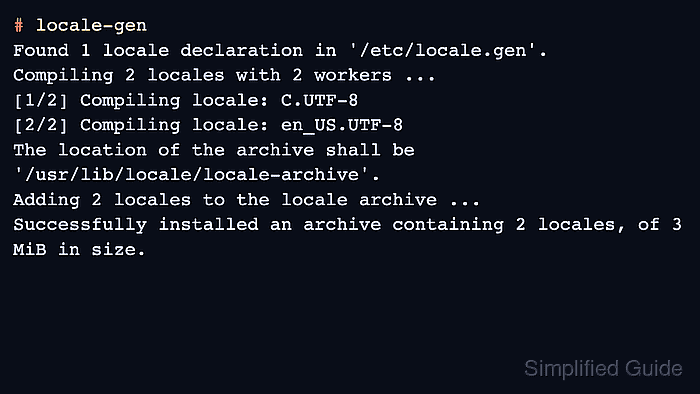
On glibc-based Gentoo profiles, /etc/locale.gen lists the locale declarations that locale-gen compiles into the GNU C Library locale archive. Each enabled line names a locale and character map, such as en_US.UTF-8 UTF-8, and locale-gen validates those declarations against glibc's supported locale list before replacing the archive under /usr/lib/locale.
Run the commands from a root shell on the installed Gentoo system or from a prepared Gentoo chroot. The generated locale becomes available to programs after locale-gen finishes, while the default LANG value for new shells is selected separately through eselect locale and loaded after env-update or a new login.
Related: How to enter a Gentoo chroot
Related: How to build a Gentoo chroot environment
Related: How to change system locale in Linux
Steps to generate Gentoo locales:
- Open a root shell on the Gentoo system or inside the Gentoo chroot.
Inside an installation chroot, load the Gentoo shell environment first with source /etc/profile so eselect and env-update use the target system paths.
- Confirm the current locale environment before changing it.
# locale
LANG=C
LC_CTYPE="C"
LC_NUMERIC="C"
LC_TIME="C"
LC_COLLATE="C"
LC_MONETARY="C"
LC_MESSAGES="C"
LC_PAPER="C"
LC_NAME="C"
LC_ADDRESS="C"
LC_TELEPHONE="C"
LC_MEASUREMENT="C"
LC_IDENTIFICATION="C"
LC_ALL=
A C locale is common in new chroots and minimal installs. The target UTF-8 locale will not appear here until it is generated and selected for the shell environment.
- Edit /etc/locale.gen.
# nano -w /etc/locale.gen
- Enable the UTF-8 locale that should be available on the system.
- /etc/locale.gen
en_US.UTF-8 UTF-8
Replace en_US.UTF-8 UTF-8 with the locale and character map needed for the host. Keep the UTF-8 character map unless a legacy application specifically requires another encoding.
- Generate the configured locale archive.
# locale-gen
Found 1 locale declaration in '/etc/locale.gen'.
Compiling 2 locales with 2 workers ...
[1/2] Compiling locale: C.UTF-8
[2/2] Compiling locale: en_US.UTF-8
The location of the archive shall be '/usr/lib/locale/locale-archive'.
Adding 2 locales to the locale archive ...
Successfully installed an archive containing 2 locales, of 3 MiB in size.
locale-gen also ensures the C.UTF-8 locale is present on current glibc-based Gentoo systems, so the compiled count can be higher than the number of uncommented lines in /etc/locale.gen.
If locale-gen reports that the operating system does not appear to use GNU libc, the system is using a non-glibc profile such as musl. Do not force these steps onto that profile; use the locale handling documented for that libc instead.
- Confirm that the generated locale appears in the available locale list.
# locale -a
C
C.utf8
en_US.utf8
POSIX
locale -a prints normalized archive names, so en_US.UTF-8 commonly appears as en_US.utf8.
- List the locales that eselect can assign to LANG.
# eselect locale list
Available targets for the LANG variable:
  [1]   C
  [2]   C.utf8
  [3]   en_US.utf8
  [4]   POSIX
  [ ]   (free form)
- Set the generated UTF-8 locale as the default LANG value.
# eselect locale set en_US.utf8
Setting LANG to en_US.utf8 ...
Use the number from eselect locale list or the exact locale name shown by locale -a.
- Regenerate the Gentoo environment files.
# env-update
>>> Regenerating /etc/ld.so.cache...
- Reload the profile in the current shell or start a new login session.
# source /etc/profile
Existing shells and running services keep their old locale variables until they reload their environment, reconnect, restart, or inherit a new login session.
- Verify that the fresh shell uses the selected UTF-8 locale.
# echo "$LANG"
en_US.utf8
# locale
LANG=en_US.utf8
LC_CTYPE="en_US.utf8"
LC_NUMERIC="en_US.utf8"
LC_TIME="en_US.utf8"
LC_COLLATE="en_US.utf8"
LC_MONETARY="en_US.utf8"
LC_MESSAGES="en_US.utf8"
LC_PAPER="en_US.utf8"
LC_NAME="en_US.utf8"
LC_ADDRESS="en_US.utf8"
LC_TELEPHONE="en_US.utf8"
LC_MEASUREMENT="en_US.utf8"
LC_IDENTIFICATION="en_US.utf8"
LC_ALL=

Mohd Shakir Zakaria is a cloud architect with deep roots in software development and open-source advocacy. Certified in AWS, Red Hat, VMware, ITIL, and Linux, he specializes in designing and managing robust cloud and on-premises infrastructures.


