Removing a package on Gentoo should start with Portage's dependency graph, not a force unmerge. A package may be selected by the world set, pulled in by another selected package, or needed by the current profile, and removing the wrong atom can leave a toolchain, login path, desktop, or service missing after the next cleanup.
Portage stores manually selected packages in /var/lib/portage/world. emerge –deselect removes a package atom from that selected set, and emerge –depclean calculates whether the package can be unmerged without breaking the remaining selected, system, and profile sets.
Use a full category/package atom, such as app-text/tree, when removing software. Run a pretend check before the destructive step, and keep a package with emerge –noreplace if the depclean list shows something that should remain installed for local workflows.
Related: How to install a package on Gentoo with emerge
Related: How to clean Gentoo distfiles
Steps to remove a Gentoo package:
- Open a terminal on the Gentoo system with sudo privileges.
- Check the installed state of the package.
$ emerge --search app-text/tree
[ Results for search key : app-text/tree ]
Searching...

*  app-text/tree
      Latest version available: 2.2.1
      Latest version installed: 2.2.1
      Size of files: 56 KiB
      Homepage:      https://oldmanprogrammer.net/source.php?dir=projects/tree
      Description:   Lists directories recursively, and produces an indented listing of files
      License:       GPL-2

[ Applications found : 1 ]
Replace app-text/tree with the full package atom for the package to remove. If emerge –search shows [ Not Installed ], there is no installed package for that atom to remove.
- Remove the package from the selected package set.
$ sudo emerge --deselect app-text/tree
–deselect changes selection state; it does not unmerge package files by itself.
- Preview removal of the target package.
$ sudo emerge --pretend --verbose --depclean app-text/tree
Calculating dependencies... done!

>>> These are the packages that would be unmerged:

 app-text/tree
    selected: 2.2.1
   protected: none
     omitted: none

All selected packages: =app-text/tree-2.2.1
Stop if depclean proposes removing packages that provide boot, network, login, compiler, kernel, or desktop functionality that should stay installed.
- Unmerge the target package after the preview is correct.
$ sudo emerge --ask --verbose --depclean app-text/tree
Calculating dependencies... done!

>>> These are the packages that would be unmerged:

 app-text/tree
    selected: 2.2.1
   protected: none
     omitted: none

Would you like to unmerge these packages? [Yes/No]
Answer No when the selected list includes packages you still use. Add a package back to the world set with sudo emerge –noreplace category/package before rerunning depclean.
- Preview dependency cleanup after the target package is gone.
$ sudo emerge --pretend --depclean
Calculating dependencies... done!
>>> No packages selected for removal by depclean
>>> To see reverse dependencies, use --verbose
Run this check without a package atom to find dependencies that became orphaned after the target package was removed.
- Remove orphaned dependencies only when the preview list is safe.
$ sudo emerge --ask --depclean
Broad depclean can remove any installed package that is no longer reachable from the world, system, or profile sets. Review every package before approving the unmerge.
Related: How to update a Gentoo world set
- Rebuild preserved-library consumers if Portage reports preserved libraries after removal.
$ sudo emerge --ask @preserved-rebuild
@preserved-rebuild rebuilds packages that still link against libraries preserved after an unmerge.
- Verify that the package is no longer installed.
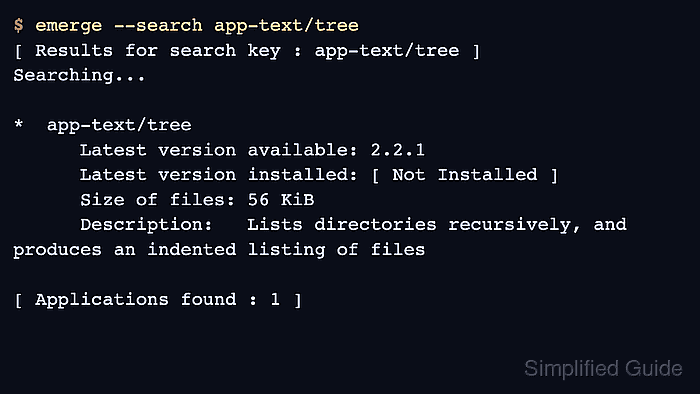
$ emerge --search app-text/tree
[ Results for search key : app-text/tree ]
Searching...

*  app-text/tree
      Latest version available: 2.2.1
      Latest version installed: [ Not Installed ]
      Size of files: 56 KiB
      Homepage:      https://oldmanprogrammer.net/source.php?dir=projects/tree
      Description:   Lists directories recursively, and produces an indented listing of files
      License:       GPL-2

[ Applications found : 1 ]

Mohd Shakir Zakaria is a cloud architect with deep roots in software development and open-source advocacy. Certified in AWS, Red Hat, VMware, ITIL, and Linux, he specializes in designing and managing robust cloud and on-premises infrastructures.


