Updating a Gentoo world set brings the packages selected on the system and their dependency graph forward after the local ebuild repositories have been synced.
Portage stores explicitly selected packages in /var/lib/portage/world and uses the @world set to calculate which installed packages should be upgraded, rebuilt for changed USE flags, or left alone because the current profile and package masks do not select a newer version.
A full maintenance pass should preview the dependency graph before merging, read Gentoo news before accepting major repository changes, and finish by handling protected configuration files, preserved libraries, and orphaned dependencies.
Related: How to sync the Gentoo repository
Related: How to read Gentoo news items
Related: How to set Gentoo USE flags
Steps to update a Gentoo world set:
- Sync the repositories configured for automatic updates.
$ sudo emaint --auto sync
>>> Syncing repository 'gentoo' into '/var/db/repos/gentoo'...
>>> Sync completed for gentoo
Action: sync for repo: gentoo, returned code = 0
emaint –auto sync updates repositories whose auto-sync setting is enabled in /etc/portage/repos.conf.
- Read unread Gentoo news before merging the update.
$ sudo eselect news read new
No news is good news.
When news items are listed, read the migration or policy notes before accepting the package plan because they may require a profile, USE flag, or configuration change.
- Preview the world update plan.
$ sudo emerge --pretend --verbose --update --deep --newuse @world
Calculating dependencies... done!
These are the packages that would be merged, in order:

[ebuild     U ] sys-apps/portage-3.0.67-r1 [3.0.67]
[ebuild     U ] app-editors/nano-8.4 [8.3]
##### snipped #####

Total: 2 packages (2 upgrades), Size of downloads: 3,940 KiB
–update selects newer eligible versions, –deep lets Portage recalculate dependencies below direct world packages, and –newuse includes installed packages whose USE state changed since they were built.
- Merge the approved world update.
$ sudo emerge --ask --verbose --update --deep --newuse @world
Calculating dependencies... done!
These are the packages that would be merged, in order:

[ebuild     U ] sys-apps/portage-3.0.67-r1 [3.0.67]
[ebuild     U ] app-editors/nano-8.4 [8.3]
##### snipped #####

Would you like to merge these packages? [Yes/No]
Do not answer Yes until blockers, masked packages, unexpected downgrades, and large rebuild sets in the preview are understood.
- Update protected configuration files left by the merge.
$ sudo dispatch-conf
Scanning Configuration files...
No updates found.
dispatch-conf checks CONFIG_PROTECT paths after new packages are merged and prompts when a protected file needs to be replaced, skipped, edited, or merged.
- Rebuild preserved-library consumers when Portage reports preserved libraries.
$ sudo emerge --ask @preserved-rebuild
Calculating dependencies... done!
>>> No packages selected for @preserved-rebuild.
>>> Nothing to merge; quitting.
- Remove dependencies that are no longer reachable from the world set.
$ sudo emerge --ask --depclean
Calculating dependencies... done!
>>> No packages selected for removal.
>>> Nothing to unmerge; quitting.
depclean can remove packages that were installed as dependencies and are no longer required. Review the removal list before approving it, especially on systems with manually managed services or local packages.
- Verify that the world set has no remaining selected updates.
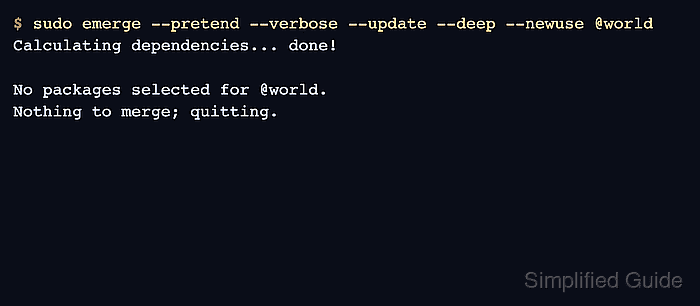
$ sudo emerge --pretend --verbose --update --deep --newuse @world
Calculating dependencies... done!
>>> No packages selected for @world.
>>> Nothing to merge; quitting.

Mohd Shakir Zakaria is a cloud architect with deep roots in software development and open-source advocacy. Certified in AWS, Red Hat, VMware, ITIL, and Linux, he specializes in designing and managing robust cloud and on-premises infrastructures.


