A firewalld ipset keeps a list of addresses under one policy object so zone sources and rich rules do not need repeated address lists. It is useful when the allowed clients change more often than the service rule itself, or when several rules need the same source group.
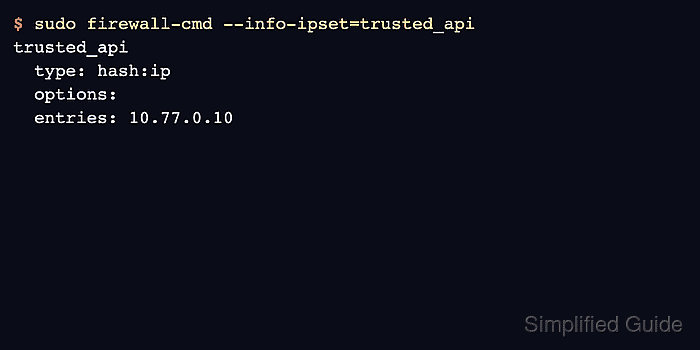
The example creates a permanent hash:ip ipset named trusted_api and adds one trusted client address. The ipset becomes useful only after another firewalld object references it, so the final steps attach it to a rich rule and verify the rule inventory.
Permanent ipsets are saved under /etc/firewalld/ipsets and are loaded into runtime rules after a reload. Use names with letters, numbers, underscores, or hyphens, and choose the ipset type that matches the entries being stored, such as single IP addresses or network prefixes.
Related: Allow traffic from one source with a rich rule
Related: Assign a source to a firewalld zone
Related: Create a custom firewalld service
Steps to create a firewalld ipset:
- Confirm that firewalld is running before changing ipset configuration.
$ sudo firewall-cmd --state
running
- Check existing permanent ipsets before choosing a name.
$ sudo firewall-cmd --permanent --get-ipsets
An empty result means no local permanent ipsets are saved.
- Create a permanent ipset for trusted API clients.
$ sudo firewall-cmd --permanent --new-ipset=trusted_api --type=hash:ip
success
Use hash:net instead when entries are networks such as 10.77.0.0/24 rather than single addresses.
- Add a client address to the ipset.
$ sudo firewall-cmd --permanent --ipset=trusted_api --add-entry=10.77.0.10
success
- Query the saved ipset entry.
$ sudo firewall-cmd --permanent --ipset=trusted_api --query-entry=10.77.0.10
yes
- Inspect the permanent ipset definition.
$ sudo firewall-cmd --permanent --info-ipset=trusted_api
trusted_api
  type: hash:ip
  options:
  entries: 10.77.0.10
- Add a permanent rich rule that references the ipset.
$ sudo firewall-cmd --permanent --zone=public --add-rich-rule='rule family="ipv4" source ipset="trusted_api" port port="8443" protocol="tcp" accept'
success
The ipset reference is source ipset="trusted_api". Use a source-zone assignment instead when every rule in a dedicated zone should apply to the same address set.
- Validate the permanent firewalld configuration.
$ sudo firewall-cmd --check-config
success
- Reload firewalld so the ipset and rich rule become active.
$ sudo firewall-cmd --reload
success
- Verify the runtime ipset entry after reload.
$ sudo firewall-cmd --ipset=trusted_api --get-entries
10.77.0.10
- List the rich rule that uses the ipset.
$ sudo firewall-cmd --zone=public --list-rich-rules
rule family="ipv4" source ipset="trusted_api" port port="8443" protocol="tcp" accept
- Test the allowed service from a host whose source address is in the ipset.
$ nc -vz app01.example.net 8443
Connection to app01.example.net 8443 port [tcp/*] succeeded!
If the connection still fails, confirm the client source address as seen by the server and check that no broader zone, policy, or upstream firewall is handling the packet first.

Mohd Shakir Zakaria is a cloud architect with deep roots in software development and open-source advocacy. Certified in AWS, Red Hat, VMware, ITIL, and Linux, he specializes in designing and managing robust cloud and on-premises infrastructures.


