A firewalld reload error means the saved configuration could not be rebuilt into the running firewall. The running daemon may still enforce the previous rule set, so troubleshoot from the original reload failure and validate the permanent configuration before retrying the reload.
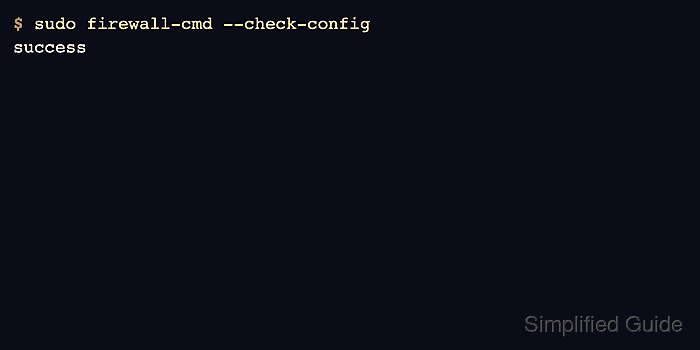
Most reload failures come from permanent configuration problems such as malformed XML, an unknown service name, an invalid port value, or a local object that was deleted while a zone still references it. The fastest path is to run --check-config, inspect the named file or object, fix that one error, and reload again.
The example fixes a zone that references a custom service named internal-api before the service definition exists. Keep a copy of the changed file or command output in the change ticket, because a successful reload proves syntax but not necessarily that the intended traffic path works.
Related: Check firewalld status
Related: Create a custom firewalld service
Related: Save runtime firewalld rules permanently
Steps to troubleshoot firewalld reload errors:
- Reproduce the reload failure and keep the exact error text.
$ sudo firewall-cmd --reload
Error: INVALID_SERVICE: Zone 'public': service 'internal-api' is not among existing services
Do not run repeated reloads without reading the error. A reload replaces runtime-only rules with permanent configuration when it succeeds, so repeated attempts can hide which change caused the original failure.
- Confirm that the daemon is still reachable after the failed reload.
$ sudo firewall-cmd --state
running
If the daemon is not running, inspect systemctl status firewalld.service --no-pager before editing zone files.
Related: Check firewalld status
- Run the permanent configuration check.
$ sudo firewall-cmd --check-config
Error: INVALID_SERVICE: Zone 'public': service 'internal-api' is not among existing services
--check-config validates permanent XML and semantic references without relying on a successful reload.
- Locate the permanent zone file that contains the invalid reference.
$ sudo firewall-cmd --permanent --path-zone=public
/etc/firewalld/zones/public.xml
- Inspect the affected zone file.
$ sudo sed -n '1,80p' /etc/firewalld/zones/public.xml
<?xml version="1.0" encoding="utf-8"?>
<zone>
  <service name="ssh"/>
  <service name="internal-api"/>
</zone>
The problem is the service reference, not the whole zone. Fix the named object or remove the stale reference instead of replacing the zone with a generic default.
- Check whether the custom service exists.
$ sudo firewall-cmd --permanent --info-service=internal-api
Error: INVALID_SERVICE: internal-api
- Remove the stale service reference when the custom service should not exist.
$ sudo firewall-cmd --permanent --zone=public --remove-service=internal-api
success
Create the missing custom service instead when the zone should keep allowing that application.
Related: Create a custom firewalld service - Validate the permanent configuration again.
$ sudo firewall-cmd --check-config
success
- Reload firewalld after the validation succeeds.
$ sudo firewall-cmd --reload
success
- Confirm the active zone inventory after the reload.
$ sudo firewall-cmd --zone=public --list-services
dhcpv6-client ssh
- Retest the original traffic path or rule query tied to the change.
$ sudo firewall-cmd --zone=public --query-service=internal-api
no
If the reload succeeds but application traffic still fails, continue with a blocked-connection check rather than editing the reload fix again.

Mohd Shakir Zakaria is a cloud architect with deep roots in software development and open-source advocacy. Certified in AWS, Red Hat, VMware, ITIL, and Linux, he specializes in designing and managing robust cloud and on-premises infrastructures.


