A custom firewalld service groups the ports for one application under a reusable service name. It keeps zone rules readable when the same internal API, agent, or application stack must be allowed on several hosts without repeating raw port rules in every zone.
firewalld stores local custom service definitions as XML under /etc/firewalld/services while packaged defaults live under /usr/lib/firewalld/services. The firewall-cmd --permanent --new-service path creates the service object through the daemon, and later --service commands add the metadata and traffic selectors that belong to that object.
Permanent service objects are not usable by the runtime firewall until firewalld is reloaded. Validate the permanent configuration before the reload, add the service to the intended zone only after the definition is correct, and test from a client path that enters that zone because a service definition alone does not start the application listener.
Steps to create a custom firewalld service:
- Confirm firewalld is running before changing service definitions.
$ sudo firewall-cmd --state
running
- Identify the zone that should receive the custom service after the definition is ready.
$ sudo firewall-cmd --get-active-zones
public (default)
Related: How to check active firewalld zones
- Create an empty permanent service named internal-api.
$ sudo firewall-cmd --permanent --new-service=internal-api
success
Service names can use letters, numbers, underscores, and hyphens. Use an application-oriented name instead of naming the service after the first port.
- Set the short display name for the new service.
$ sudo firewall-cmd --permanent --service=internal-api --set-short="Internal API"
success
- Set a description that explains what the service exposes.
$ sudo firewall-cmd --permanent --service=internal-api --set-description="Internal API listener for the private application gateway"
success
- Add the primary TCP port to the service definition.
$ sudo firewall-cmd --permanent --service=internal-api --add-port=8443/tcp
success
- Add any additional port range that belongs to the same application service.
$ sudo firewall-cmd --permanent --service=internal-api --add-port=9000-9001/tcp
success
Use a separate custom service when the ports belong to a different application or trust boundary.
- Print the XML file path for the custom service.
$ sudo firewall-cmd --permanent --path-service=internal-api
/etc/firewalld/services/internal-api.xml
- Validate the permanent firewalld configuration before loading it into runtime rules.
$ sudo firewall-cmd --check-config
success
The check includes XML validity and semantic checks for permanent configuration.
- Reload firewalld so the new permanent service becomes visible in the runtime configuration.
$ sudo firewall-cmd --reload
success
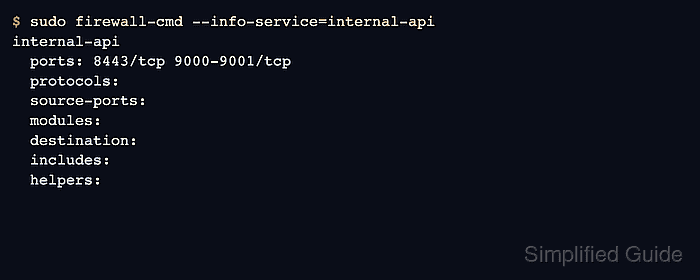
- Inspect the custom service definition from the runtime view.
$ sudo firewall-cmd --info-service=internal-api
internal-api
  ports: 8443/tcp 9000-9001/tcp
  protocols:
  source-ports:
  modules:
  destination:
  includes:
  helpers:
- Add the custom service to the intended zone permanently.
$ sudo firewall-cmd --permanent --zone=public --add-service=internal-api
success
Opening the service in the wrong zone can expose the application on a network where it should stay blocked. Confirm the active zone before applying this step.
Related: How to allow a service in firewalld
- Reload firewalld again to apply the zone change to runtime rules.
$ sudo firewall-cmd --reload
success
- Verify that the zone now includes the custom service.
$ sudo firewall-cmd --zone=public --query-service=internal-api
yes
- List the zone services when you need a readable final inventory.
$ sudo firewall-cmd --zone=public --list-services
dhcpv6-client internal-api ssh
- Test the application port from a client that reaches the host through the same zone.
$ nc -vz app01.example.net 8443
Connection to app01.example.net 8443 port [tcp/*] succeeded!
The application must already be listening on the port. If the custom service appears in the zone but the connection still fails, check the application listener and host routing before adding broader firewall rules.

Mohd Shakir Zakaria is a cloud architect with deep roots in software development and open-source advocacy. Certified in AWS, Red Hat, VMware, ITIL, and Linux, he specializes in designing and managing robust cloud and on-premises infrastructures.


