Checking firewalld status before a rule change shows whether the daemon is enforcing rules and which zone owns the current interface or source bindings. It also exposes temporary runtime allowances that may disappear after a reload if they were never saved permanently.
firewall-cmd queries the running firewalld daemon through D-Bus. The status check starts with the daemon state, then moves to active zones and the rule inventory for the zone that handles the traffic being reviewed.
Runtime and permanent configuration are separate views in firewalld. Read both views when preparing a handoff, troubleshooting an unexpected block, or checking a host before maintenance, because a port, service, or rich rule can be active now while still missing from the saved configuration.
Related: Enable and start the firewalld service
Related: Check active firewalld zones
Related: Save runtime firewalld rules permanently
Steps to check firewalld status and active rules:
- Open a terminal session on the Linux host with an account that can use sudo.
- Check whether the firewalld daemon is running.
$ sudo firewall-cmd --state
running
The expected daemon state is running. If the command returns not running or cannot contact D-Bus, start the service before trusting any zone inventory.
- Identify the active zone bindings.
$ sudo firewall-cmd --get-active-zones
public (default)
  interfaces: enp1s0
Active zones have at least one interface or source binding. If this command prints no zone, check sudo firewall-cmd --get-default-zone before deciding which zone receives traffic that has no explicit binding.
Related: Check active firewalld zones
- List the runtime rules for the zone that handles the traffic.
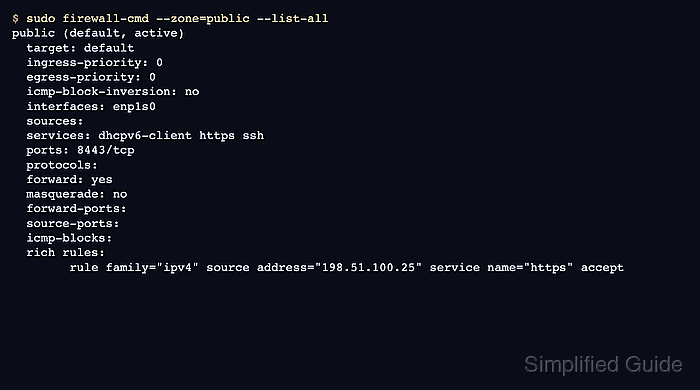
$ sudo firewall-cmd --zone=public --list-all
public (default, active)
  target: default
  ingress-priority: 0
  egress-priority: 0
  icmp-block-inversion: no
  interfaces: enp1s0
  sources:
  services: dhcpv6-client https ssh
  ports: 8443/tcp
  protocols:
  forward: yes
  masquerade: no
  forward-ports:
  source-ports:
  icmp-blocks:
  rich rules:
        rule family="ipv4" source address="198.51.100.25" service name="https" accept
The services, ports, and rich rules rows show the active allowances in that runtime zone. Replace public with the active zone name from the previous step.
- Compare the permanent configuration for the same zone.
$ sudo firewall-cmd --permanent --zone=public --list-all
public (default)
  target: default
  ingress-priority: 0
  egress-priority: 0
  icmp-block-inversion: no
  interfaces:
  sources:
  services: dhcpv6-client https ssh
  ports:
  protocols:
  forward: yes
  masquerade: no
  forward-ports:
  source-ports:
  icmp-blocks:
  rich rules:
Runtime-only services, ports, and rich rules are removed by a normal reload when they are absent from permanent configuration. Save intended runtime rules before maintenance or record that they are temporary.
- Query a specific runtime port when a yes-or-no result is clearer than the full zone output.
$ sudo firewall-cmd --zone=public --query-port=8443/tcp
yes
- Query the same permanent port to see whether it survives reloads.
$ sudo firewall-cmd --permanent --zone=public --query-port=8443/tcp
no
A yes in runtime and no in permanent means the rule is active now but will not survive a reload unless it is saved.
- Confirm that the saved permanent configuration parses cleanly before reloading or handing the host to another administrator.
$ sudo firewall-cmd --check-config
success
--check-config validates permanent firewalld configuration. It does not prove that a remote client can reach an application through the firewall.

Mohd Shakir Zakaria is a cloud architect with deep roots in software development and open-source advocacy. Certified in AWS, Red Hat, VMware, ITIL, and Linux, he specializes in designing and managing robust cloud and on-premises infrastructures.


