Android deep links enter an app through the same intent resolver path that a browser, notification, or campaign URL uses. Testing that path with Espresso catches broken route patterns before a link opens the wrong screen or falls back to a browser.
An instrumented test can build the ACTION_VIEW intent, scope it to the app under test, launch it with ActivityScenario, and let Espresso assert the visible destination state. Scoping the intent with the package name keeps the launch focused on the app route instead of the device resolver.
A product-detail link keeps the assertion concrete because the launched URL must show the product title for the linked item. Replace the host, path, Activity, and view IDs with values from the app, and keep one assertion tied to the destination that proves the deep link loaded the intended content.
Related: How to write a first Espresso test
Steps to test an Android deep link with Espresso:
- Add or confirm the AndroidX Test dependencies in the app module.
Use espresso-core 3.7.0 with androidx.test:core 1.7.0, runner 1.7.0, and ext:junit 1.3.0, or keep the same release train already used by the project.
Related: How to configure an Android project for Espresso - Confirm that the Activity or Navigation route accepts the link shape that will be launched.
The route should accept ACTION_VIEW with DEFAULT, BROWSABLE, the https scheme, the expected host, and the product path prefix. android:exported=“true” is required for activities with intent filters on recent Android versions.
- Create the deep-link instrumented test under the app's src/androidTest tree.
package com.example.app

@RunWith(AndroidJUnit4::class)
class DeepLinkTest {
  @Test
  fun opensProductDeepLink() {
    val context: Context =
      ApplicationProvider
        .getApplicationContext()

    val intent =
      Intent(
        Intent.ACTION_VIEW,
        Uri.parse(
          "https://example.com/p/42"
        )
      )
        .addCategory(
          Intent.CATEGORY_BROWSABLE
        )
        .setPackage(
          context.packageName
        )

    ActivityScenario
      .launch<MainActivity>(
        intent
      )
      .use {
        onView(withId(R.id.title))
          .check(
            matches(
              withText("Espresso")
            )
          )
      }
    }
}
Let Android Studio add the AndroidX Test, Espresso, JUnit, Intent, Uri, and Context imports. The package scope avoids external browsers and chooser UI; remove it only when the goal is to test Android's system resolver or verified App Links handoff outside the app package.
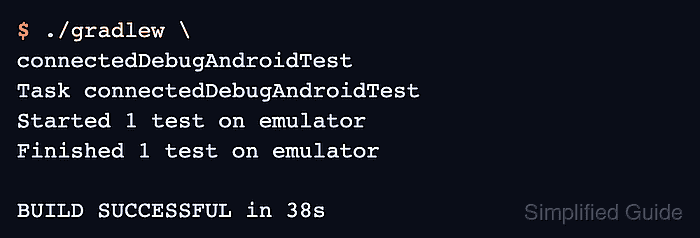
- Run the instrumented tests on an emulator or connected device.
$ ./gradlew \
connectedDebugAndroidTest
Task connectedDebugAndroidTest
Started 1 test on emulator
Finished 1 test on emulator

BUILD SUCCESSFUL in 38s
If Gradle reports that no devices are connected, start an emulator or attach a device before rerunning the task. Use an instrumentation runner class argument when the project has many instrumented tests and only DeepLinkTest should run.
- Open Gradle's connected Android test report and confirm DeepLinkTest marks opensProductDeepLink as passed.

Mohd Shakir Zakaria is a cloud architect with deep roots in software development and open-source advocacy. Certified in AWS, Red Hat, VMware, ITIL, and Linux, he specializes in designing and managing robust cloud and on-premises infrastructures.


