Data stream lifecycle retention in Elasticsearch sets how long a data stream keeps log, metric, or event data before older backing indices become eligible for automatic deletion. Setting retention on the data stream keeps the write target stable while Elasticsearch manages the hidden backing indices behind it.
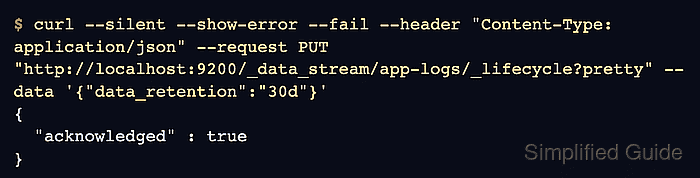
The lifecycle API writes the retention rule to the data stream itself, not to one backing index setting. A retention value such as 30d is a minimum storage period, so Elasticsearch can delete older rolled-over backing indices after that period rather than at an exact wall-clock moment.
Use data stream lifecycle when the stream is not governed by Index Lifecycle Management and the retention target can be expressed as a stream-level rule. Keep ILM for streams that need ILM-only phase actions or existing ILM policies; on secured clusters, use the HTTPS endpoint, credentials, and privileges that can update data stream lifecycle settings.
Steps to set data stream lifecycle retention in Elasticsearch:
- Inspect the target data stream and its lifecycle manager.
$ curl --silent --show-error --fail "http://localhost:9200/_data_stream/app-logs?pretty&filter_path=data_streams.name,data_streams.indices.index_name,data_streams.indices.managed_by,data_streams.next_generation_managed_by"
{
  "data_streams" : [
    {
      "name" : "app-logs",
      "indices" : [
        {
          "index_name" : ".ds-app-logs-2026.06.18-000001",
          "managed_by" : "Unmanaged"
        }
      ],
      "next_generation_managed_by" : "Unmanaged"
    }
  ]
}
Replace app-logs with the target data stream name. If the request returns no data stream, create the stream or fix the name before setting retention.
Related: How to create a data stream in Elasticsearch
Related: How to apply an ILM policy to an Elasticsearch indexIf any backing index reports Index Lifecycle Management, change the associated ILM policy or migrate the stream first. ILM-managed backing indices continue to follow ILM while index.lifecycle.prefer_ilm remains true.
- Set the data stream lifecycle retention period.
$ curl --silent --show-error --fail --request PUT --header "Content-Type: application/json" "http://localhost:9200/_data_stream/app-logs/_lifecycle?pretty" --data '{
  "data_retention": "30d"
}'
{
  "acknowledged" : true
}
Use a retention value that matches the approved data window, such as 7d, 30d, or 12h. An empty JSON object keeps data stream lifecycle enabled without a deletion period.
- Read the data stream lifecycle state.
$ curl --silent --show-error --fail "http://localhost:9200/_data_stream/app-logs?pretty&filter_path=data_streams.name,data_streams.lifecycle,data_streams.indices.index_name,data_streams.indices.managed_by,data_streams.next_generation_managed_by"
{
  "data_streams" : [
    {
      "name" : "app-logs",
      "indices" : [
        {
          "index_name" : ".ds-app-logs-2026.06.18-000001",
          "managed_by" : "Data stream lifecycle"
        }
      ],
      "lifecycle" : {
        "enabled" : true,
        "data_retention" : "30d",
        "effective_retention" : "30d",
        "retention_determined_by" : "data_stream_configuration"
      },
      "next_generation_managed_by" : "Data stream lifecycle"
    }
  ]
}
data_retention shows the value stored on the data stream. effective_retention is the retention that Elasticsearch applies after stream-level and cluster-level retention settings are resolved.
- Explain the backing index lifecycle state.
$ curl --silent --show-error --fail "http://localhost:9200/.ds-app-logs-*/_lifecycle/explain?pretty&filter_path=indices.*.index,indices.*.managed_by_lifecycle,indices.*.lifecycle.enabled,indices.*.lifecycle.data_retention"
{
  "indices" : {
    ".ds-app-logs-2026.06.18-000001" : {
      "index" : ".ds-app-logs-2026.06.18-000001",
      "managed_by_lifecycle" : true,
      "lifecycle" : {
        "enabled" : true,
        "data_retention" : "30d"
      }
    }
  }
}
managed_by_lifecycle set to true and data_retention set to the intended value confirm that the backing index is now under data stream lifecycle management. Deletion can occur only after backing indices are old enough under the lifecycle generation-time rules.

Mohd Shakir Zakaria is a cloud architect with deep roots in software development and open-source advocacy. Certified in AWS, Red Hat, VMware, ITIL, and Linux, he specializes in designing and managing robust cloud and on-premises infrastructures.


