Applying an Index Lifecycle Management (ILM) policy to an existing Elasticsearch index brings retention, read-only, delete, and later phase actions under lifecycle control without recreating the index.
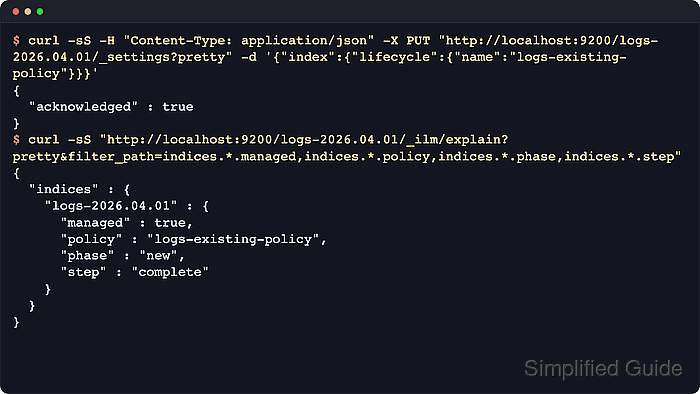
Direct assignment uses the dynamic index.lifecycle.name index setting. After the setting is saved, Elasticsearch starts managing the index immediately and reports the active policy, phase, action, and step through the _ilm/explain API.
Use direct assignment only for policies that do not contain a rollover action. If the index is part of a rolling write pattern, attach the rollover policy through an index template and rollover alias so future indices inherit the same lifecycle settings. When an index already has a policy, remove the old assignment before setting the new policy name; secured clusters also need privileges such as manage_ilm for lifecycle operations and manage for index settings updates.
Steps to apply an ILM policy to an Elasticsearch index:
- Confirm the target policy exists and does not use rollover.
$ curl -sS "http://localhost:9200/_ilm/policy/logs-existing-policy?pretty&filter_path=*.policy.phases"
{
  "logs-existing-policy" : {
    "policy" : {
      "phases" : {
        "warm" : {
          "min_age" : "7d",
          "actions" : {
            "readonly" : { }
          }
        },
        "delete" : {
          "min_age" : "30d",
          "actions" : {
            "delete" : {
              "delete_searchable_snapshot" : true
            }
          }
        }
      }
    }
  }
}
Policies applied directly to one existing index should omit rollover. Use an index template with index.lifecycle.rollover_alias when the policy must carry forward to future rolled indices.
- Check the index's current lifecycle state.
$ curl -sS "http://localhost:9200/logs-2026.04.01/_ilm/explain?pretty&filter_path=indices.*.index,indices.*.managed,indices.*.policy,indices.*.phase,indices.*.action,indices.*.step"
{
  "indices" : {
    "logs-2026.04.01" : {
      "index" : "logs-2026.04.01",
      "managed" : true,
      "policy" : "old-policy",
      "phase" : "hot",
      "action" : "complete",
      "step" : "complete"
    }
  }
}
If managed is false, skip the policy removal step and apply the new lifecycle setting directly.
- Remove the current policy when the index is already managed by another policy.
$ curl -sS -X POST "http://localhost:9200/logs-2026.04.01/_ilm/remove?pretty"
{
  "has_failures" : false,
  "failed_indexes" : [ ]
}
Do not point a managed index at a different policy before removing the existing assignment. Elastic warns that phase execution can silently fail, and removing ILM metadata during actions such as forcemerge can leave an index in an undesired state.
- Apply the new policy name through index settings.
$ curl -sS -H "Content-Type: application/json" -X PUT "http://localhost:9200/logs-2026.04.01/_settings?pretty" -d '{
  "index": {
    "lifecycle": {
      "name": "logs-existing-policy"
    }
  }
}'
{
  "acknowledged" : true
}
index.lifecycle.name is a dynamic index setting, so the index does not need to be closed before this update. Age-based phase timing still uses the index lifecycle date, so an older index can move toward later phases soon after the policy is attached.
- Confirm the lifecycle setting stored on the index.
$ curl -sS "http://localhost:9200/logs-2026.04.01/_settings/index.lifecycle.name,index.lifecycle.rollover_alias?pretty"
{
  "logs-2026.04.01" : {
    "settings" : {
      "index" : {
        "lifecycle" : {
          "name" : "logs-existing-policy"
        }
      }
    }
  }
}
The absent index.lifecycle.rollover_alias setting matches a direct existing-index assignment. If the policy requires rollover, stop and apply it through an index template instead.
- Verify ILM now manages the index under the new policy.
$ curl -sS "http://localhost:9200/logs-2026.04.01/_ilm/explain?pretty&filter_path=indices.*.managed,indices.*.policy,indices.*.phase,indices.*.step"
{
  "indices" : {
    "logs-2026.04.01" : {
      "managed" : true,
      "policy" : "logs-existing-policy",
      "phase" : "new",
      "step" : "complete"
    }
  }
}
managed true with the expected policy value confirms the assignment. The current phase can remain new until the policy's first phase transition condition is met.

Mohd Shakir Zakaria is a cloud architect with deep roots in software development and open-source advocacy. Certified in AWS, Red Hat, VMware, ITIL, and Linux, he specializes in designing and managing robust cloud and on-premises infrastructures.


