Building a Docker image on one CPU architecture can quietly produce an image that fails on another host class. A multi-architecture build publishes one image tag that contains platform-specific manifests, so an amd64 server and an arm64 server can pull the matching variant from the same reference.
Docker Buildx runs builds through BuildKit and accepts a comma-separated --platform list for multi-platform output. The durable result normally belongs in a registry, because a registry can store the manifest index and the per-platform image manifests under one tag.
The build context still has to be portable across the selected platforms. Native extensions, downloaded binaries, architecture-specific package repositories, and scripts that assume one CPU type should be checked before the tag is promoted.
Related: How to build a Docker image
Related: How to tag and push a Docker image
Steps to build a multi-architecture Docker image:
- Create or select a Buildx builder that can produce multiple platforms.
$ docker buildx create --name release-builder --driver docker-container --bootstrap --use
release-builder
The docker-container driver keeps the BuildKit worker separate from the default engine builder and supports registry-focused multi-platform output.
- Confirm the builder advertises the target platforms.
$ docker buildx inspect --bootstrap
Name:          release-builder
Driver:        docker-container
Nodes:
Name:      release-builder0
Platforms: linux/amd64, linux/arm64, linux/arm/v7
- Build and push the image tag with the required platform list.
$ docker buildx build --platform linux/amd64,linux/arm64 --tag registry.example.com/team/app:1.0 --push .
[+] Building 18.6s (18/18) FINISHED
##### snipped #####
 => exporting manifest list sha256:4c7a...                                      0.2s
 => pushing layers                                                              3.1s
 => pushing manifest for registry.example.com/team/app:1.0                     0.4s
Use the registry and repository that the deployment environment can pull. Multi-platform builds that are only loaded into a local image store are harder to verify from another host.
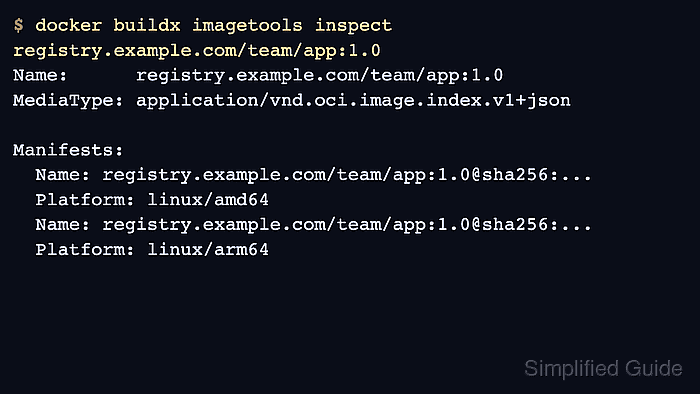
- Inspect the pushed tag before using it in deployment.
$ docker buildx imagetools inspect registry.example.com/team/app:1.0
Name:      registry.example.com/team/app:1.0
MediaType: application/vnd.oci.image.index.v1+json

Manifests:
  Name: registry.example.com/team/app:1.0@sha256:9d4f...
  Platform: linux/amd64
  Name: registry.example.com/team/app:1.0@sha256:a018...
  Platform: linux/arm64
- Run the image on each host class or test platform that matters before publishing it as the default tag.
$ docker run --rm --platform linux/arm64 registry.example.com/team/app:1.0 app --version
app 1.0.0 linux/arm64
Successful manifest creation does not prove that the application binary inside each variant works. Test at least the startup path for every published architecture.

Mohd Shakir Zakaria is a cloud architect with deep roots in software development and open-source advocacy. Certified in AWS, Red Hat, VMware, ITIL, and Linux, he specializes in designing and managing robust cloud and on-premises infrastructures.


