Debian Installer preseeding automates repeated Debian installations by supplying answers before the installer asks for them. A prepared preseed.cfg file fits VM templates, lab rebuilds, and server installs where locale, account, package, partitioning, and bootloader choices should be applied consistently.
Network preseeding keeps the answer file on a preparation host and lets the installer fetch it through an HTTP URL. The same host can validate the preseed line format, calculate the checksum, serve the file on the install network, and confirm that the target can download the exact file before boot.
A preseed file can contain account hashes, package selections, disk-wipe answers, and commands that run inside the installed system. Test destructive partitioning answers on a disposable VM before using them on a physical host, because the installer can erase the selected disk without another confirmation prompt.
Related: How to install an SSH server on Debian
Related: How to boot Debian rescue mode
Steps to automate Debian installation with preseed:
- Install the preparation tools on a Debian workstation.
$ sudo apt install debconf-utils python3 curl openssl
Reading package lists...
Building dependency tree...
Reading state information...
Installing:
  curl  debconf-utils  openssl  python3
##### snipped #####
debconf-set-selections checks the preseed line format, python3 serves the file, curl verifies the HTTP download, and openssl creates the password hash.
- Generate a SHA-512 password hash for the preseeded user.
$ openssl passwd -6 -salt sgpreseed
Password:
Verifying - Password:
$6$sgpreseed$oL3WpGw8nknivTczc/qTue5NiEOV2F80189f/NTCLp0vX/jH81wTDDsHqasXgfC.iPp22vN1uhLKf8vR8JGzD.
Do not pass the real password as a command argument, because shell history and process listings can expose it. Paste only your generated hash into the preseed file, and do not reuse the sample hash.
- Create the preseed file.
#_preseed_V1

d-i debian-installer/locale string en_US.UTF-8
d-i keyboard-configuration/xkb-keymap select us

d-i netcfg/choose_interface select auto
d-i netcfg/get_hostname string debian-auto
d-i netcfg/get_domain string example.net
d-i netcfg/wireless_wep string

d-i mirror/country string manual
d-i mirror/http/hostname string deb.debian.org
d-i mirror/http/directory string /debian
d-i mirror/http/proxy string

d-i passwd/root-login boolean false
d-i passwd/user-fullname string Debian Admin
d-i passwd/username string admin
d-i passwd/user-password-crypted password $6$sgpreseed$oL3WpGw8nknivTczc/qTue5NiEOV2F80189f/NTCLp0vX/jH81wTDDsHqasXgfC.iPp22vN1uhLKf8vR8JGzD.

d-i clock-setup/utc boolean true
d-i time/zone string Etc/UTC
d-i clock-setup/ntp boolean true

d-i partman-auto/method string regular
d-i partman-auto/choose_recipe select atomic
d-i partman-partitioning/confirm_write_new_label boolean true
d-i partman/choose_partition select finish
d-i partman/confirm boolean true
d-i partman/confirm_nooverwrite boolean true

tasksel tasksel/first multiselect standard, ssh-server
d-i pkgsel/include string sudo curl
d-i pkgsel/upgrade select none
popularity-contest popularity-contest/participate boolean false

d-i grub-installer/only_debian boolean true
d-i grub-installer/with_other_os boolean true

d-i preseed/late_command string in-target sh -c 'echo preseed finished > /root/preseed-success.txt'
d-i finish-install/reboot_in_progress note
The partitioning answers let the installer choose the disk and write a new partition label automatically. Use them only on a disposable VM or on a host whose selected disk can be overwritten.
- Check the preseed file syntax.
$ debconf-set-selections --checkonly preseed.cfg
No output means debconf-set-selections accepted the owner, question, type, and value fields. It does not prove that every installer prompt is answered.
- Calculate the checksum for the file that the installer will fetch.
$ md5sum preseed.cfg
43f41bcf571d15a37bd38fd7d107f100  preseed.cfg
Debian Installer can enforce this value through preseed/url/checksum and refuses the file when the checksum does not match.
- Serve the directory that contains preseed.cfg.
$ python3 -m http.server 8080 --bind 0.0.0.0
Serving HTTP on 0.0.0.0 port 8080 (http://0.0.0.0:8080/) ...
Serve the file only on a trusted install network. The file can expose account hashes, disk layout choices, repository selections, and install-time commands.
- Fetch the file through the URL that the installer will use.
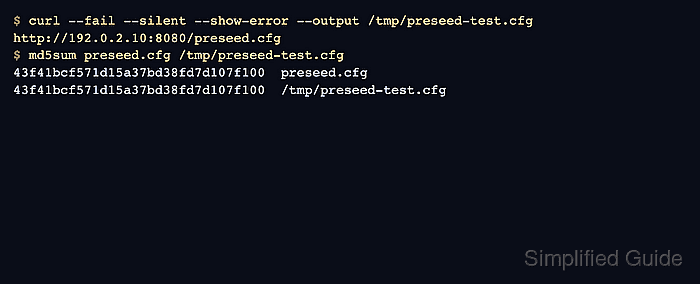
$ curl --fail --silent --show-error --output /tmp/preseed-test.cfg http://192.0.2.10:8080/preseed.cfg
Replace 192.0.2.10 with the preparation host address reachable from the installer environment.
- Compare the served copy with the local file.
$ md5sum preseed.cfg /tmp/preseed-test.cfg
43f41bcf571d15a37bd38fd7d107f100  preseed.cfg
43f41bcf571d15a37bd38fd7d107f100  /tmp/preseed-test.cfg
The two hashes must match before the checksum is added to the installer boot parameters.
- Boot Debian Installer with the preseed URL and checksum.
auto=true priority=critical url=http://192.0.2.10:8080/preseed.cfg preseed/url/checksum=43f41bcf571d15a37bd38fd7d107f100 --- quiet
Use the boot prompt, PXE configuration, or installer bootloader entry for the target environment. The url alias points to preseed/url.
- Let Debian Installer finish the answered install.
Stop and inspect /var/log/syslog in the installer environment if partitioning, mirror, account, package, or bootloader prompts still appear. A prompt usually means the file was not loaded, a question name changed, or an answer is incomplete.
- Stop the temporary HTTP server.
Control-C
- Confirm the installed system uses the preseeded hostname.
$ ssh admin@debian-auto.example.net hostnamectl --static
debian-auto
Use the console instead of SSH when firewall, routing, or install-network rules block the first remote login.
Related: How to install an SSH server on Debian - Confirm that the late command ran in the installed system.
$ ssh admin@debian-auto.example.net sudo cat /root/preseed-success.txt
preseed finished
The marker file proves that Debian Installer loaded the preseed file and reached the late-command phase inside the target system.
- Remove the downloaded test copy from the preparation host.
$ rm /tmp/preseed-test.cfg

Mohd Shakir Zakaria is a cloud architect with deep roots in software development and open-source advocacy. Certified in AWS, Red Hat, VMware, ITIL, and Linux, he specializes in designing and managing robust cloud and on-premises infrastructures.


