Some HTTP endpoints change behavior based on the page or workflow that appears to have sent the request. Setting a custom Referer value in cURL helps reproduce browser-style navigation, test referrer-sensitive application flows, and confirm what a server actually receives before checking the application itself.
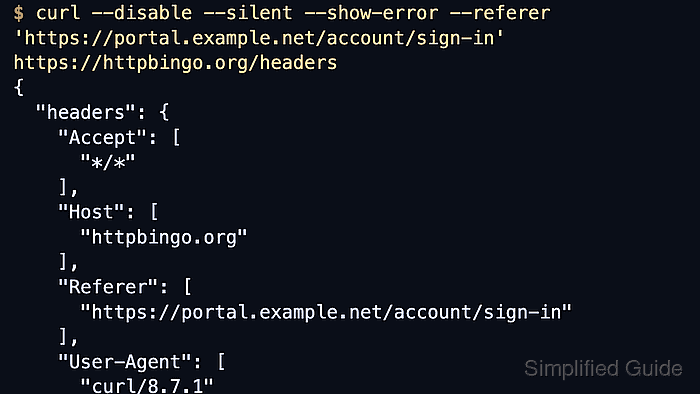
HTTP keeps the historical Referer spelling, so cURL exposes the option as -e or --referer. This purpose-built flag sets the header directly, and with --location it also supports ;auto so followed redirects can update the header to the previous URL automatically.
Treat the header as request metadata, not as trusted access control. Some applications use it for analytics, CSRF heuristics, or routing hints, while others ignore it completely. Put --disable first when a local ~/.curlrc might inject defaults, and use ;auto only when the redirect targets are trusted because it passes the previous URL to the next request.
Steps to set a custom referrer in cURL requests:
- Send the request with --referer so the target receives the exact page URL that should appear as Referer.
$ curl --disable --silent --show-error --referer 'https://portal.example.net/account/sign-in' https://httpbingo.org/headers
{
  "headers": {
    "Accept": [
      "*/*"
    ],
    "Host": [
      "httpbingo.org"
    ],
    "Referer": [
      "https://portal.example.net/account/sign-in"
    ],
    "User-Agent": [
      "curl/8.18.0"
    ]
##### snipped #####
  }
}
Success is visible when the echoed headers include the exact Referer URL that was passed on the command line.
- Add --verbose and discard the body when the exact outbound header block needs to be confirmed locally.
$ curl --disable --silent --show-error --verbose --output /dev/null --referer 'https://portal.example.net/account/sign-in' https://httpbingo.org/headers
* Host httpbingo.org:443 was resolved.
##### snipped #####
> GET /headers HTTP/2
> Host: httpbingo.org
> User-Agent: curl/8.18.0
> Accept: */*
> Referer: https://portal.example.net/account/sign-in
>
< HTTP/2 200
##### snipped #####
The > lines are the request headers that cURL sent on the wire. --disable must stay first if a local config file might otherwise add its own defaults.
- Use --location with --referer ';auto' when each followed redirect should send the previous URL as Referer automatically.
$ curl --disable --silent --show-error --location --referer ';auto' 'https://httpbingo.org/redirect-to?url=/headers'
{
  "headers": {
    "Accept": [
      "*/*"
    ],
    "Host": [
      "httpbingo.org"
    ],
    "Referer": [
      "https://httpbingo.org/redirect-to?url=/headers"
    ],
    "User-Agent": [
      "curl/8.18.0"
    ]
##### snipped #####
  }
}
The followed request receives the redirecting URL as Referer, so use ;auto only when the redirect path and the next host are both trusted.
- Append ;auto to an explicit starting page when the first request needs one fixed Referer and later redirects should update it automatically.
$ curl --disable --silent --show-error --verbose --location --output /dev/null --referer 'https://portal.example.net/account/sign-in;auto' 'https://httpbingo.org/redirect-to?url=/headers'
##### snipped #####
> GET /redirect-to?url=/headers HTTP/2
> Host: httpbingo.org
> User-Agent: curl/8.18.0
> Accept: */*
> Referer: https://portal.example.net/account/sign-in
>
< HTTP/2 302
< location: /headers
##### snipped #####
* Issue another request to this URL: 'https://httpbingo.org/headers'
> GET /headers HTTP/2
> Host: httpbingo.org
> User-Agent: curl/8.18.0
> Accept: */*
> Referer: https://httpbingo.org/redirect-to?url=/headers
The first request keeps the explicit starting page, and the followed request switches to the redirecting URL automatically.

Mohd Shakir Zakaria is a cloud architect with deep roots in software development and open-source advocacy. Certified in AWS, Red Hat, VMware, ITIL, and Linux, he specializes in designing and managing robust cloud and on-premises infrastructures.


