Private CA hierarchies and mutual TLS protect internal APIs, admin interfaces, and service-to-service endpoints that should not accept anonymous traffic. When cURL does not trust the issuing CA or the server requests a client certificate, the transfer fails during the TLS handshake before the application can return a normal response.
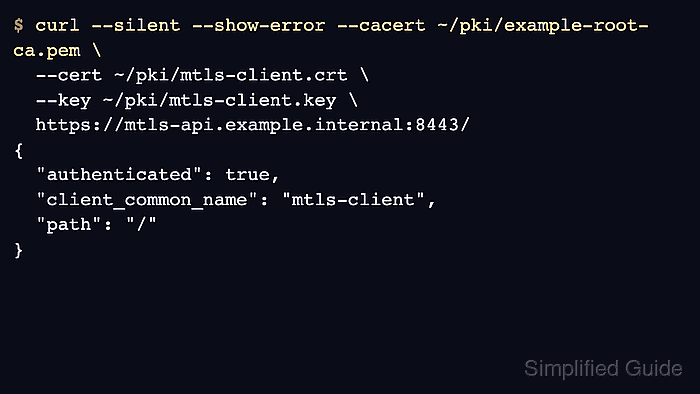
In cURL, --cacert points to the CA bundle that verifies the server certificate, --cert identifies the client, and --key supplies the matching private key. When the client certificate and private key are concatenated into one PEM file, --cert can carry both; otherwise use --key for the separate key file. OpenSSL-backed builds can use --capath instead of --cacert when the trust material is stored as a hashed CA directory.
Skipping verification with --insecure hides the real trust problem and leaves the connection open to impostor certificates. Keep private keys readable only by the account that runs the request, and use the separate PKCS#12 workflow when the client identity arrives as a .p12 or .pfx archive instead of PEM files.
Related: Debug TLS handshake
Related: Use PKCS#12 client certificates
Steps to use client certificates and CA certificates with cURL:
- Run the request without extra trust first so the server-certificate failure is visible.
$ curl --silent --show-error https://mtls-api.example.net:8443/
curl: (60) SSL certificate OpenSSL verify result: self-signed certificate in certificate chain (19)
More details here: https://curl.se/docs/sslcerts.html
##### snipped #####
A curl: (60) failure means the server certificate chain is not trusted by the CA store that this curl build is using.
- Retry the same request with the issuing CA bundle so only client authentication remains unresolved.
$ curl --silent --show-error --cacert ~/pki/example-root-ca.pem https://mtls-api.example.net:8443/
curl: (56) OpenSSL SSL_read: OpenSSL/3.5.5: error:0A00045C:SSL routines::tlsv13 alert certificate required, errno 0
At this point the server certificate is trusted, and the remaining TLS failure shows that the endpoint also expects a client certificate.
If the CA is already stored as a hashed trust directory, OpenSSL-backed curl can use --capath ~/pki/trust after running c_rehash ~/pki/trust.
- Restrict private-key permissions before sending the client identity.
$ chmod 600 ~/pki/mtls-client.key ~/pki/mtls-client.pem
Readable private keys let other local users or leaked automation logs impersonate the same mTLS client identity.
- Send the client certificate and matching private key to complete the mutual TLS handshake.
$ curl --silent --show-error --cacert ~/pki/example-root-ca.pem \
  --cert ~/pki/mtls-client.crt \
  --key ~/pki/mtls-client.key \
  https://mtls-api.example.net:8443/
{
  "authenticated": true,
  "client_common_name": "mtls-client",
  "path": "/"
}
If the private key is encrypted, curl prompts for the passphrase or accepts it with --pass when automation requires a non-interactive run.
- Use a single PEM file with --cert when the client certificate and private key are already concatenated together.
$ curl --silent --show-error --cacert ~/pki/example-root-ca.pem \
  --cert ~/pki/mtls-client.pem \
  https://mtls-api.example.net:8443/
{
  "authenticated": true,
  "client_common_name": "mtls-client",
  "path": "/"
}
The --cert option expects a PEM file that already contains the client certificate and private key unless --key is provided separately.

Mohd Shakir Zakaria is a cloud architect with deep roots in software development and open-source advocacy. Certified in AWS, Red Hat, VMware, ITIL, and Linux, he specializes in designing and managing robust cloud and on-premises infrastructures.


