Bearer tokens let cURL send an issued access credential to an API without repeating a password or browser session on every request. This fits OAuth 2.0 access tokens, service-account calls, and repeatable CLI checks against protected endpoints.
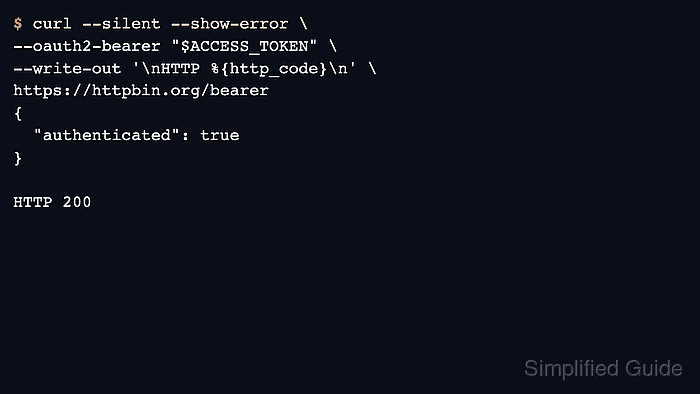
In cURL, --oauth2-bearer formats the standard Authorization: Bearer header for the request. The token value can come from a shell variable, secret manager, CI environment variable, or another private source as long as the command passes only the token string to cURL.
Bearer tokens remain reusable secrets until they expire or are revoked. Use HTTPS, keep tokens out of shared traces and tickets, and avoid --location-trusted unless the redirected host is meant to receive the credential. Plain --location keeps command-line credentials on the original host.
Steps to authenticate with a bearer token in cURL:
- Set the bearer token in the current shell before making the request.
$ ACCESS_TOKEN='eyJ...sig-redacted'
Replace the masked value with the real issued token in actual use, and prefer an existing restricted secret source when the workflow already has one.
- Send the request with --oauth2-bearer and confirm that the API accepts the credential.
$ curl --disable --silent --show-error \
  --oauth2-bearer "$ACCESS_TOKEN" \
  --write-out '\nHTTP %{http_code}\n' \
  https://httpbin.org/bearer
{
  "authenticated": true,
  "token": "eyJ...sig-redacted"
}

HTTP 200
--disable appears first so local curlrc defaults cannot add headers, redirects, or other options to the example request.
- Inspect the echoed headers when the server says the token was missing or malformed.
$ curl --disable --silent --show-error \
  --oauth2-bearer "$ACCESS_TOKEN" \
  https://httpbin.org/headers
{
  "headers": {
    "Accept": "*/*",
    "Authorization": "Bearer eyJ...sig-redacted",
    "Host": "httpbin.org",
    "User-Agent": "curl/8.18.0",
    "X-Amzn-Trace-Id": "Root=1-6a237a6a-045df9112a467eba124a0819"
  }
}
The Authorization line proves that cURL sent the bearer token in the standard header format before the request reached the application.
- Repeat the call without the token when the protection boundary itself needs confirmation.
$ curl --disable --silent --show-error \
  --write-out '\nHTTP %{http_code}\n' \
  https://httpbin.org/bearer

HTTP 401
A clear 401 Unauthorized confirms that the endpoint is enforcing bearer authentication instead of succeeding for unrelated reasons.
- Clear the token from the current shell after the request batch finishes.
$ unset ACCESS_TOKEN
The variable disappears only from the current shell, so any copied logs, saved config files, or recordings still need separate cleanup.

Mohd Shakir Zakaria is a cloud architect with deep roots in software development and open-source advocacy. Certified in AWS, Red Hat, VMware, ITIL, and Linux, he specializes in designing and managing robust cloud and on-premises infrastructures.


