JSON APIs often issue a JSON Web Token JWT from a login or token endpoint, then require that same token on later protected requests. A repeatable cURL check needs to prove both sides of that handoff by showing that the JSON credential request returns a token and the protected endpoint accepts it as a bearer credential.
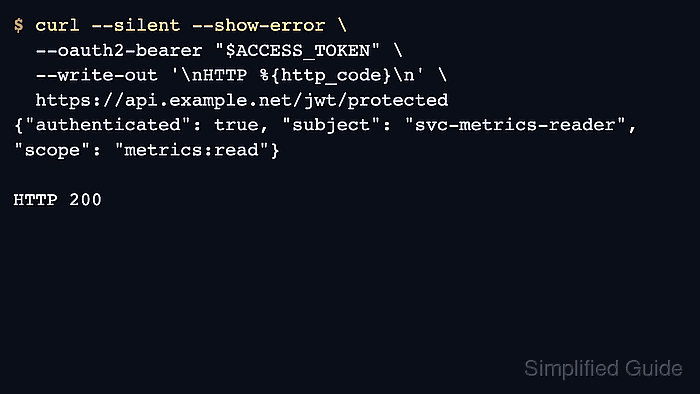
Use --json @- for the token request and --oauth2-bearer for the protected call. The first keeps the login body in JSON form while reading it from standard input, and the second formats the standard Authorization: Bearer header without hand-building it.
A JWT is a bearer secret until it expires or is revoked. Read passwords without echoing them into the terminal, keep token responses out of copied logs or support tickets, and clear the variables when the request batch ends. If the API uses a different token field, adjust the jq selector before reusing the response.
Related: How to authenticate with a bearer token in cURL
Related: How to send data in HTTP requests with cURL
Related: How to debug HTTP requests with cURL
Tool: API Testing Tool
Steps to authenticate with a JSON Web Token in cURL:
- Set the token endpoint, the protected endpoint, and the API username before you authenticate.
$ AUTH_URL='https://api.example.net/jwt/token'
$ API_URL='https://api.example.net/jwt/protected'
$ API_USER='svc-metrics-reader'
Keep the auth and protected URLs in the same environment so a token from one system is not tested against another by mistake.
- Read the password without echoing it into the terminal.
$ read -rs API_PASSWORD
$ printf 'credentials ready for %s\n' "$API_USER"
credentials ready for svc-metrics-reader
A literal password on the command line can be copied by shell history, terminal recordings, or process listings before the request ever reaches the API.
- Request the JWT from the JSON auth endpoint and confirm that the response includes a bearer token plus its lifetime.
$ AUTH_RESPONSE="$(curl --disable --silent --show-error \
  --json @- \
  "$AUTH_URL" <<EOF
{"username":"${API_USER}","password":"${API_PASSWORD}"}
EOF
)"
$ printf '%s\n' "$AUTH_RESPONSE" | jq .
{
  "access_token": "eyJhbGciOiJIUzI1NiIsInR5cCI6IkpXVCJ9.eyJzdWIiOiJzdmMtbWV0cmljcy1yZWFkZXIiLCJzY29wZSI6Im1ldHJpY3M6cmVhZCIsImF1ZCI6ImFwaS5leGFtcGxlLm5ldCJ9.signature-redacted",
  "token_type": "Bearer",
  "expires_in": 3600
}
--disable appears first so local curlrc defaults cannot add hidden headers or authentication. --json @- sends the standard input body as JSON and adds the matching Content-Type and Accept headers.
- Extract the access token before you reuse it on the protected request.
$ ACCESS_TOKEN="$(printf '%s\n' "$AUTH_RESPONSE" | jq -r '.access_token')"
$ EXPIRES_IN="$(printf '%s\n' "$AUTH_RESPONSE" | jq -r '.expires_in')"
$ printf 'expires_in=%s\n' "$EXPIRES_IN"
expires_in=3600
The example uses jq for field selection; if your API returns id_token or nests the value under another object, change the selector to match the actual JSON response.
- Send the protected request with the issued JWT and confirm that the API accepts it.
$ curl --disable --silent --show-error \
  --oauth2-bearer "$ACCESS_TOKEN" \
  --write-out '\nHTTP %{http_code}\n' \
  "$API_URL"
{"authenticated": true, "subject": "svc-metrics-reader", "scope": "metrics:read"}

HTTP 200
--oauth2-bearer sends a standard Authorization: Bearer header from cURL.
If the API returns 401 Unauthorized here, request a fresh token first and then verify the endpoint, audience, or scope that the service expects.
- Clear the password, token, and response variables after the request batch finishes.
$ unset AUTH_RESPONSE ACCESS_TOKEN EXPIRES_IN API_PASSWORD API_USER
Shell cleanup only affects the current session, so delete any saved response files or copied logs separately if the workflow wrote them anywhere else.

Mohd Shakir Zakaria is a cloud architect with deep roots in software development and open-source advocacy. Certified in AWS, Red Hat, VMware, ITIL, and Linux, he specializes in designing and managing robust cloud and on-premises infrastructures.


