API keys let cURL call protected endpoints from shells, CI jobs, and quick operational checks without sending an account password on every request. That keeps repeatable API access simple when the service expects one reusable secret on each request.
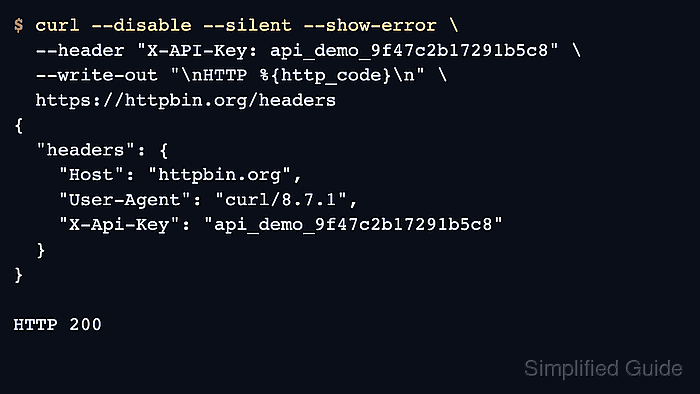
In cURL, API-key authentication is just an HTTP header. Most APIs document either a custom field such as X-API-Key or an Authorization header with a vendor-specific prefix such as ApiKey, and cURL sends whichever header the provider requires.
API keys are still reusable secrets. Keep them on HTTPS only, avoid printing them into verbose logs longer than necessary, and avoid query-string authentication unless the provider explicitly documents that URL pattern because URLs are logged more widely than headers.
Steps to authenticate with an API key in cURL:
- Set the API key in a shell variable before building the request.
$ API_KEY='api_demo_9f47c2b17291b5c8'
Replace the demo value with the live key from the provider portal, a private file, or a secret manager.
- Send the documented header to a header-echo endpoint so the exact request shape is visible before calling the protected API.
$ curl --disable --silent --show-error \
  --header "X-API-Key: ${API_KEY}" \
  --write-out "\nHTTP %{http_code}\n" \
  https://httpbin.org/headers
{
  "headers": {
    "Host": "httpbin.org",
    "User-Agent": "curl/8.18.0",
    "X-Api-Key": "api_demo_9f47c2b17291b5c8"
  }
}

HTTP 200
--disable must be the first cURL option. It keeps a user curlrc file from adding default headers, authentication, or output settings to the example request.
If the provider docs show Authorization: ApiKey <key> instead, change only the header string and keep the same request flow.
- Send the same header to the protected API endpoint and confirm that the response is authenticated.
$ curl --disable --silent --show-error \
  --header "X-API-Key: ${API_KEY}" \
  --write-out "\nHTTP %{http_code}\n" \
  https://api.example.net/v1/projects
{
  "authenticated": true,
  "project": "billing-core"
}

HTTP 200
Replace api.example.net and the sample JSON fields with the real endpoint and response shape from the provider documentation.
- Run the request with --verbose and discard the response body when the server rejects a key that appears correct.
$ curl --disable --silent --verbose --output /dev/null \
  --header "X-API-Key: ${API_KEY}" \
  https://httpbin.org/anything
* Host httpbin.org:443 was resolved.
##### snipped #####
> GET /anything HTTP/2
> Host: httpbin.org
> User-Agent: curl/8.18.0
> Accept: */*
> X-API-Key: api_demo_9f47c2b17291b5c8
>
< HTTP/2 200
##### snipped #####
Verbose output includes the full live key, so redact the header before sharing logs outside the local troubleshooting session.
- Clear the shell variable after the request session finishes.
$ unset API_KEY
Removing the variable reduces accidental reuse in later terminal sessions, but any copied logs or saved files still need separate cleanup.

Mohd Shakir Zakaria is a cloud architect with deep roots in software development and open-source advocacy. Certified in AWS, Red Hat, VMware, ITIL, and Linux, he specializes in designing and managing robust cloud and on-premises infrastructures.


