Restoring a Checkmk site backup returns a monitoring site from an OMD archive after a failed update, server rebuild, or recovery test. The restore writes configuration, historical data, local customizations, and version metadata back into the site directory, so the target server must be prepared before any existing site data is replaced.
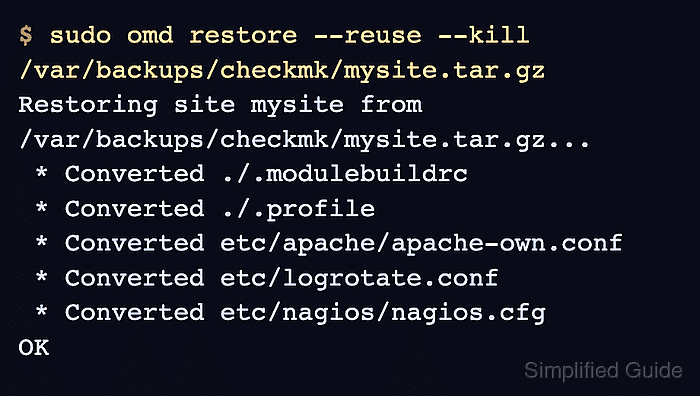
Shell-based recovery uses omd restore on a server that already has the same Checkmk version and edition installed. For a same-name recovery, --reuse reuses the target site directory and --kill stops the site before the archive refills it.
A restore is destructive for the target site. Keep the source archive in protected storage, make a final target-side backup when a same-named site already exists, and check both omd status and the web UI before sending operators back to the monitoring URL.
Related: How to back up a Checkmk site
Related: How to create a Checkmk monitoring site
Steps to restore a Checkmk site backup with OMD:
- Create a protected directory for the restore archive.
$ sudo install -d -m 0750 /var/backups/checkmk
Keep the archive outside /omd/sites so a later site backup does not include older backup files. Use access controls that match the monitoring data and credentials inside the archive.
- Copy the backup archive to the target Checkmk server.
$ sudo cp mysite.tar.gz /var/backups/checkmk/mysite.tar.gz
- Inspect the archive for the site name and Checkmk version.
$ tar tvzf /var/backups/checkmk/mysite.tar.gz
lrwxrwxrwx mysite/mysite     0 2026-06-21 09:10 mysite/version -> ../../versions/2.5.0p7.community
drwxr-xr-x mysite/mysite     0 2026-06-21 09:12 mysite/
drwxr-xr-x mysite/mysite     0 2026-06-21 09:12 mysite/etc/
drwxr-xr-x mysite/mysite     0 2026-06-21 09:12 mysite/var/
##### snipped #####
The first path segment is the site name. The version symlink shows the exact Checkmk build that must exist on the restore server.
- Confirm the matching Checkmk version is installed.
$ omd versions
2.5.0p7.community (default)
Do not restore across versions or editions. Install the exact version from the archive first, then update the restored site separately if a newer version is required.
- Check whether a same-named target site already exists.
$ sudo omd sites
SITE             VERSION          COMMENTS
mysite           2.5.0p7.community default version
If no same-named site exists, restore as root without --reuse and --kill. If it exists, continue only when that site can be overwritten.
- Make a final backup of the target site before overwriting it.
$ sudo omd backup mysite /var/backups/checkmk/mysite-before-restore.tar.gz
omd restore completely empties and refills the target site. This backup gives a rollback archive for the target state that existed immediately before the restore.
Related: How to back up a Checkmk site
- Restore the archive into the same-named target site.
$ sudo omd restore --reuse --kill /var/backups/checkmk/mysite.tar.gz
Restoring site mysite from /var/backups/checkmk/mysite.tar.gz...
 * Converted ./.modulebuildrc
 * Converted ./.profile
 * Converted etc/apache/apache-own.conf
 * Converted etc/logrotate.conf
 * Converted etc/nagios/nagios.cfg
OK
--kill stops the existing site before reuse. Run the restore during a maintenance window because the web UI and monitoring services are unavailable until the site is started again.
Related: How to start and stop a Checkmk site - Start the restored site.
$ sudo omd start mysite
Creating temporary filesystem /omd/sites/mysite/tmp...OK
Starting agent-receiver...OK
Starting mkeventd...OK
Starting rrdcached...OK
Starting npcd...OK
Starting nagios...OK
Starting apache...OK
Starting redis...OK
Initializing Crontab...OK
Related: How to start and stop a Checkmk site
- Check the restored site services.
$ sudo omd status mysite
agent-receiver: running
mkeventd:       running
rrdcached:      running
npcd:           running
nagios:         running
apache:         running
redis:          running
crontab:        running
-----------------------
Overall state:  running
- Open the restored site URL in a browser.
https://monitoring.example.net/mysite/
Use the site name from the archive as the URL path. A temporary HTTP 503 during startup can appear while Checkmk finishes restarting.
- Log in and confirm the expected hosts, services, users, and rules appear.
- Activate pending changes only if the restored site shows unapplied changes.
A backup restores the saved activation state. Activate changes after restore only when the site shows pending setup changes that are intentionally ready for monitoring.

Mohd Shakir Zakaria is a cloud architect with deep roots in software development and open-source advocacy. Certified in AWS, Red Hat, VMware, ITIL, and Linux, he specializes in designing and managing robust cloud and on-premises infrastructures.


