When several AWS CLI profiles should share one IAM Identity Center sign-in, the shared session block has to be configured once and referenced by each profile that needs it. A mismatched sso_session name or a legacy inline SSO profile can leave commands asking for the wrong portal or failing before temporary role credentials are retrieved.
Current AWS CLI v2 releases store token-provider settings in ~/.aws/config under a section such as [sso-session my-sso]. A role-backed profile then stores sso_session, sso_account_id, and sso_role_name in its own [profile developer] section, so the session controls portal sign-in while the profile controls the target account and permission set.
Gather the SSO start URL or Issuer URL, the SSO Region that hosts IAM Identity Center, the account ID, and the permission set role name before editing profiles. aws configure sso-session is for the token-provider layout and is not compatible with the legacy non-refreshable SSO profile format, and the profile still needs aws sso login before it can make signed AWS requests.
Steps to configure an IAM Identity Center session in AWS CLI:
- Gather the IAM Identity Center values for the session and profile.
The SSO Region is the Region where IAM Identity Center is configured, not necessarily the default Region where the profile will run service commands. AWS CLI v2.22.0 and newer can use the Issuer URL instead of the access portal start URL.
- Create the shared sso-session block with the AWS CLI wizard.
$ aws configure sso-session
SSO session name: my-sso
SSO start URL [None]: https://my-sso-portal.awsapps.com/start
SSO region [None]: us-east-1
SSO registration scopes [None]: sso:account:access

Completed configuring SSO session: my-sso
Run the following to login and refresh access token for this session:

aws sso login --sso-session my-sso
The sso:account:access scope lets the CLI list the accounts and roles assigned through IAM Identity Center. Use a separate session name when two local sign-ins must not share the same cached session.
- Open the shared AWS CLI config file.
$ nano ~/.aws/config
The default path is ~/.aws/config on Linux and macOS. Use the active file for the workstation or task if AWS_CONFIG_FILE redirects it.
Related: How to find the AWS CLI config file location - Add or update the profile that should use the shared session.
- ~/.aws/config
[profile developer]
sso_session = my-sso
sso_account_id = 111122223333
sso_role_name = DeveloperAccess
region = us-west-2
output = json
Use the account ID and permission set role name shown in the access portal for the intended account. The region value is the default service Region for this profile, not the IAM Identity Center Region.
- Confirm that the session and profile sections are saved together.
$ cat ~/.aws/config
[sso-session my-sso]
sso_start_url = https://my-sso-portal.awsapps.com/start
sso_region = us-east-1
sso_registration_scopes = sso:account:access

[profile developer]
sso_session = my-sso
sso_account_id = 111122223333
sso_role_name = DeveloperAccess
region = us-west-2
output = json
- List the saved profile names.
$ aws configure list-profiles
developer
The sso-session name itself is not listed as a profile. Only sections such as [default] and [profile developer] appear here.
- Verify that the profile references the shared session.
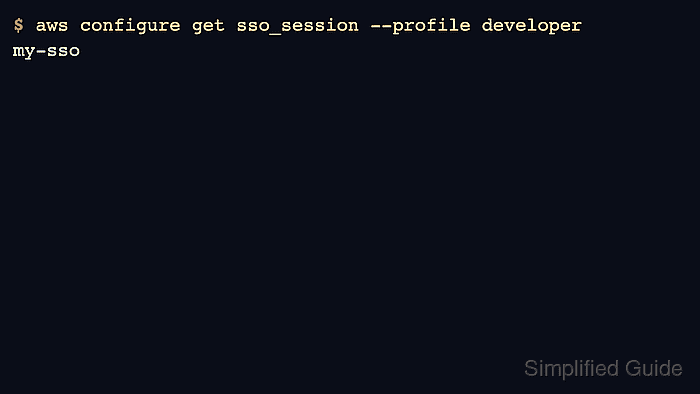
$ aws configure get sso_session --profile developer
my-sso
Use aws configure get for pre-login checks. A full credential-resolution command can fail before login because the SSO token cache does not exist yet.
- Verify the target account setting.
$ aws configure get sso_account_id --profile developer
111122223333
- Verify the permission set role setting.
$ aws configure get sso_role_name --profile developer
DeveloperAccess
- Start the browser sign-in flow for the profile.
$ aws sso login --profile developer
Attempting to automatically open the SSO authorization page in your default browser.
If the browser does not open or you wish to use a different device to authorize the request, open the following URL:

https://oidc.us-east-1.amazonaws.com/authorize?<abbreviated>

Successfully logged into Start URL: https://my-sso-portal.awsapps.com/start
AWS CLI v2.22.0 and newer uses PKCE by default, so the authorization URL must be opened on the same device. Use --use-device-code when approval must happen from another device.
Related: How to log in to AWS CLI with IAM Identity Center - Run a low-risk identity check with the configured profile.
$ aws sts get-caller-identity --profile developer --output json
{
    "UserId": "AROAEXAMPLEID:developer",
    "Account": "111122223333",
    "Arn": "arn:aws:sts::111122223333:assumed-role/AWSReservedSSO_DeveloperAccess_1234567890abcdef/developer"
}
The Account and Arn fields should match the account and permission set selected for the profile before deployments, data changes, or policy updates continue.
Related: How to check the current caller identity in AWS CLI

Mohd Shakir Zakaria is a cloud architect with deep roots in software development and open-source advocacy. Certified in AWS, Red Hat, VMware, ITIL, and Linux, he specializes in designing and managing robust cloud and on-premises infrastructures.


