A JavaScript Appium smoke test proves that the Node client can create a mobile session, drive one visible screen, and close the session without leaving the device busy. Use this check after the Appium server and Android driver are installed, or before moving the same capability set into a larger WebdriverIO suite.
WebdriverIO is the JavaScript client recommended by the Appium quickstart. A small Mocha project keeps the session options, capabilities, locator, action, and assertion visible in one test file without generating a full test-runner scaffold.
This smoke test targets the Android Settings app through the UiAutomator2 driver. The Appium server must be listening at http://127.0.0.1:4723 with an emulator or device already available; if the server was started with the legacy /wd/hub base path, set the client path value to match that server.
Related: How to install Appium
Related: How to install the Appium Android driver
Related: How to start the Appium server
Related: How to configure Appium capabilities
Steps to run an Appium JavaScript test:
- Create a project directory for the JavaScript smoke test.
$ mkdir appium-js-smoke
- Enter the project directory.
$ cd appium-js-smoke
- Initialize the npm package metadata.
$ npm init --yes
- Install the JavaScript test dependencies.
$ npm install --save-dev webdriverio mocha
WebdriverIO provides the remote() client used to open the Appium session, and Mocha supplies the test command and pass/fail output.
- Add the npm test script to package.json.
- package.json
{
  "scripts": {
    "test": "mocha \"test/**/*.test.js\" --timeout 20000"
  }
}
- Create the test directory.
$ mkdir test
- Write the Android Settings smoke test.
- test/settings.test.js
const assert = require('node:assert/strict');
const { remote } = require('webdriverio');

const capabilities = {
  platformName: 'Android',
  'appium:automationName': 'UiAutomator2',
  'appium:deviceName': 'Android',
  'appium:appPackage': 'com.android.settings',
  'appium:appActivity': '.Settings',
};

describe('Android Settings Appium smoke test', function () {
  let driver;

  afterEach(async function () {
    if (driver) {
      await driver.deleteSession();
      driver = undefined;
    }
  });

  it('opens Battery settings', async function () {
    driver = await remote({
      hostname: process.env.APPIUM_HOST || '127.0.0.1',
      port: Number(process.env.APPIUM_PORT || 4723),
      path: process.env.APPIUM_PATH || '/',
      logLevel: 'error',
      capabilities,
    });

    const battery = await driver.$('//*[@text="Battery"]');
    await battery.click();

    const title = await driver.$('//*[@text="Battery"]');
    assert.equal(await title.getText(), 'Battery');
  });
});
Use a locator that exists on the target device if its Settings app does not show Battery on the first screen.
- Start Appium in a separate terminal if it is not already running.
$ appium --address 127.0.0.1 --port 4723 --log-level info
[Appium] Welcome to Appium v3.5.0
[Appium] Appium REST http interface listener started on http://127.0.0.1:4723
Keep this terminal open while the test runs. Install the uiautomator2 driver first if the server cannot create an Android session.
Related: How to start the Appium server
Related: How to install the Appium Android driver - Run the JavaScript Appium test.
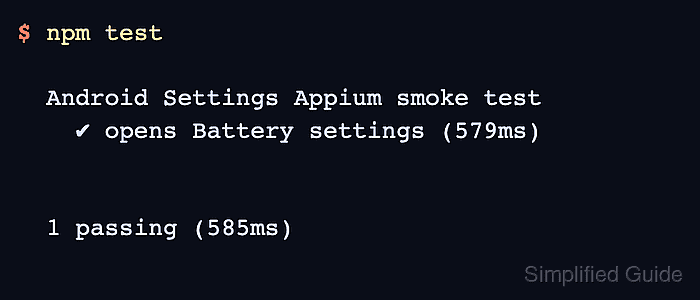
$ npm test

> test
> mocha "test/**/*.test.js" --timeout 20000


  Android Settings Appium smoke test
    ✔ opens Battery settings (579ms)


  1 passing (585ms)
A passing result means WebdriverIO opened the Appium session, clicked the selected Settings element, read its text, and deleted the session in cleanup.

Mohd Shakir Zakaria is a cloud architect with deep roots in software development and open-source advocacy. Certified in AWS, Red Hat, VMware, ITIL, and Linux, he specializes in designing and managing robust cloud and on-premises infrastructures.


