Android Appium sessions stop at session creation when the server cannot load an Android platform driver. The UiAutomator2 driver adds the Android automation backend that maps appium:automationName to native, hybrid, and mobile web automation for emulators and real devices.
Appium 3 keeps the server package separate from managed drivers and plugins. The Appium Extension CLI installs the official uiautomator2 driver package into the active APPIUM_HOME directory, which defaults to ~/.appium when the variable is unset.
Stop any running Appium server before changing drivers, then start it again from the same environment that owns the extension home. Installing the driver does not install the Android SDK, adb, Java JDK, or a connected device; the driver doctor check reports those prerequisites before the first Android session.
Related: How to install Appium
Related: How to use APPIUM_HOME for Appium extensions
Related: How to run an Appium session on an Android emulator
Steps to install the Appium Android driver:
- Stop any running Appium server.
- Confirm the Appium CLI is available.
$ appium --version
3.5.0
Install the server first if this command is missing. Appium 3 also requires npm version 10 or newer for supported installs.
Related: How to install Appium - List installed drivers before changing the extension home.
$ appium driver list --installed
- Listing installed drivers (rerun with --verbose for more info)
✔ Listing installed drivers (rerun with --verbose for more info)
No driver row below the listing line means the active APPIUM_HOME has no installed drivers yet. If uiautomator2 is already listed, update it separately instead of reinstalling it.
Related: How to update Appium drivers and plugins - Install the official Android UiAutomator2 driver.
$ appium driver install uiautomator2
- Checking if 'appium-uiautomator2-driver' is compatible
✔ Checking if 'appium-uiautomator2-driver' is compatible
- Installing 'uiautomator2'
✔ Installing 'uiautomator2'
- Validating 'uiautomator2'
✔ Validating 'uiautomator2'
ℹ Driver uiautomator2@7.6.1 successfully installed
- automationName: UiAutomator2
- platformNames: ["Android"]
uiautomator2 is Appium's official install name for the Android driver package appium-uiautomator2-driver. Set APPIUM_HOME on the same command only when the project intentionally keeps drivers in a separate extension home.
Related: How to use APPIUM_HOME for Appium extensions - Confirm the Android driver is installed.
$ appium driver list --installed
- Listing installed drivers (rerun with --verbose for more info)
✔ Listing installed drivers (rerun with --verbose for more info)
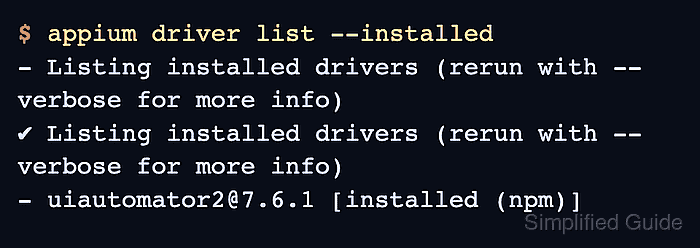
- uiautomator2@7.6.1 [installed (npm)]
The exact driver version changes as releases are published. The uiautomator2 row with [installed (npm)] confirms that the active extension home can load the Android driver.
- Check Android prerequisites before the first device session.
$ appium driver doctor uiautomator2
Continue to an emulator or real-device session only when the required fixes count is 0. Required fixes for ANDROID_HOME, JAVA_HOME, adb, or Android SDK packages mean the driver is installed but the Android toolchain is not ready.
Related: How to run an Appium session on an Android emulator
Related: How to run an Appium session on an Android real device

Mohd Shakir Zakaria is a cloud architect with deep roots in software development and open-source advocacy. Certified in AWS, Red Hat, VMware, ITIL, and Linux, he specializes in designing and managing robust cloud and on-premises infrastructures.


