Installing Appium gives a test project the server process that mobile automation clients connect to before Android or iOS drivers handle device-specific commands. A server-only install can start and answer its status endpoint, but it cannot create real mobile sessions until at least one platform driver is installed.
Appium 3 is installed through npm, and Appium does not currently support other package managers for the server package. The active Node.js and npm versions matter because older runtimes can install an older Appium release or fail during dependency resolution.
A global install should be followed by a shell-path check and a local server start on port 4723. Driver installation stays separate so the server install is proven before adding UiAutomator2, XCUITest, plugins, or project-specific APPIUM_HOME state.
Related: How to use APPIUM_HOME for Appium extensions
Related: How to update the Appium server
Steps to install the Appium server:
- Check the active Node.js version.
$ node --version
v22.22.3
Appium 3 requires Node.js in the range ^20.19.0 || ^22.12.0 || >=24.0.0. Install a current Node.js LTS release before continuing if this command prints an older version.
- Check the active npm version.
$ npm --version
10.9.8
Appium 3 requires npm version 10 or newer. If this prints 9.x or older, upgrade npm or install a newer Node.js distribution before installing Appium.
- Install Appium globally with npm.
$ npm install -g appium

added 324 packages in 16s

76 packages are looking for funding
  run `npm fund` for details
This installs the Appium server package only. Platform drivers and plugins are installed separately with the appium driver and appium plugin commands.
- Confirm the installed Appium version.
$ appium --version
3.5.0
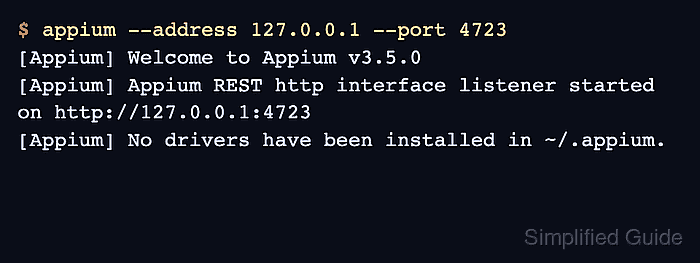
- Start the Appium server on the local loopback address.
$ appium --address 127.0.0.1 --port 4723
[Appium] Welcome to Appium v3.5.0
[Appium] The autodetected Appium home path: ~/.appium
[Appium] Appium REST http interface listener started on http://127.0.0.1:4723
[Appium] No drivers have been installed in ~/.appium. Use the "appium driver" command to install the one(s) you want to use.
Leave this terminal open for the status check. The no-drivers message is expected after a server-only install.
Related: How to install the Appium Android driver
Related: How to install the Appium iOS driver - Query the server status endpoint from another terminal.
$ curl --silent http://127.0.0.1:4723/status {"value":{"ready":true,"message":"The server is ready to accept new connections","build":{"version":"3.5.0"}}} - Stop the verification server in the original terminal with Ctrl-C.

Mohd Shakir Zakaria is a cloud architect with deep roots in software development and open-source advocacy. Certified in AWS, Red Hat, VMware, ITIL, and Linux, he specializes in designing and managing robust cloud and on-premises infrastructures.


