Mobile suites need Selenium Grid when one endpoint must route sessions to separate Appium servers instead of direct device URLs. In Selenium Grid 4, Appium sits behind a relay node, so test clients connect to the Grid hub while the node forwards matching mobile capabilities to the Appium server.
The relay node is a separate Selenium process. Appium keeps its own server port, driver state, and device-specific settings, while the Grid node config points at the Appium status endpoint and advertises the capability stereotype that Grid should match.
Run one Appium server and one Grid node for each device, emulator, or simulator that needs isolated ports. The Appium --nodeconfig option belongs to Selenium Grid 3 registration; use Selenium's [relay] TOML configuration for Grid 4 deployments.
Related: How to install Appium
Related: How to use APPIUM_HOME for Appium extensions
Related: How to configure Appium capabilities
Steps to run Appium behind Selenium Grid:
- Download the current Selenium Server jar and save it as selenium-server.jar.
$ curl --location --output selenium-server.jar https://github.com/SeleniumHQ/selenium/releases/download/selenium-4.44.0/selenium-server-4.44.0.jar
Use the latest stable Selenium Server jar from the Selenium downloads page if this filename has been replaced.
- Create the Appium server config for the device.
$ vi appium-grid.yml
- Add the Appium server settings.
- appium-grid.yml
server:
  address: 127.0.0.1
  port: 4723
  base-path: /
  default-capabilities:
    platformName: Android
    appium:automationName: UiAutomator2
    appium:udid: emulator-5554
    appium:systemPort: 8200
Replace emulator-5554 with the target serial from adb devices. Use a different appium:systemPort for each Android Appium server that can run at the same time.
Related: How to run an Appium session on an Android emulator - Create the Selenium relay node config.
$ vi appium-node.toml
- Add the Grid node and relay settings.
- appium-node.toml
[server]
port = 5555

[node]
detect-drivers = false

[relay]
url = "http://127.0.0.1:4723"
status-endpoint = "/status"
configs = [
  "1", "{\"platformName\":\"Android\",\"appium:automationName\":\"UiAutomator2\"}"
]
The number before the stereotype is the slot count for this relay. Keep it at 1 for one physical device, emulator, or simulator unless the backend can safely run more than one mobile session.
- Start the Appium server from the first terminal.
$ appium --config appium-grid.yml --log-no-colors
[Appium] Welcome to Appium v3.5.0
[Appium] Appium REST http interface listener started on http://127.0.0.1:4723
Leave this terminal open while Grid routes sessions through the relay. If the server cannot find the driver, install it in the same APPIUM_HOME used by this process.
Related: How to install the Appium Android driver
Related: How to use APPIUM_HOME for Appium extensions - Confirm that Appium answers the status endpoint.
$ curl --silent http://127.0.0.1:4723/status {"value":{"ready":true,"message":"The server is ready to accept new connections","build":{"version":"3.5.0"}}} - Start the Selenium Grid hub from a second terminal.
$ java -jar selenium-server.jar hub --port 4444
- Start the relay node from a third terminal.
$ java -jar selenium-server.jar node --config appium-node.toml --hub http://127.0.0.1:4444
If the Grid hub and Appium server run on different machines, replace 127.0.0.1 in appium-node.toml with a hostname or IP address that the Grid node can reach. A loopback URL points back to the node host, not to the other machine.
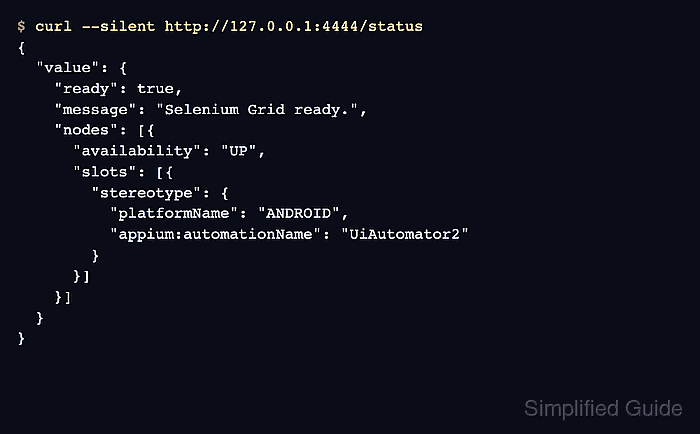
- Verify that Grid exposes the Appium relay slot.
$ curl --silent http://127.0.0.1:4444/status
{
  "value": {
    "ready": true,
    "message": "Selenium Grid ready.",
    "nodes": [{
      "availability": "UP",
      "slots": [{
        "stereotype": {
          "platformName": "ANDROID",
          "appium:automationName": "UiAutomator2"
        }
      }]
    }]
  }
}
The node should be UP and the slot stereotype should match the capabilities the test client will request.
- Run a smoke test whose Remote WebDriver URL points at the Grid hub.
$ python3 android_emulator_session.py
session=2e5f6d4c-9f1b-4d52-8e65-4cf2f8d96a15
package=com.android.settings
opened=Settings Apps
Set the client URL to http://127.0.0.1:4444 before running the test. The request must include platformName and appium:automationName values that match the relay config.
Related: How to configure Appium capabilities

Mohd Shakir Zakaria is a cloud architect with deep roots in software development and open-source advocacy. Certified in AWS, Red Hat, VMware, ITIL, and Linux, he specializes in designing and managing robust cloud and on-premises infrastructures.


