Appium driver doctor checks expose extension-specific prerequisite failures before a mobile session reaches the server. Running the check against the installed driver shows whether local SDK paths, Java, command-line tools, and optional media helpers are visible to the same Appium home used by the project.
Appium 3 runs doctor checks through the extension CLI rather than the older standalone appium-doctor workflow. The command shape is appium driver doctor <driver>, and Appium also supports appium plugin doctor <plugin> when a plugin author ships doctor checks.
The extension name is the short name shown by appium driver list or appium plugin list, not necessarily the npm package name. A passing environment check means the selected extension can find its required local tooling; missing optional helpers can still matter for features such as Android app bundles, screen recording, or streaming.
Related: How to install Appium
Related: How to use APPIUM_HOME for Appium extensions
Related: How to install the Appium Android driver
Steps to run Appium driver doctor checks:
- Set the project Appium home when the driver is not in the default directory.
$ export APPIUM_HOME="$PWD/.appium-home/android"
Skip this step when Appium should read the default ~/.appium directory. Use the same APPIUM_HOME value for install, list, doctor, and server commands.
Related: How to use APPIUM_HOME for Appium extensions - List installed drivers from the selected Appium home.
$ appium driver list --installed
- Listing installed drivers (rerun with --verbose for more info)
- uiautomator2@7.6.1 [installed (npm)]
If the driver is missing, install it before running doctor checks.
Related: How to install the Appium Android driver - Run the driver doctor check.
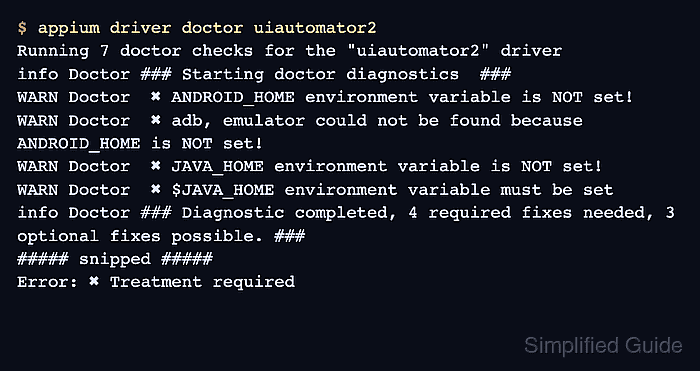
$ appium driver doctor uiautomator2
Running 7 doctor checks for the "uiautomator2" driver
info Doctor ### Starting doctor diagnostics  ###
WARN Doctor  ✖ ANDROID_HOME environment variable is NOT set!
WARN Doctor  ✖ adb, emulator could not be found because ANDROID_HOME is NOT set!
WARN Doctor  ✖ JAVA_HOME environment variable is NOT set!
WARN Doctor  ✖ $JAVA_HOME environment variable must be set
info Doctor ### Diagnostic completed, 4 required fixes needed, 3 optional fixes possible. ###
##### snipped #####
Error: ✖ Treatment required
Replace uiautomator2 with the driver short name from the list output. The command exits nonzero when required checks fail.
- Fix the required manual items named under Manual Fixes Needed.
For the UiAutomator2 output above, the required blockers are ANDROID_HOME, adb and emulator from the Android SDK, plus JAVA_HOME for the local JDK. Optional items such as bundletool.jar, ffmpeg, and GStreamer only block features that use them.
- Re-run the doctor command after changing SDK, JDK, or PATH environment settings.
$ appium driver doctor uiautomator2
A passing run has no Manual Fixes Needed section and returns exit status 0. If required fixes remain, keep the failing output with the project setup notes or CI artifact.

Mohd Shakir Zakaria is a cloud architect with deep roots in software development and open-source advocacy. Certified in AWS, Red Hat, VMware, ITIL, and Linux, he specializes in designing and managing robust cloud and on-premises infrastructures.


