Updating the Appium server changes the npm package that owns the appium command. Mobile test suites can keep pointing at an older server binary after client libraries, CI images, or extension documentation have moved on, and the core package update should stay separate from driver and plugin maintenance.
The Appium server package is installed with npm. The update must run in the shell environment that owns the current global appium command, especially on machines that use nvm, Volta, Homebrew, or another Node.js manager.
Drivers and plugins live under the active APPIUM_HOME and are not replaced by reinstalling the server package. After the server package reports the target version, start the server once and query its status endpoint before moving on to extension updates or test-suite smoke checks.
Related: How to install Appium
Related: How to use APPIUM_HOME for Appium extensions
Related: How to update Appium drivers and plugins
Steps to update the Appium server package:
- Stop any running Appium server process.
A running server keeps the package code it loaded at startup. Stop it before replacing the global appium package, then start it again after the version check passes.
- Check the active Node.js version.
$ node --version
v22.22.1
Appium 3 requires Node.js in the range ^20.19.0 || ^22.12.0 || >=24.0.0. Install a current Node.js release before updating Appium if this command prints an older version.
- Check the active npm version.
$ npm --version
11.17.0
The current Appium server package declares npm version 10 or newer. Upgrade npm or install a newer Node.js distribution before continuing if this command prints 9.x or older.
- Check the installed Appium server version.
$ appium --version
3.4.2
- Check whether the global Appium package is behind the latest npm tag.
$ npm outdated --global appium
Package  Current  Wanted  Latest  Location             Depended by
appium     3.4.2   3.5.0   3.5.0  node_modules/appium  lib
No output means the selected global npm prefix does not have an older appium package to report.
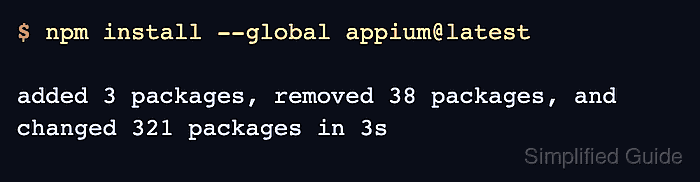
- Update the Appium server package from npm.
$ npm install --global appium@latest

added 3 packages, removed 38 packages, and changed 321 packages in 3s
This replaces the core appium package only. It does not update drivers or plugins stored in APPIUM_HOME.
- Confirm that the appium command now reports the target server version.
$ appium --version
3.5.0
- Start the updated server on the local loopback address.
$ appium --address 127.0.0.1 --port 4723 --log-level info
[Appium] Welcome to Appium v3.5.0
[Appium] Non-default server args:
[Appium] { address: '127.0.0.1', loglevel: 'info' }
[Appium] Appium REST http interface listener started on http://127.0.0.1:4723
[Appium] No drivers have been installed in ~/.appium. Use the "appium driver" command to install the one(s) you want to use.
[Appium] No plugins have been installed. Use the "appium plugin" command to install the one(s) you want to use.
The no-drivers and no-plugins lines are expected in a server-only check. A project with installed extensions should start the server with the same APPIUM_HOME used by its tests.
Related: How to start the Appium server - Query the status endpoint from another terminal.
$ curl --silent http://127.0.0.1:4723/status
{"value":{"ready":true,"message":"The server is ready to accept new connections","build":{"version":"3.5.0"}}}
ready set to true proves the updated server can accept WebDriver requests. Run a driver or plugin smoke test separately when the maintenance window also changes extensions.
- Stop the verification server in the original terminal with Ctrl-C.

Mohd Shakir Zakaria is a cloud architect with deep roots in software development and open-source advocacy. Certified in AWS, Red Hat, VMware, ITIL, and Linux, he specializes in designing and managing robust cloud and on-premises infrastructures.


